Help me understand...Types / Objects... that doesn't really make a database, right?

Disclaimer : I have discovered Anytype 5 days ago and trying to understand it / find ways to work with it.

I am very well accustomed to Airtable. The principle of database is straightforward.
You can set anything as a type : you create a new table, its first column is the type
& define its attributes : the other columns of the table.
Then each line of that table is an object.

Later, you can link those objects to other objects of other types (a line in another table) or even of the same type (another line in the same table).

I really struggle to understand it on Anytype.
I get what are types.
I get that objects are instances of the types.
But


  • First, they all look the same : like a note (so why creating so many different types
 it’s all the same).
  • Second
 you are supposed to be able to define exactly how they look with templates
 but there is always the description field that you can’t remove (I don’t need to put a description on all my objects).
  • Third, I don’t see how to link an object with a object of the same type through a drop-down menu in the template.
  • Fourth, you have attributes that looks just like other objects
 but there are awfully limited (you can’t search / visualise them as list - just why?).

A bit of context :
I am really frustrated by the absence of tags (like in Evernote). The current Tag is an attribute that looks just useless to me.
So I wanted to create an object “My Tag”, which I would be able to link with other tags (in order to nest them), which I would display as a Outline widget later on
 but I am failing miserably.

Can someone help me turn my brain to understand what doesn’t look logical to me?

Thank you

  1. Types are basically templates for different types of objects you need. There are also actual Templates for the types and there is some disagreement over the need for Templates in addition to Types.

  2. You can remove the description field by unstaring it in the relations menu at the top right of the object. It will still show in the relations menu but not in the object itself. You can also completely remove it from the object in the Type settings I believe.

  3. You can create a relation for a specific object type but I don’t think it can do a dropdown.

  4. Not sure what you mean exactly but I’m sure this will get improved over time. For example, files will act like full objects in the future I think.

I’m using Anytype for 2 months and I have a lot to learn. My advice is to make several projects like “Book library”, " Recipe Book & Meal Planner", " “Movie Database”. There are tutorials in the Anytype’s YouTube Channel. The explanation is no so good (compared to some tutorials for Notion) but this is all we have.

The learning curve of Anytype is not so short, and it is not so intuitive (in my opinion). I use Anytype and Notion, and in the most cases Notion is more intuitive than Anytype. BUT! Anytype works offline and in some cases the privacy is important for me. Finally, this is not such a mature project, and it will still develop and find its place under the sun.

Thank you very much for taking the time to answer my question.

  1. I start to understand that there is only a single format for whatever types :
    Anytype offers actually ONE type of information : a “note” with :
  • a title
  • a text field below
  • icons
  • a cover
  • a layout
  • some (not exploitable metadata)

So now I understand my confusion : eventually, Anytype should be called “notetype” :wink: :upside_down_face:

I get the disagreement over the need of templates. It adds confusion really, since it implies that templates are a way to format a type of object. But there are no different types of object, the one I described above.

  1. THANX !!! Didn’t come to my mind !

  2. Yeah, I am afraid so
 it should be quite simple to program though, to create a drop-down menu populated with existing objects.

  3. My main struggle was to think that types were REALLY different (a date, an integer, a text
 they are all very different types of information that should be displayed / handled / format differently).
    I think like you : It is just a v0
 it shows the current immaturity of the app (although it is promising, and a good job has been done)

I have never tried Notion because I am repulsed by Online only solutions. It is inacceptable to me.
Creating the projects that you can list in Collections answer the need to create folders, but not tags (at all).

Anyway, I totally agree with you that the solution is not mature at all in terms of front & UI.
I will stop spending too much time on it, can’t afford that, but will regularly open it, update it and see how it evolves. And maybe, one day, it will be worth going full speed & ditch Evernote.

Onece you understand the workflow, then everything will become much easier. From Objects in the Librery, then Templates with Relations, to Sets, Collections and the Links between them.

It is complicated and need a long learning curve. The documentation is not enough to learn how to use Anytype.

Now I use it for the P.A.R.A. method to build Second brain. For complex habit tracking and Project management with tasks and sprint I use Notion.

The weakest part of using these apps is the mobile app. Notetaking and creating new Sets/Collections in not easy for me. I need laptop to organize all notes.

I like to use Anytype and I’ll continue to use it.

Well, thanx to @ccrawford’s answer above, I manage to get a better grasp at the different elements and I realise that it ain’t much about the workflow itself.

The main blocker is the inability to define custom meta-data & to handle them (search, filter, sort
).
If I was eager to accept a poor solution, my MacOS could do just better with folders on my icloud & the system’s tag.

The fact that “Types” is a big stretch of a concept for me doesn’t bother me really, because I aim at replacing my Evernote > a note tool. Sets & Collections aren’t too big an issue, it takes some tries & errors, but manageable.

The reason why the concept of “types” is an overstretch of the concept is because they are just different ways of formating / displaying the same element, a note. Chase’s enlightning remark about disagreement over the need for templates confirms this observation.

Oh ! By the way, thanx for your contribution to my post !

This is so your ‘files’ can go beyond a “Page” and be customized according to your needs or organization. For example, you can name it, Docs, Lesson, Idea, Company, etc.

Then there are the locked types like Set, Image, Human, etc. It’s for identification.

There are actually subtle differences if you play with the settings, although yes, it’s still just a page with a custom name. Some examples of varying use cases:

  • a note without a title for quick captures
  • a page in basic layout for documents
  • a page (or Human type) for contacts

It’s intended to be named/customized, that’s the idea of “any type”.

I’m not sure I understand what you’d like to do here, but I will say that Anytype is more Notion than Evernote in the sense that if you want a list, you’ll have to set it up yourself. Think of it as starting from scratch then setting up your own app or workflow. You get to decide how you finish the product’s UI/layout based on your use case.

Is this what you’re trying to do?

I call it my folder system/navigation in Anytype, but I can see it as a workaround for recreating the nested tags or Notebooks in Evernote. Basically, instead of actually adding a tag relation, you’ll be connecting the objects by categorizing everything inside one page.

For this, I created a “Folder” type, aka a page with only links in it. Then inside those linked pages are more object links. If the Folder object (equivalent of a parent tag) is assigned as a widget with a tree appearance, it will create that look similar to nested tags.

I wouldn’t suggest using Collections as a substitute for tags because it wouldn’t expand in tree view unless it’s the source object of the widget itself. (More limiting imo.)

Hope this helps.

Hello @Kerstie, thank you for your detailed & thoughtful answer !!!

Yeah
 that’s where I was at first disappointed 
 now, I just accepted it 
 for me, a type is “text file”, “database”, “Boolean”, “Interger”
 that’s why I made a joke about changing the name into “Anynote” :wink:

Well, it’s quite straight forward. I want to be able to search / filter / sort any object that has a particular metadata value
 or display all values of a metadata. 2 examples :

  • Take the metadata “Description” > tell me how to search (and list dynamically in a page) the title of all notes whose description contains the word “Work”
 I am pretty sure you cannot.
  • Take the metadata “Tag” > tell me how to create a page that will display dynamically all tags assigned to every object in your app
 idem, you just can’t as far as I can see.

Woah, you have to explain me how to make a list myself. I am ready to make a list to choose from
 it’s a 1 column table
 then I can point on that table & pick the element I want (like a “status list” - To do / In Progress / Done).
I don’t see anything like that in Anytype
 so we’re probably not talking about the same thing :
I suppose that what you mean is creating a page and write a bullet list in it
 or make a type & create objects in it (and you can then check the Type page & see the list of all objects of that object)

No. What you describe is what I mention in the previous comment :

What you did was to create folders.
In your example, if you want to put a note in Productivity AND in Career, you’d need to open both & create a link in each to your note. I want to be able to do the other way around > I assign the key words “Productivity” & “Career” to my note and this note is displayed in each folder automatically.

I would be happy that you tell me that I understand it wrong & what I say IS possible
 in that case, I’d need you to explain me with screenshots :wink:

Oh, so you are talking about specific queries. I thought it was the kind of list that you’d want visible on a page, like a saved search or tag list. Yeah, search could use some improvement. If I’m not mistaken, they are already planning on it, which will also affect Sets.

I get the impression that you haven’t explored Views? So in Airtable, there’s the table, kanban, etc. In Anytype, those are Set/Collection Views. You either have to create a Set/Collection (type) object first, or create an empty object/page then insert the Set/Collection. (Slash command — Inline Set or Inline Collection)

I’m not on pc atm, so this isn’t the most detailed, but try


For Tags:

  1. New object (Set type)
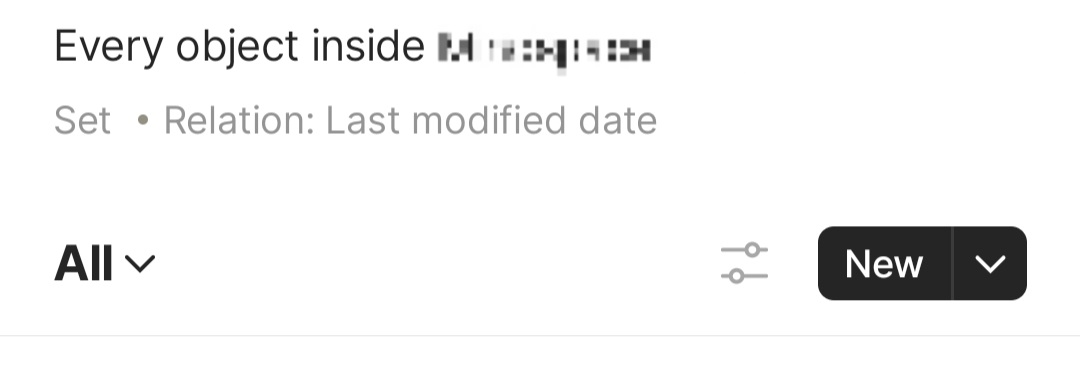
  2. Set query to relation: “last modified date” — this will pull all existing objects, can only be done via desktop
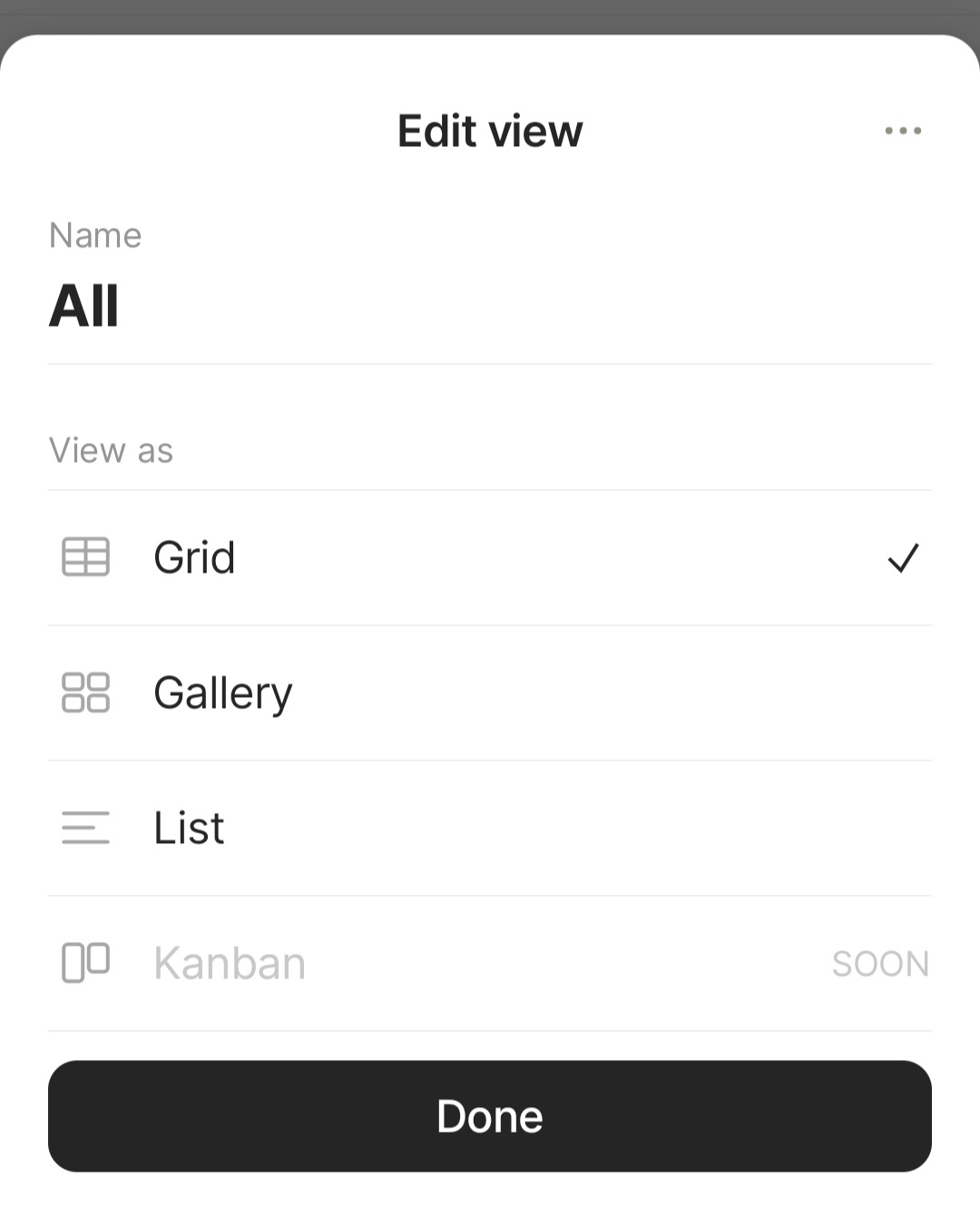
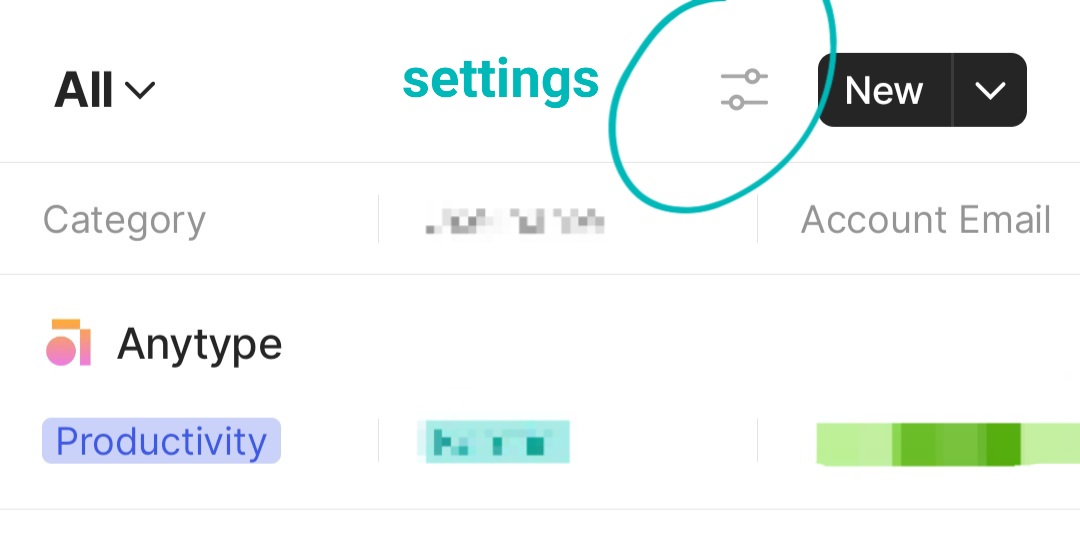
  3. Check top right settings and set to Grid View if it isn’t in a table format already
  4. Add new column and select the tags relation — this is assuming you already have existing tags, enabled in settings, and all its values in the pre-installed “Tags”

For project status:

  1. New object (Collection type)
  2. Settings: Grid View
  3. Add entries
  • For new objects, just type it and it will create a blank page for you, object/project name listed in the Grid
  • For existing objects, open it and “Link to” the name of your collection in settings
  1. Add a new column and create a status relation to populate with your statuses

Yeah, I suggested this as a workaround. Reading what you described now, it sounds like what you need is to create Sets that serve as your folders. It is possible to display contents automatically, but you’ll have to create those ‘folders’ first.

Mobile screenshots:

Thanx very much for your very helpful answer. Will have a detailed read when I can really spend the appropriate time on it.

Just to add my perspective to this.

The reason to separate your notes into different types is to then be able to sort for them via the Sets.
Sets are dynamic tables that query your database of Objects and display the fitting entries.
Collections on the other hand are static tables that have to be populated manually.

So - when/how to use sets?
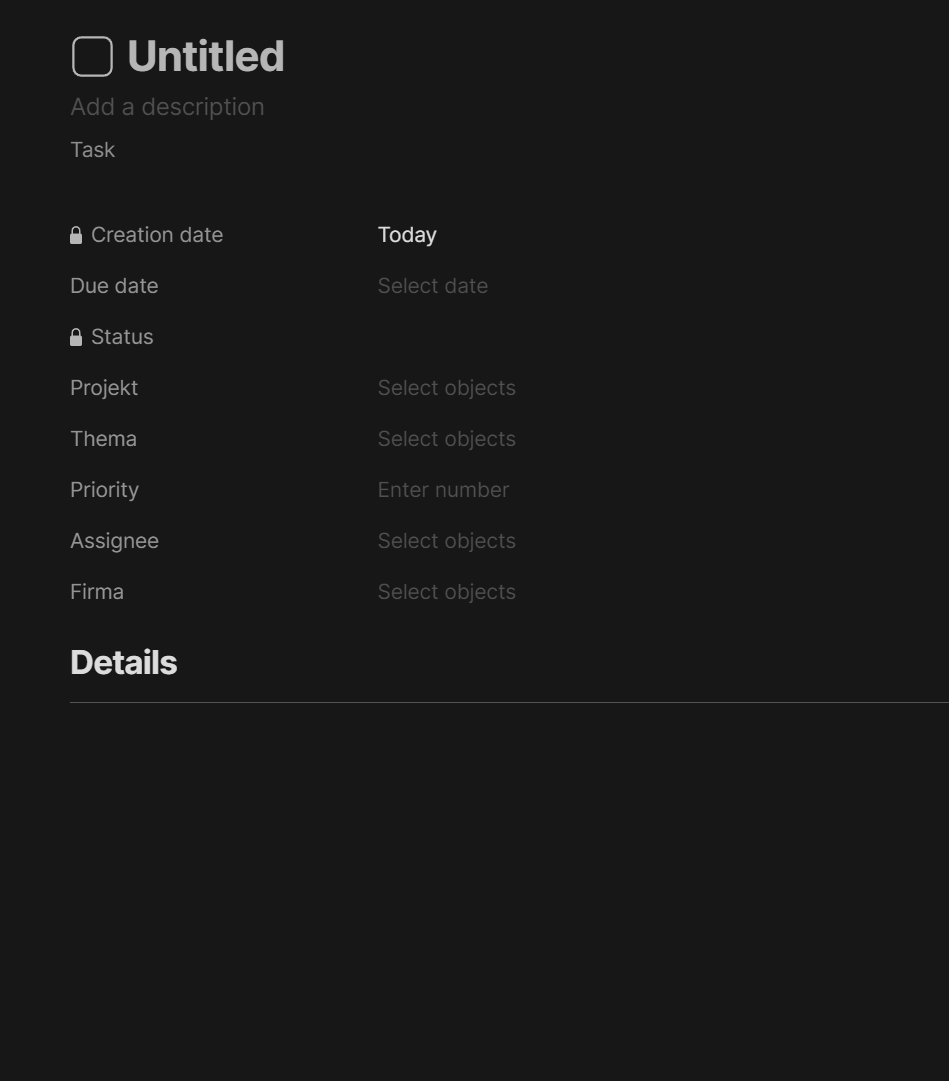
I use sets for a lot of things. For example I collect my task inside of Anytype. I have expanded the object tasks to include the relations “Part of Project”, “Part of Topic” and “Related to Company”. Project, Topic, Company are all Types.
I can then create my Page of the Type Project and fill it with my details to that Project. Inside of that page I have included an inline set that has the filter for Objects of Type Tasks which have the relation “Part of Project” containing “Insert Name of the current Project” AND Relation “Done” is “Unchecked”. That will then only show me tasks relating to the current project that are not done yet.

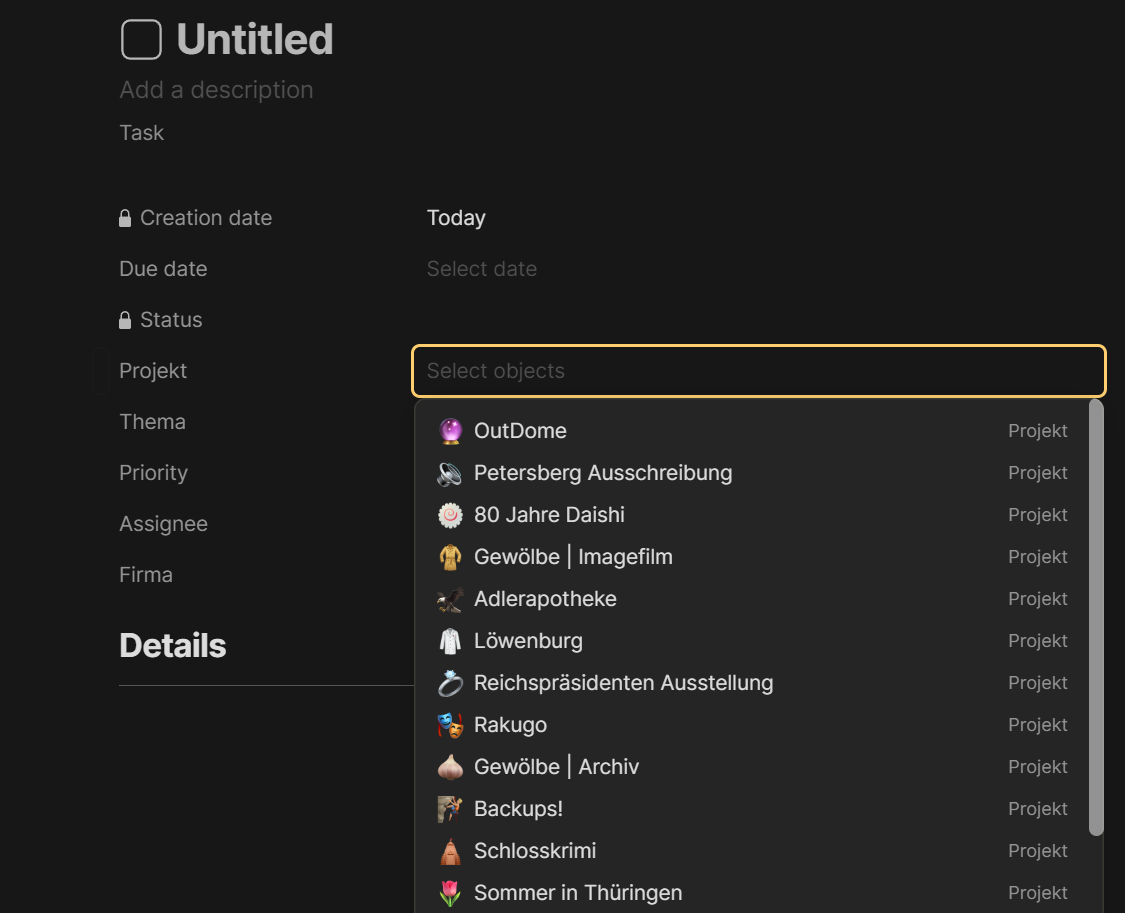
Similar principles can be applied to other situations. So it is possible to add various metadata to any object. Metadata is called Relations. Relations can be a bool, a string, a number, another object and also a list of Strings (Tags). Tags and Objects also show Dropdown Menus for selection. For example I have a relation called Projekt that is of the type object and has a filter applied to only show Objects of the Type Projekt (I agree this sounds a bit confusing when written, because there is a relation and an object with the same name. But hey.). This relation is by default shown for every task I create.


When clicked on it, the dropdown shows all objects fitting for my query (all objects that are of type projekt).

So, to summarize. Types are basically all text files, correct. But with different metadata (relations) and templates preconfigured. Templates are layouts for said Types. I use them when setting up Projects to have a starting point (I have included a few questions to help guide the project). Metadata is configured via the relations. Relations can be preadded to types to always show up when creating a note of that type.

Vielen Dank Shrippen ! Dein Antwort ist wunderbar. Ich hab jetzt verstanden, dass was ich wollte machen, möglich ist !

I still need to get my brain to work out the how to in a naturally manner.

Thank you for starting from my understanding and elaborate to make me go further

Gerne!

Don’t worry, it has taken me a while to set up my structure as well and it keeps changing here and there.

But the structure is really quite flexible and should fit (dare I say) most requirements.

I still struggle to set something in a template that will appear as a drop-down menu on my file afterwards
 Just can’t figure out. :frowning:

So let’s create a metadata that connects a Page to another object.

First we create the Type. Let’s call it “Town”. Go to Library->Types. Type in your new Type=“Town”. Don’t change anything yet.

Next we create the relation so that you can connect other objects to your Towns.
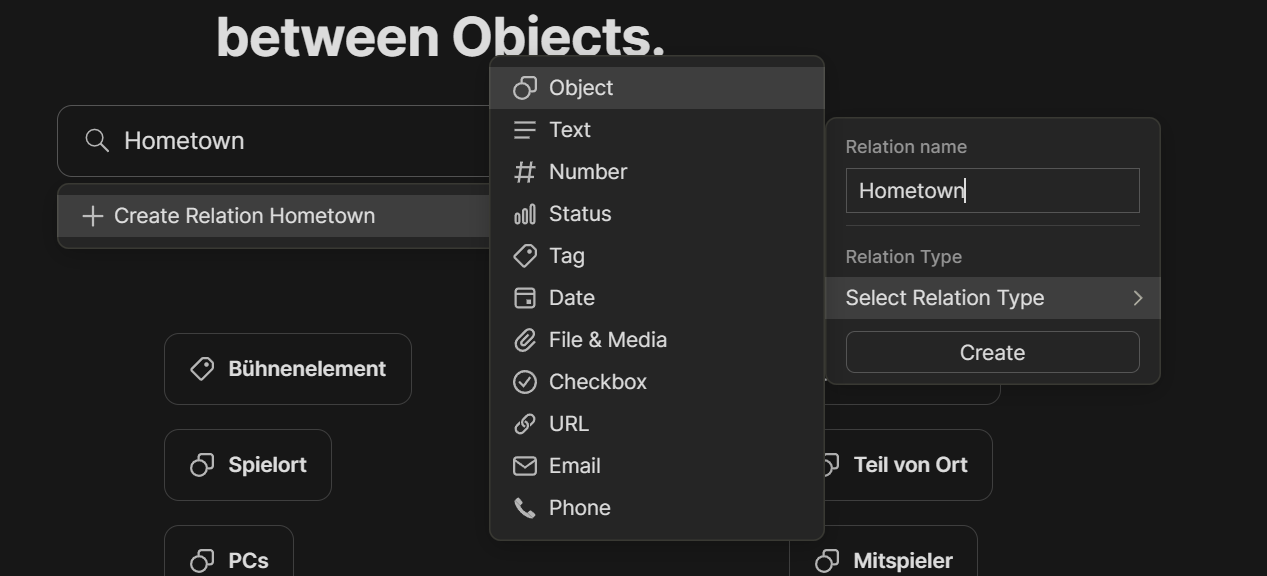
Let’s create the appropriate relation. Go to Library → Relations. Type in the name of your new relation. Let’s call it “Hometown”.
This will give you this:


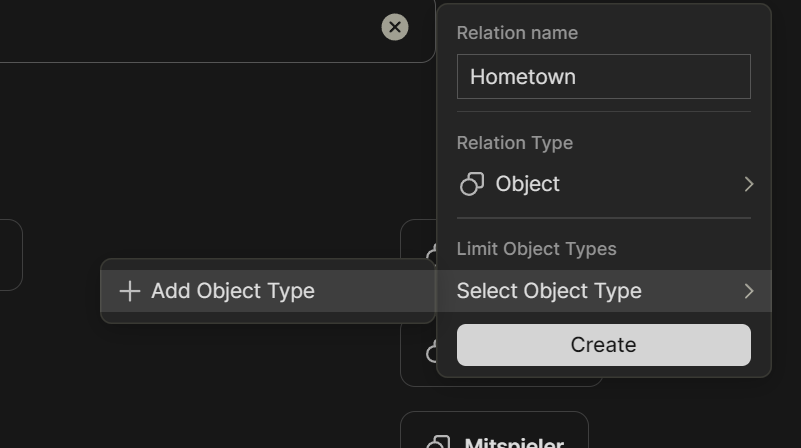
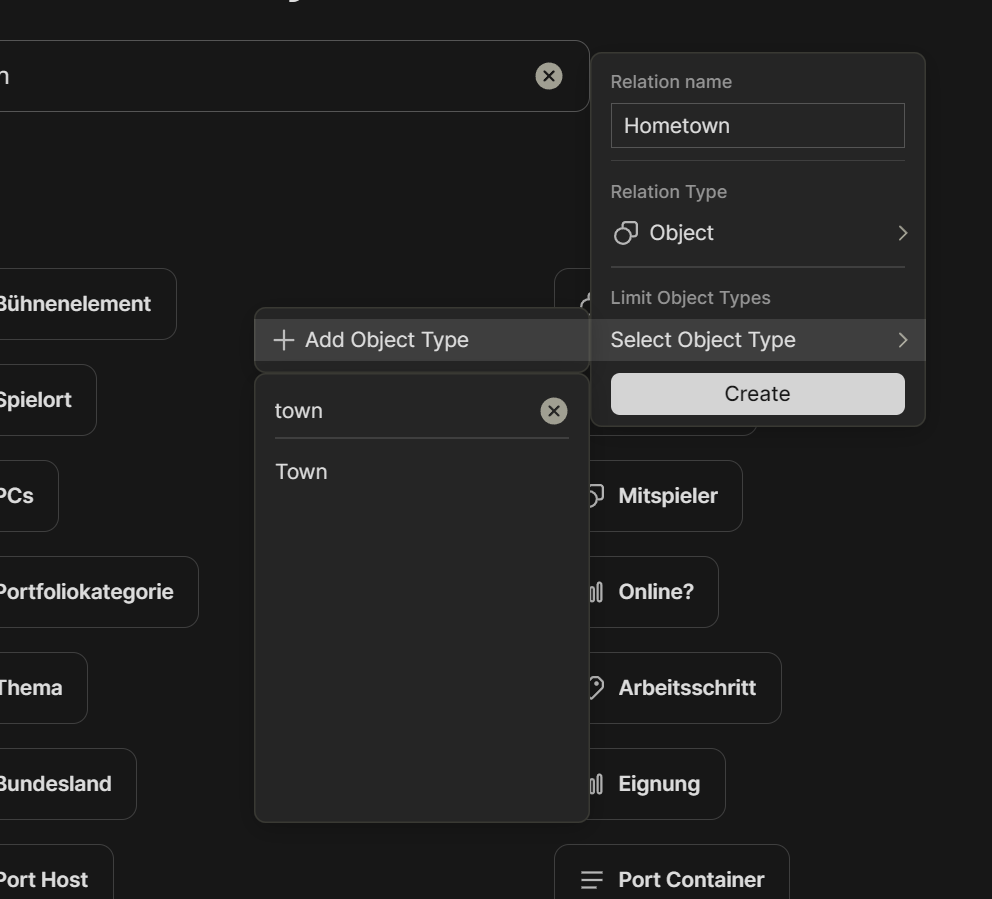
Select Object. This gives you the ability to limit the selection of objects for this relation to a specific type of object. Let us choose Town. And click on create.

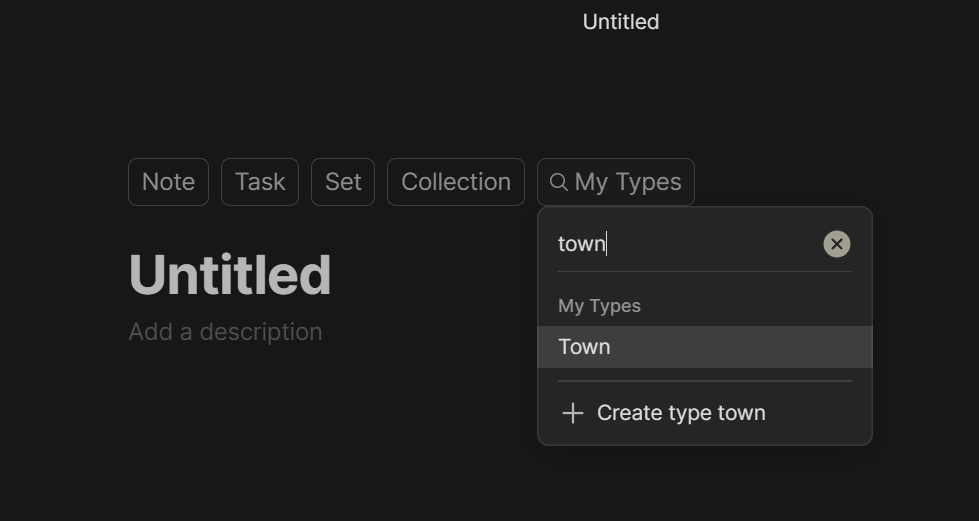
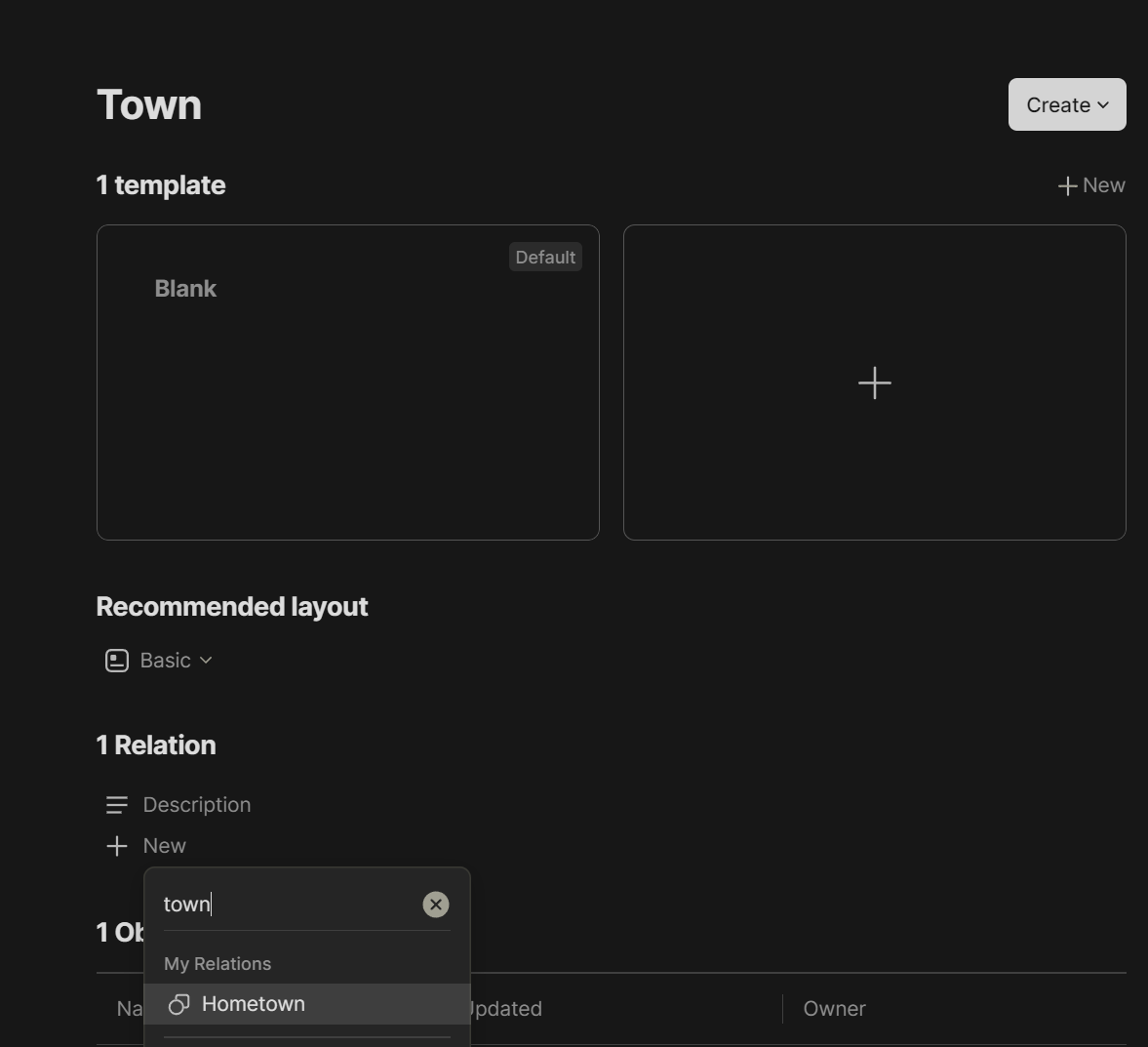
Now we create an entry in the type Town so that we can find it later on. Click on Plus on the bottom. Click My Types. Search for Town, choose it. Type in some Name.

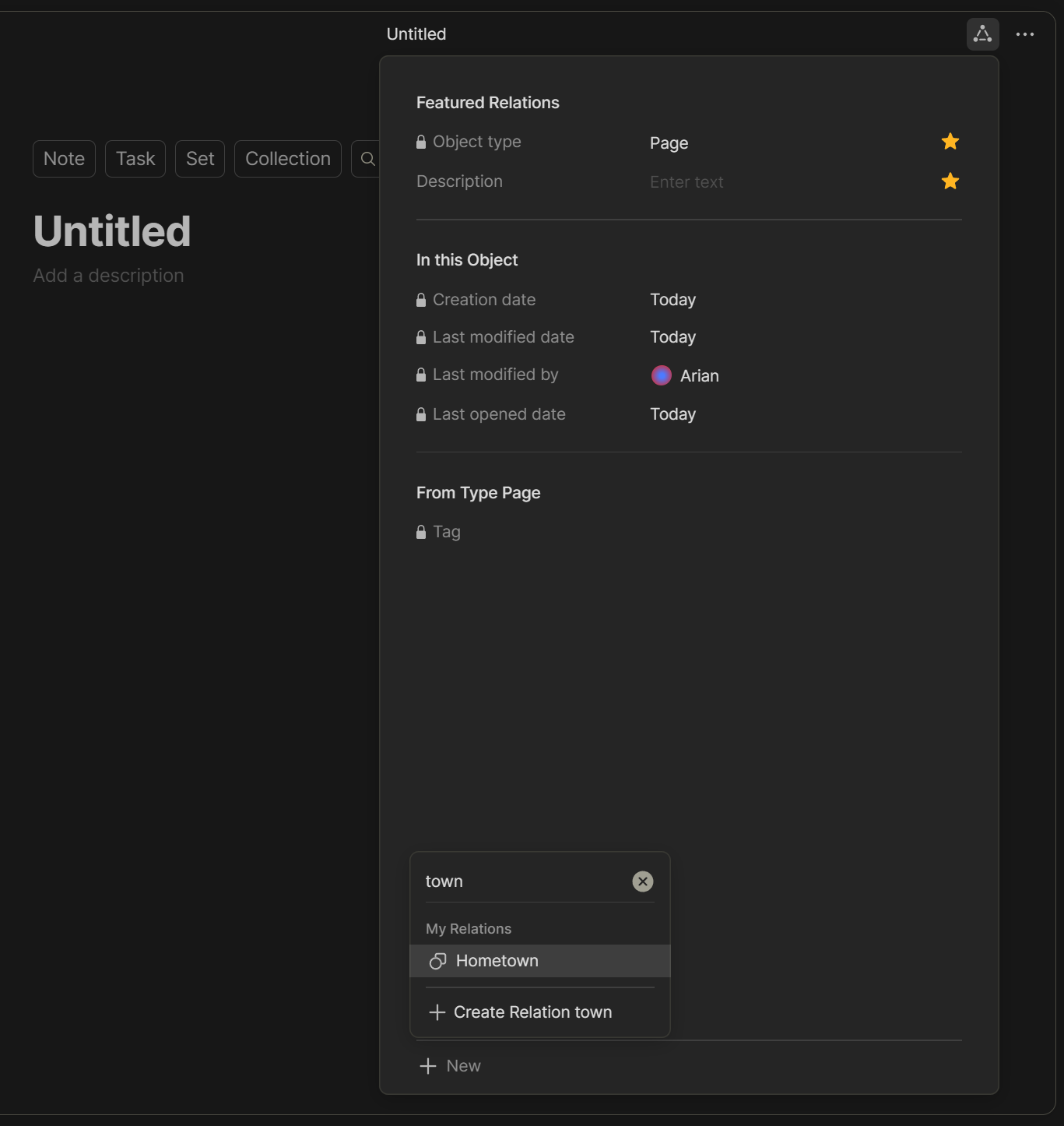
Now to add the relation to any kind of object. Create a new page of any type. I chose the type page. Click in the upper right corner with the connected three dots. This shows all connections/relations/metadata. Click on New and choose “Hometown”.


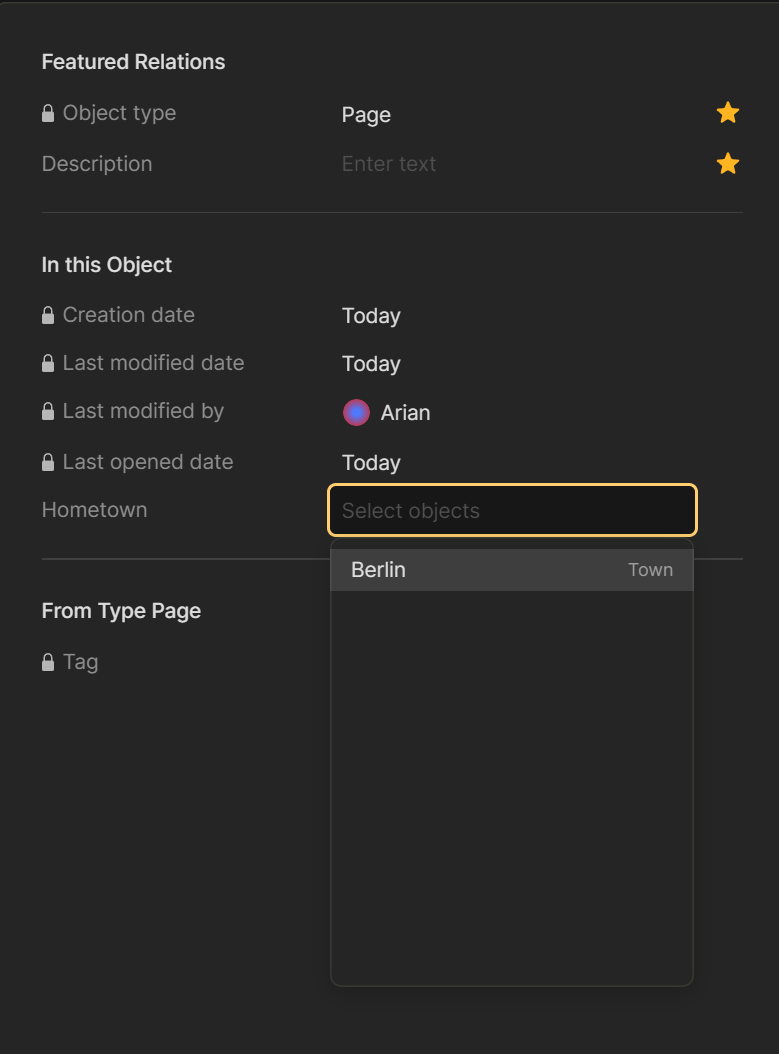
Now click on the “Select Objects” to show all objects of the type “Town”.

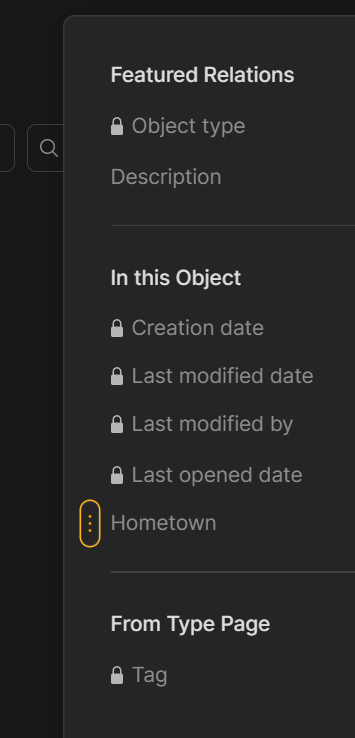
You can also show this relation directly on your page via dragging it into it. (Yellow dots, click on them and pull it into the page.)

You can add this relation as a default to any object by going to Library->Types any Type of your choice and clicking on relation and, for example, Town.


This will show this relation in the relation menu in the upper right corner for every object of that kind without having to search for it.
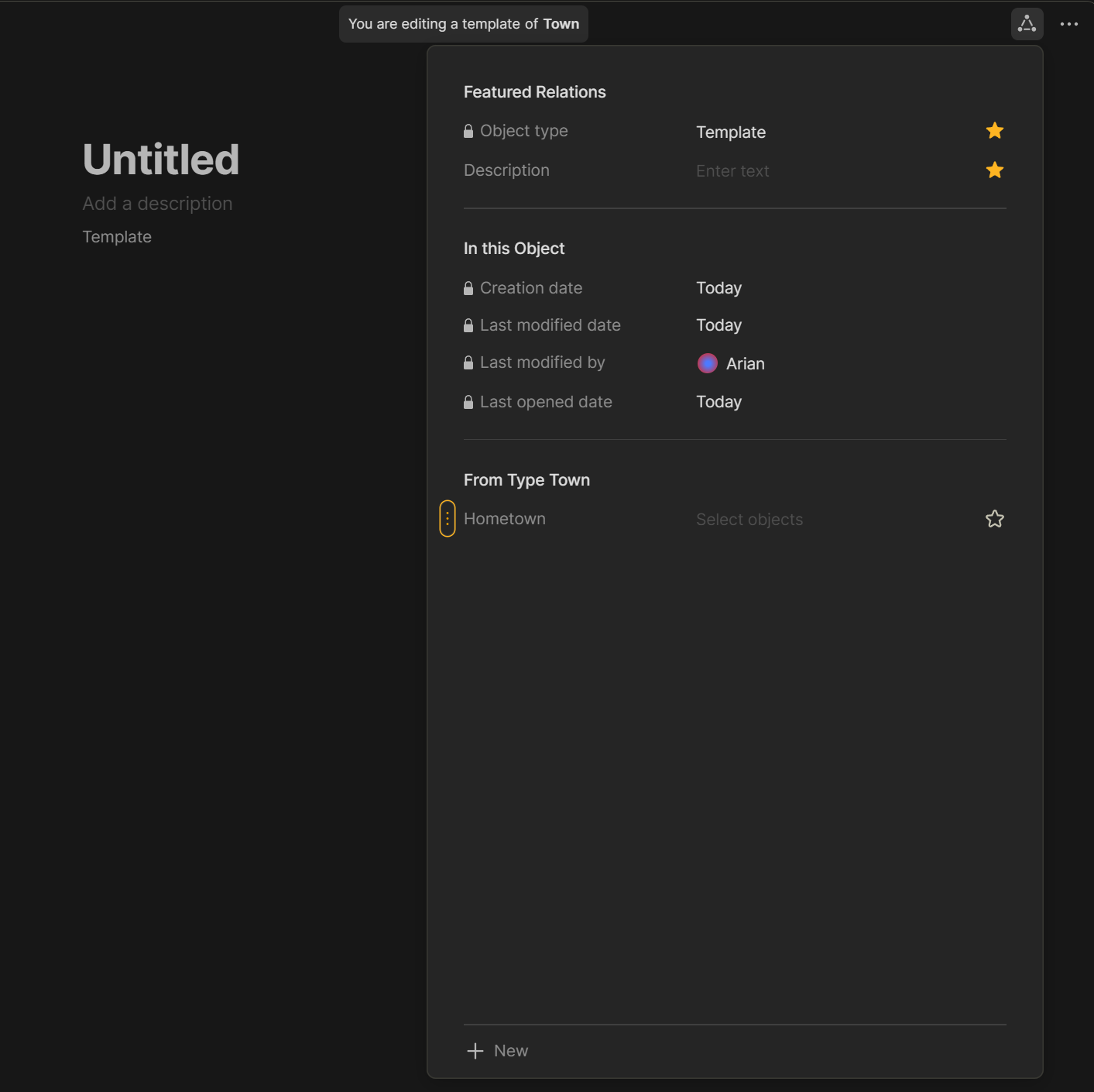
You can then also add it to a template so that is also visible in the
 template.

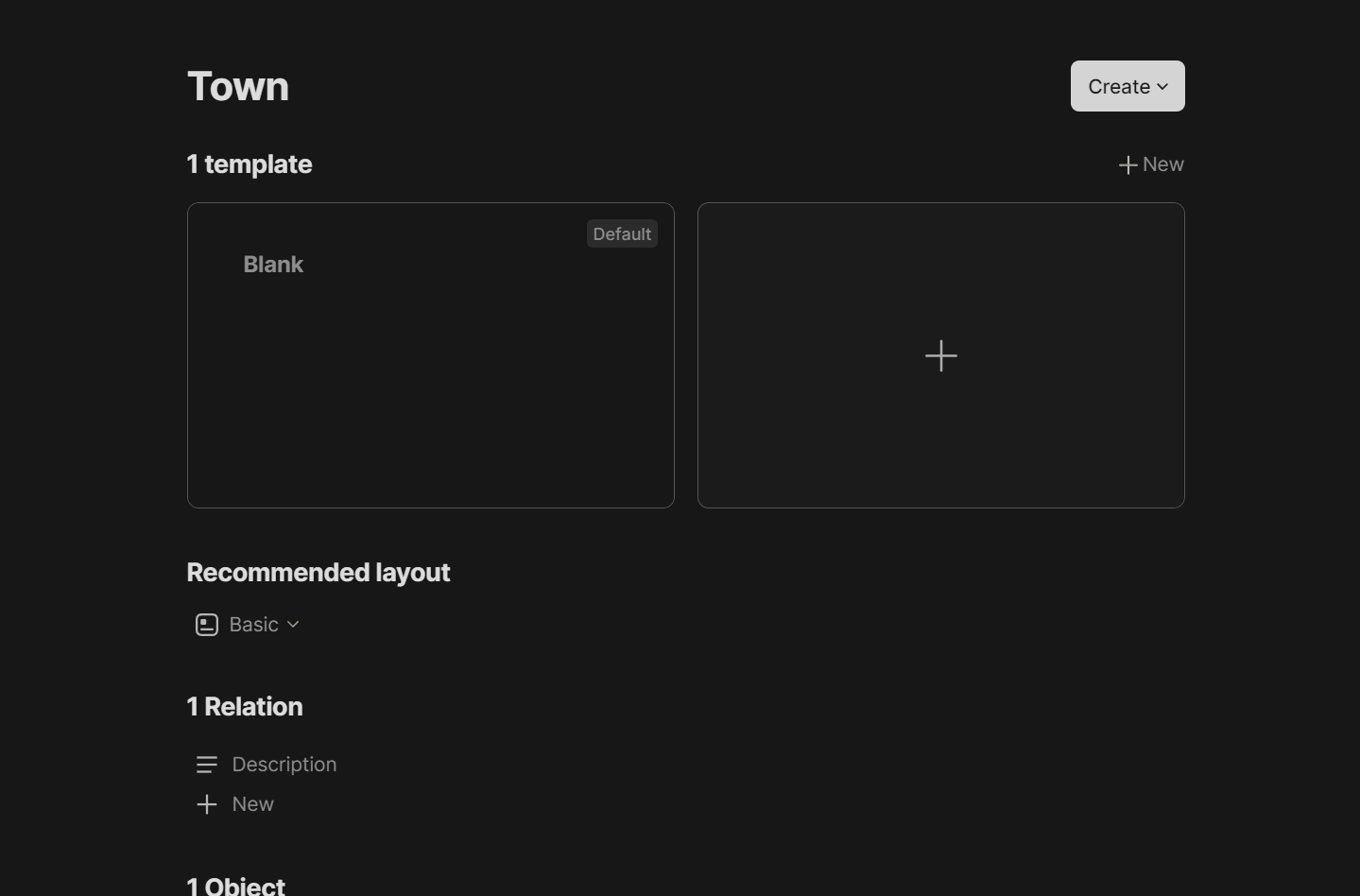
For example, create a new template for our town type by clicking on the big plus.


Here I can pull the Hometown relation into the template.

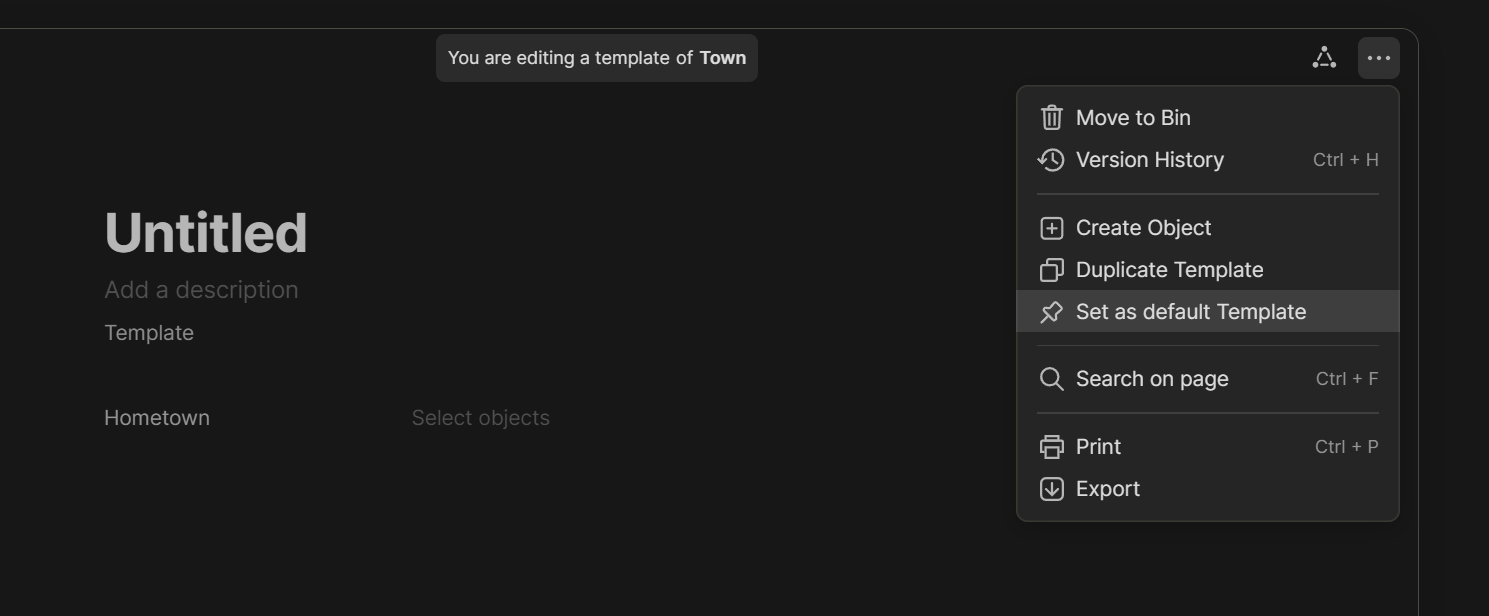
Now I just need to define this new template as the default template for this type.

When I create a new object of the type Town in the future this relation will be shown in the page.

I hope this answers your questions.

Herzlich Danke !!!

Your post should be featured in https://doc.anytype.io/anytype-docs/basics/relations as a third sub article “Create a custom relation” !!!

Now, besides praising the quality of the explanation, I want to really thank you for spending the time to go step by step & make screenshots.

I wouldn’t have figured it out myself before a loooong time (if ever) !!!

Thank you !

Now, I will try and play a little to see if I can create tags with parent tags :wink:

It would have been great to had in the template a set that shows all objects linked to the tag passed in the title (but that needs a dynamic filter with #Object-Title as input)