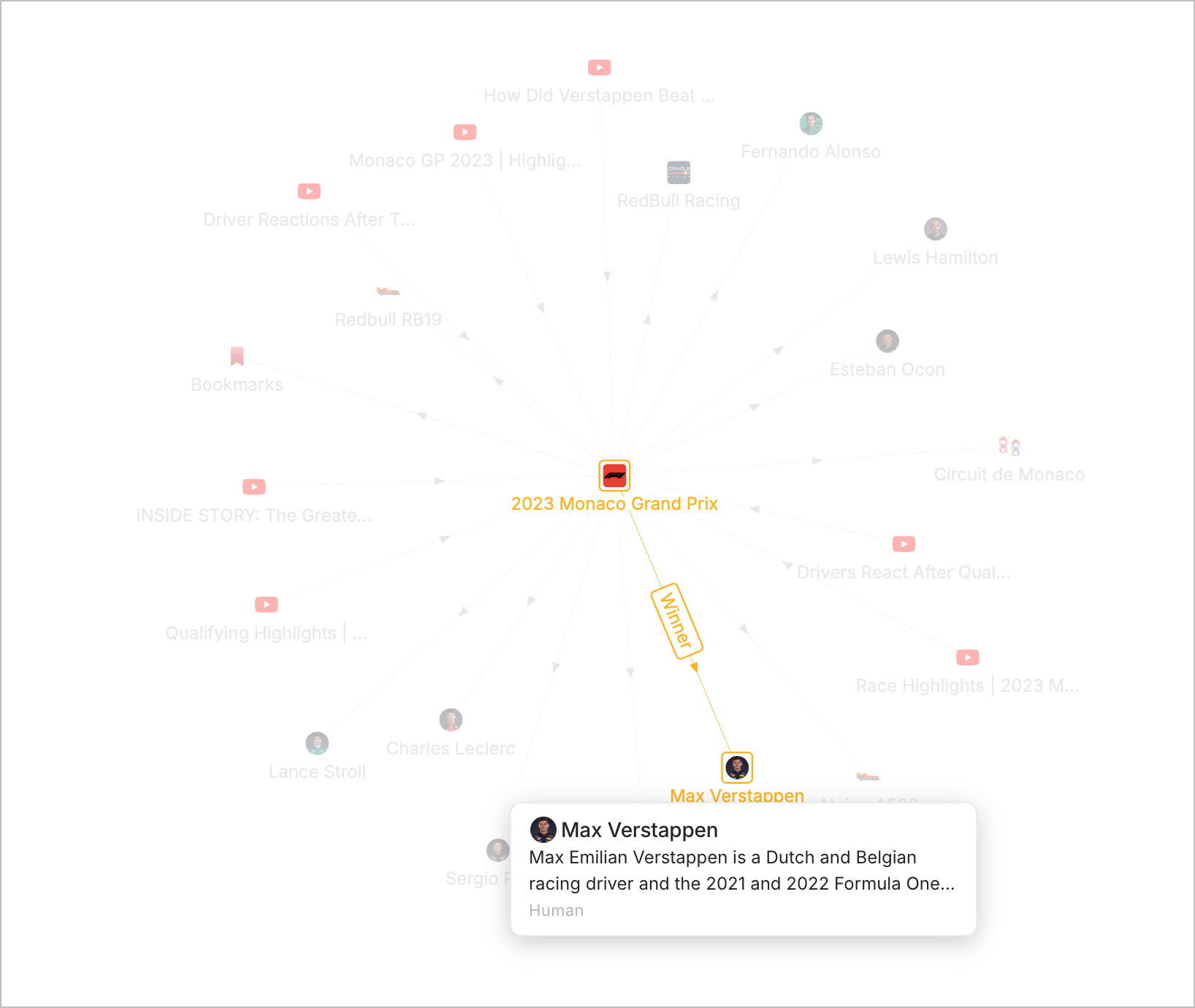
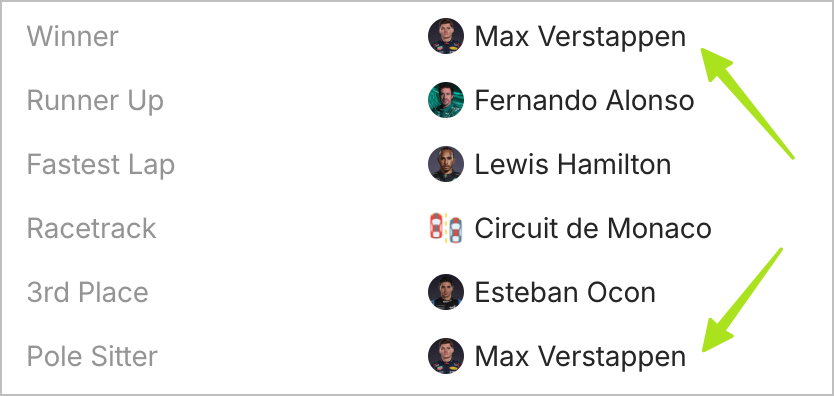
I’m no sure whether this is intentional or not but I wasn’t sure where to put this topic. Anyway, the issue is that if an object “x”, has several object type relations and if more than of one of those relations is occupied by the same object “y”, then only one the relations is going to be shown in the local graph view.
How To Reproduce It
create an object and define a couple of “object” type relation for it.
assign more than one of those relations to a third object “y”.
go to the graph view and see that only one of those relations are shown.
To either show all the relations for an object, or at least somehow mention that the object “y” occupies more than one relation to the original object “x”.
Additional Context
I’ve attached two screenshot demonstrating this. For context, object “x” is the “2023 Monaco Grand Prix” and object “y” is “Max Verstappen” and the two relations in question are the “winner” and “pole sitter”.
Device
M1 MacBook Air
OS
Sonoma 14.3.1
Anytype Version
0.38.21-alpha
Technical Information
OS version: darwin arm64 14.3.1
App version: 0.38.21-alpha
Build number: build on 2024-02-22 14:25:14 +0000 UTC at #aec8c68b0b9a6577c4c3ce53803e9891c24c0d2c
Library version: v0.32.0-rc6
Anytype Identity: A88ZQg1KjcrgvxBHMLu7G1RUSAqN3Ut8bSAf1GhcBmFgbDya
Analytics ID: 0ab193d4-c094-450d-bb76-c756c6c372eb
Device ID: 12D3KooWNAggQR8R9dKG71bpRpuoDUnevDvHkbZ3stMHjnW5AZfc
How do you all expect the graph to show 2+ relation name on the graph when they are in fact one line and one connection?
Longer line? Relation name next to another relation name? ← This might influence the consistency or pattern observation
For 2 relation names: it is possible to display above or below the connection line. But this is not possible for 3 or more connections and might intervene the possibilities of displaying multi-dimensional relations.
Prioritisation of relation? Assign which relation is displayed first - something like Disambiguators?
I agree this is a problem that needs to be addressed; however, I also don’t have a neat solution in mind.
That’s a great point. I don’t think it necessarily intervene the possibility of Multi-dimensional relations as they both can be displayed besides each other in one line, separated with a comma or something like that.
I think maybe a longer relation box in the graph view when zoomed in seems to be a good idea. Obviously, you can’t show all the relations when the zoom level is far off but when zoomed enough, there will be space for all of them to show.
One other idea of the top of my head is maybe changing where the relation name is being shown in the first place. Right now it’s on the line connecting the objects, but maybe it can be moved near the object itself. For example, when we hover over an object, it shows the name and description of the object and below it, in the same box, displays the list of relations.
I don’t know if you have used or seen the Arc browser and its “5-seconds preview feature”. The design of its cards can work here in my opinon.
Left mouse button: rotation.
Right mouse button: moving (perspective is also changing because of 3D)
Pressed scrollwheel: fast zooming
Rotating the scrollwheel: slow zooming.
But I suppose it works only so incredibly fast with such a giant Space because the server does the rendering?
Maybe running it locally would slow it all down to turtle speed?
Oh no, that’s happening local in your browser. Frame rate and responsiveness varies according to your device’s capabilities. If you’re looking at it on the same device you use Anytype on, that’s approximately how well it would run inside Anytype for you.