Is your feature request related to a problem? Please describe.
An option to use the “in object” search function to replace strings.
Describe the solution you’d like
First it would be enough to just replace simple strings i think.
Additionally regex support would also be great. But that could come later.
Describe alternatives you’ve considered
Copy the text in another editor and use the function there.
Ability to “Find and Replace All” within a page. The desktop app supports a “Find” option but not a “Replace” option like in Obsidian. The mobile app doesn’t support both. I had to copy paste some of the content in Word when I had to change a matching key terminology in all my pages individually.
I don’t mean to be rude but search and replace seems like such a basic function that I had no idea we could not do that in Anytype.
Could we know the reason why this has not yet been implemented? It doesn’t feel like this should be the subject of a Feature Request, it feels more like an oversight that this is not possible in the app. I have to copy/paste my data outside the app to replace a word in an object, and lose all my formatting. Or is it complicated due to the blocks that compose an object?
Could we get an update or any info on this? Thanks!
PS: It would be nice if we could use Regular Expressions in the search and replace function, once it is implemented
The editor should support find-and-replace. This is table stakes for any kind of information tool in 2025.
I end up copying contents out of a page into something like vscodium, performing my manipulations, and then copying them back. That approach is fraught with its own kind of peril, of course, but at least I can find-and-replace, with regular expressions even.
Help me use your product effectively. Add these basic features. Thank you!
Another +1 for this. I had quite long reference guide on my home server installation, and I moved the server to a VLAN, and then had to update hundreds of address details in my guide. That was where I used Search & Replace in Joplin Notes. There is a definite need for it.
I wanted to use a more “productive” editor for Anytype pages so I wrote any-edit. any-edit might provide a partial work-around for search and replace.
How it works: In Raycast, assign a hotkey to the script that invokes any-edit. While viewing a page in Anytype, press the designated hotkey, and the page (or note or task or whatever) is exported to a markdown file, then a window pops up with the markdown in my favorite editor. After editing the document, quit the editor, and the updates go immediately to Anytype.
It’s free and open source. I wrote it to address a personal need At the moment, you need ‘cargo’ to install it, and it only works on macos. It’s also new, so if you use use it you could be the first on your block. If there’s interest, I could make an installer that doesn’t require cargo.
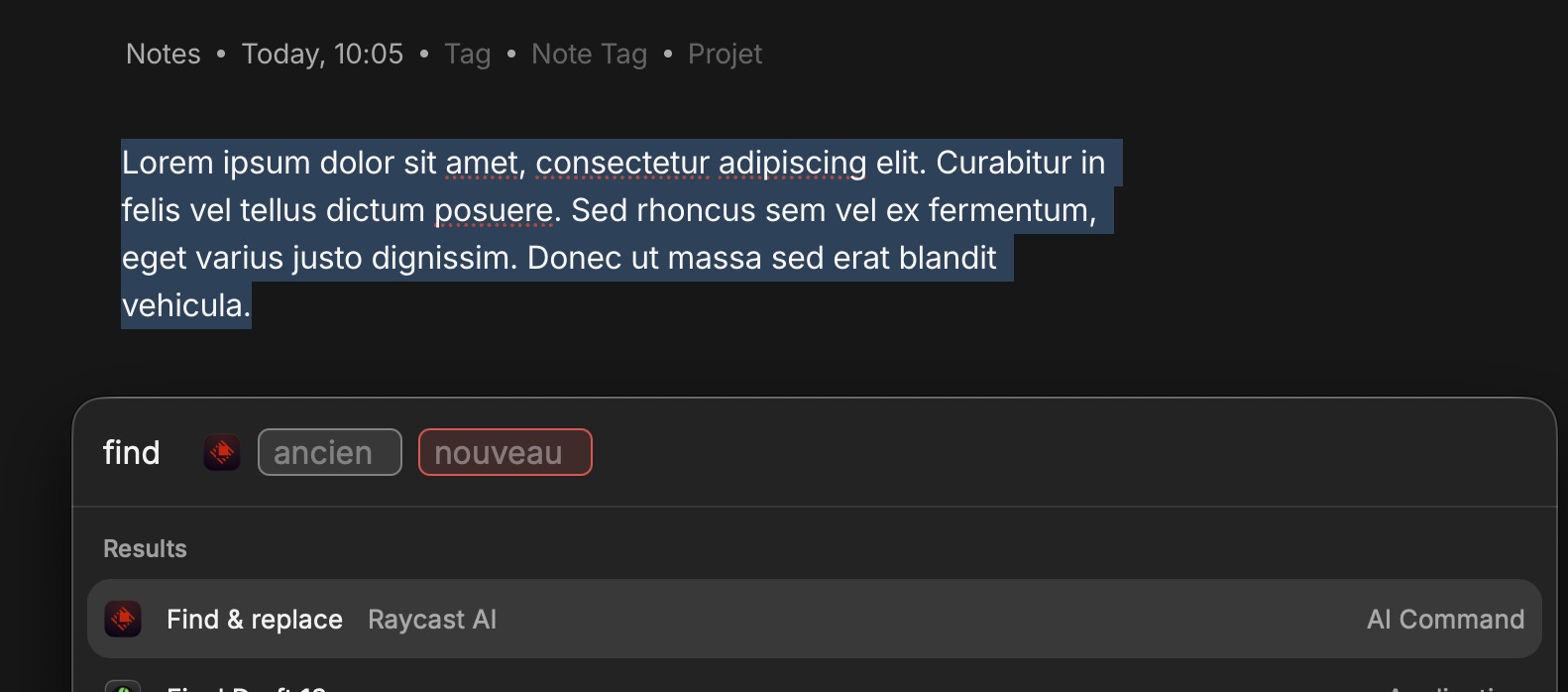
If it can be useful for someone, as a workaround I use a custom command with Raycast
Replace all occurrences of "{argument name=old}" with "{argument name=new}" in the following text. Return ONLY the modified text, no explanations:
{selection}
I even have to select the entire page, copy the content into Word to do batch find-and-replace edits, and then paste it back into Anytype. This is quite inconvenient, since I constantly have to switch between windows.
I find it sad that we have to rely on people making workarounds in other apps when implement it in Anytype should be the first priority. This is a basic text editor feature.