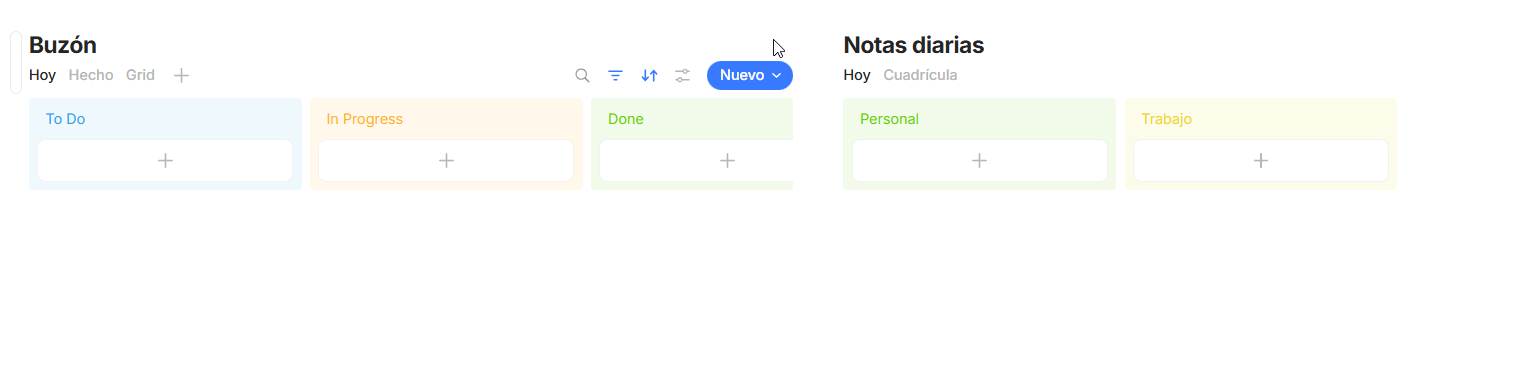
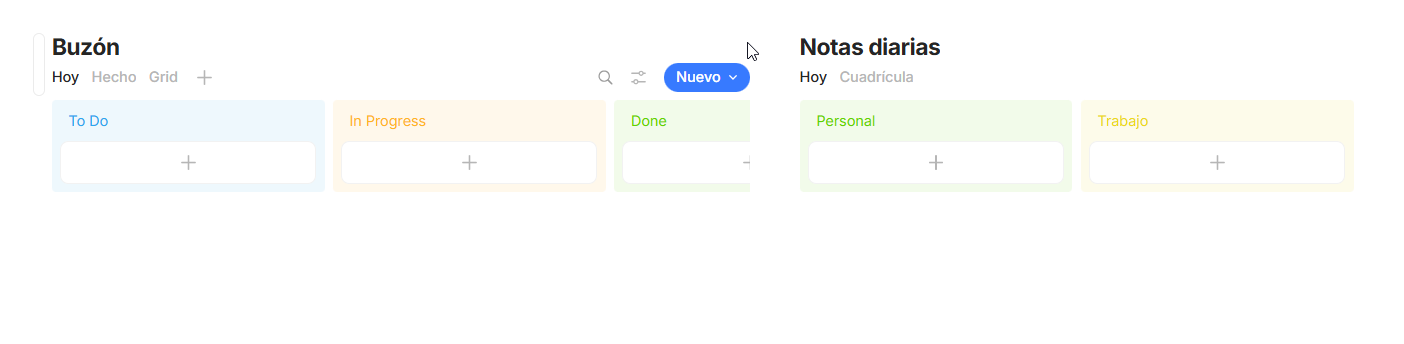
When the width of an inline query/collection is shrinked, the filter button disappears even though there is room enough to show it. This happens in any View.
HOW TO REPRODUCE IT
Insert an inline query anywhere and give it a short name.
Insert or move another block to its right or left.
If your window is small, the filter button will disappear instantly.
If your window is wide, drag the column separator to reduce the inline query width and watch your filter icon promptly disappear.
If have multiple columns, and we put an inline query in one of them and create some filters, after that, there’s no way for us to re-hide the filters. You have to somehow increase the width of the column for the buttons to show again.
HOW TO REPRODUCE IT
create multiple columns in the editor
put an inline query in one of them
create some filters for a particular view
see that you won’t be able to hide the filters unless you manually adjust the width of the column so the “filter” and “sort” button reappear again.
THE EXPECTED BEHAVIOR
To be able to hide and show the filters at all times for multiple columns.
ADDITIONAL CONTEXT
TECHNICAL INFORMATION
OS version: darwin arm64 26.3.0
App version: 0.54.2
Build number: build on 2026-02-16 15:18:28 +0000 UTC at #b2bd40d7e4429cd9969a75a064db1f17407adb9a
Library version: v0.48.1
Anytype Identity: A88ZQg1KjcrgvxBHMLu7G1RUSAqN3Ut8bSAf1GhcBmFgbDya
Analytics ID: 0ab193d4-c094-450d-bb76-c756c6c372eb
Device ID: 12D3KooWAkjsB9HrDRXx8yczSYmvoYzUo45KjmKLmGdLsWGgG5Pc
Ethereum Address: 0x8F846acAe46B84c4a75b606B74C6398A8542A3d9
Thanks, @Razor. Then the bug is a different one: when Filter and Sort icons are not visible, showing (or hiding, if previously shown) the blue pills with your filter settings becomes impossible. And this is still valid:
Should I fill new, separate bug reports for these issues?
You can acess the filters in settings, modify them but you can’t hide the blue colored filters and sorts appearing at the top of the inline query. As of right now, they can only be hidden if you press the filter button visible in the full width version.