What do you need help with?
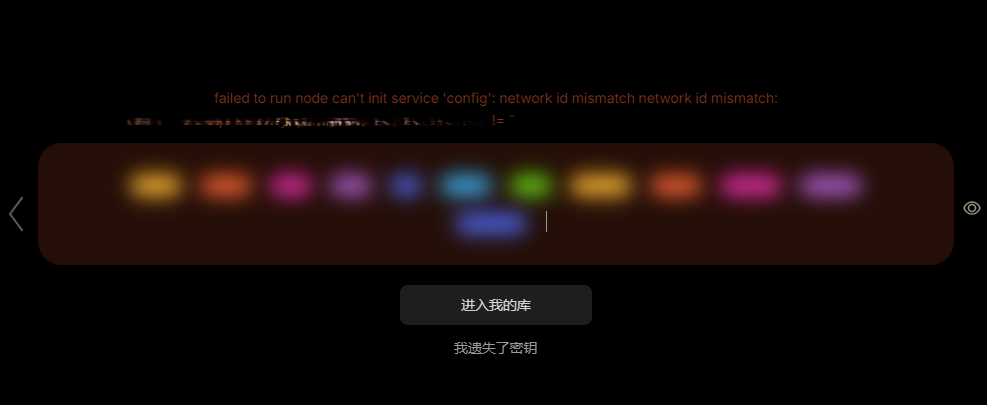
When using Anytype, due to server issues, I had to set up a self-hosted service from scratch. However, the network ID generated this time was inconsistent with the previous one. As a result, when I re-entered my password in Anytype to access my space, I encountered the error message: “failed to run node can’t init service ‘config’: network id mismatch, xxx!=xxx,” where xxx represents the network ID. I would like to know how to resolve this issue. I attempted to access the existing data locally, export the space, and create a new user under the new network ID, which allowed me to gain access.
Is this problem occurring because the new network ID does not have the information for this user? Is it not possible to add existing local data to the new self-hosted instance?
Image or Video
OS
Win11
Anytype Version
v0.45.3
Network Mode
Self-hosted
Technical Information
操作系统版本: win32 x64 10.0.26100
应用版本: 0.45.3
构建版本: build on 2025-02-17 15:22:27 +0000 UTC at #f1ceda0a1457dbf982d8b3fd8479ccdcb95df6d3 (dirty)
库版本: v0.39.11
Anytype 身份标识: A69hKvdYWhmD8uvgcHs4VM95TfH3vjdHmu91pkPGGfrmQyMz
分析 ID:
设备 ID: