What’s The Bug?
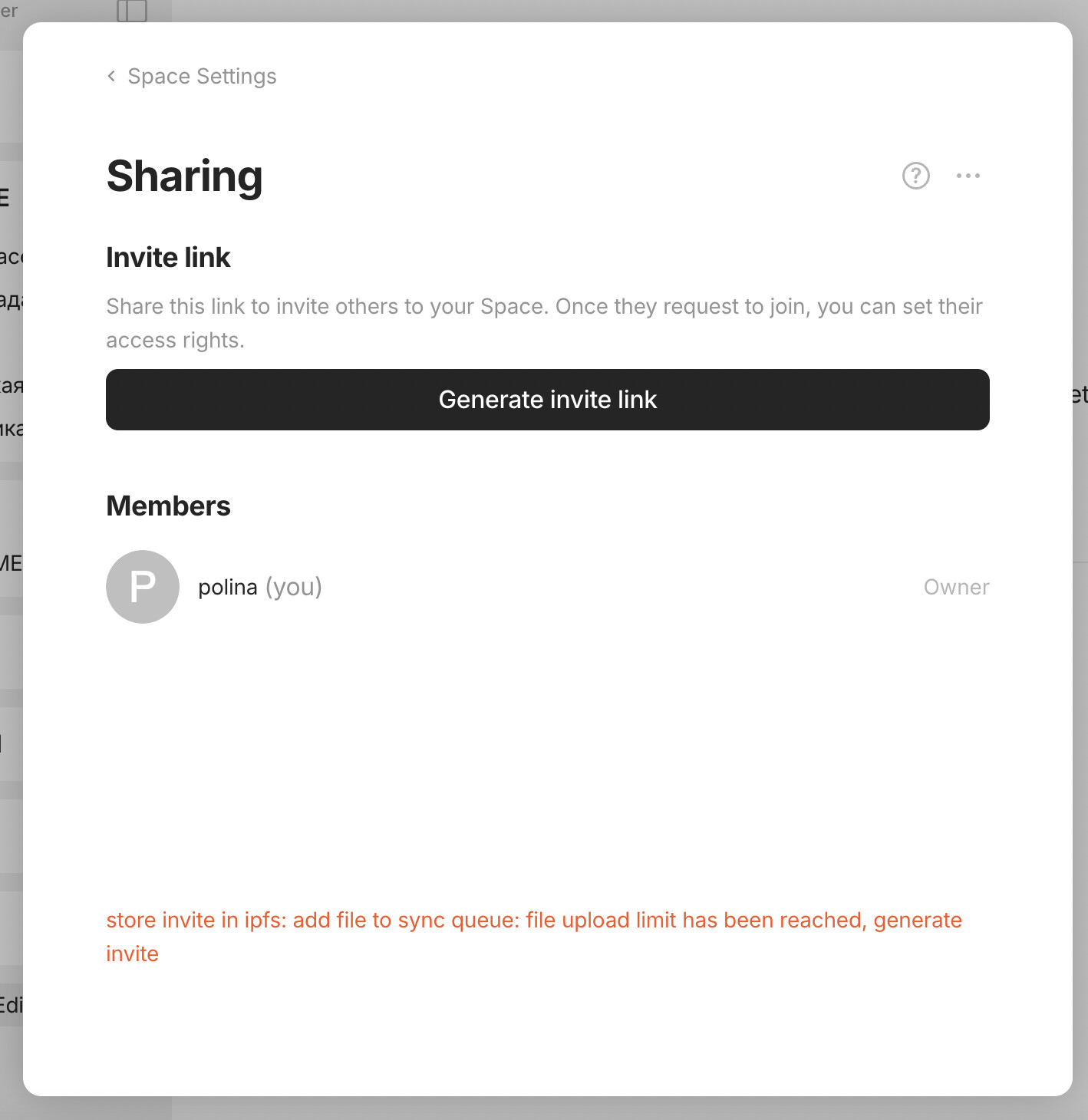
Bug prevents me to generate and get an invite link. I click on the ‘Generate invite link’ button in my workspace profile, then nothing happens and the app tells me: “store invite in ipfs: add file to sync queue: file upload time limit has been reached, generate invite”
How To Reproduce It
- Go to Workspace Sharing
- Click on the ‘Generate invite link’ button
Image or Video
The Expected Behavior
Expect an invite link to be generated. But in fact a red note/disclaimer pops up: “store invite in ipfs: add file to sync queue: file upload time limit has been reached, generate invite”
Device
MacBook Pro 2021
OS
Big Sur 11.5.2
Anytype Version
0.42.8
Network Mode
Self-Hosted, personal Wifi spot
Technical Information
OS version: darwin x64 11.5.2
App version: 0.42.8
Build number: build on 2024-09-06 10:41:02 +0000 UTC at #c583602e975eaf2e525ef7f22e4700f8825a6420 (dirty)
Library version: v0.35.7
Anytype Identity: A5hRFwJangopXtqAMQV8oqabrbqv7GiwuFUkFwZfpS2V1Ncv
Analytics ID: e128e5bf-7078-46c7-9c75-8fc80d8aadc7
Device ID: 12D3KooWBJqvV4mVzKQviiysokCmfcdEUcj3F8TjEKJY8sFvdnuP