Is your feature request related to a problem? Please describe.
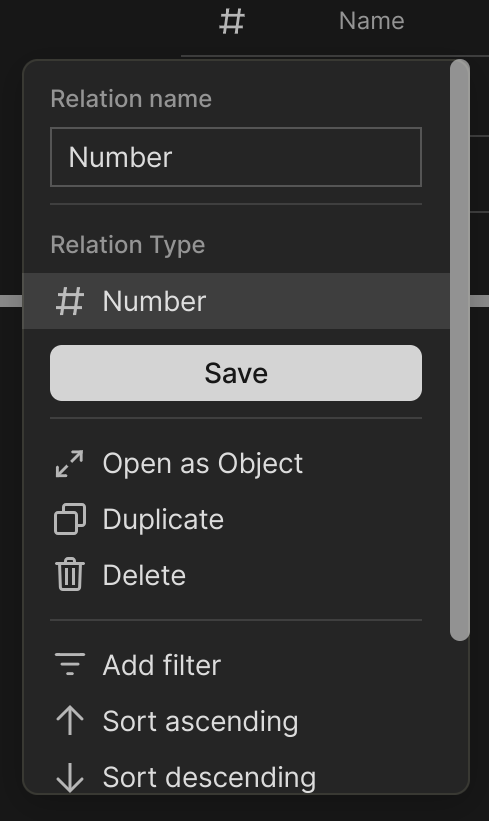
The number relation has no unit. For example, no currency can be displayed.
Describe the solution you’d like
A selection option to choose a suffix or prefix with predefined or freely selectable units (e.g., Percent, Euro, Dollar, Number or Number with Commas).
Describe alternatives you’ve considered
None applicable.
the degree value for an alcohol… I can’t set a number because I need the “°”. So I’ve set text field (and I’ve lost the ability to sort cleanly by value )
same for a “age” relation, because a simple number without a suffix means nothing… I have to add years
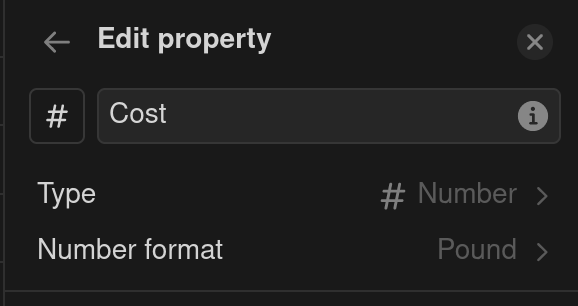
At the moment, only “number” (#) is a possible relation type for numeric values. It has its flaws as you cannot choose the number of significant digits to show (e.g. 81.15 appears as 81.15, 81.10 as 81.1 and 80.00 as 80) and there is no option to add a currency symbol. I use my databases for accounting (tracking invoices, expenses etc.) and this would be an extremely useful feature.
HOW COULD IT BE DONE
Allow the user to modify the format the “number” is displayed, including choosing the number of significant figures and adding a currency symbol.
REAL WORLD USE CASES
This would be very useful for people like me who use Anytype for business purposes and track personal and professional expenses, invoices and so on. It seems like it shouldn’t be so complicated to implement either.
RECOMMENDED ALTERNATIVES
I currently just use the number relation as it can be used and it is very limiting.
I would love to see this for currency. I’ve been trying to use anytype to track expenses and this is one of the biggest annoyances I’ve noticed. With the simple counters coming out very soon, this feature is going to become a lot more relevant.
Now that we have calculations, many of us might start to record money related matters in Anytype. Currency (and currency exchange rate) would be really handy.
Add a currency formatting option for Number properties — allowing users to display currency symbols like $, €, £, etc., while still keeping the data as usable numbers for calculations and formulas.
HOW COULD IT BE DONE?
Introduce a “Display as Currency” formatting toggle under Number properties. This could include:
A dropdown to select a currency symbol (e.g. $, €, £, etc.)
Option to set the number of decimal places
Automatic formatting without affecting the underlying numeric value
Formulas should still treat the value as a number (not a string)
REAL WORLD USE CASES
This feature is essential for users who track:
Product prices
Budgets and expenses
Financial reports
Sales databases
Currently, users have to choose between:
Readable prices (e.g. $19.99) using Text, which breaks all calculations, or
Calculable values using Number, which lack context or clarity
RECOMMENDED ALTERNATIVES
A workaround is to keep the number in a Number property and create a separate Text property for the currency symbol, or to use a Formula property to concatenate them — but this breaks visual consistency and creates unnecessary steps.
Another workaround is to add the currency symbol in a formula ("$" + toString(prop("Price"))), but then the result can’t be used for math operations.
ADDITIONAL CONTEXT
This request has come up in the community before from users managing product collections or financial databases. A native solution would streamline workflows significantly and improve clarity across financial use cases.