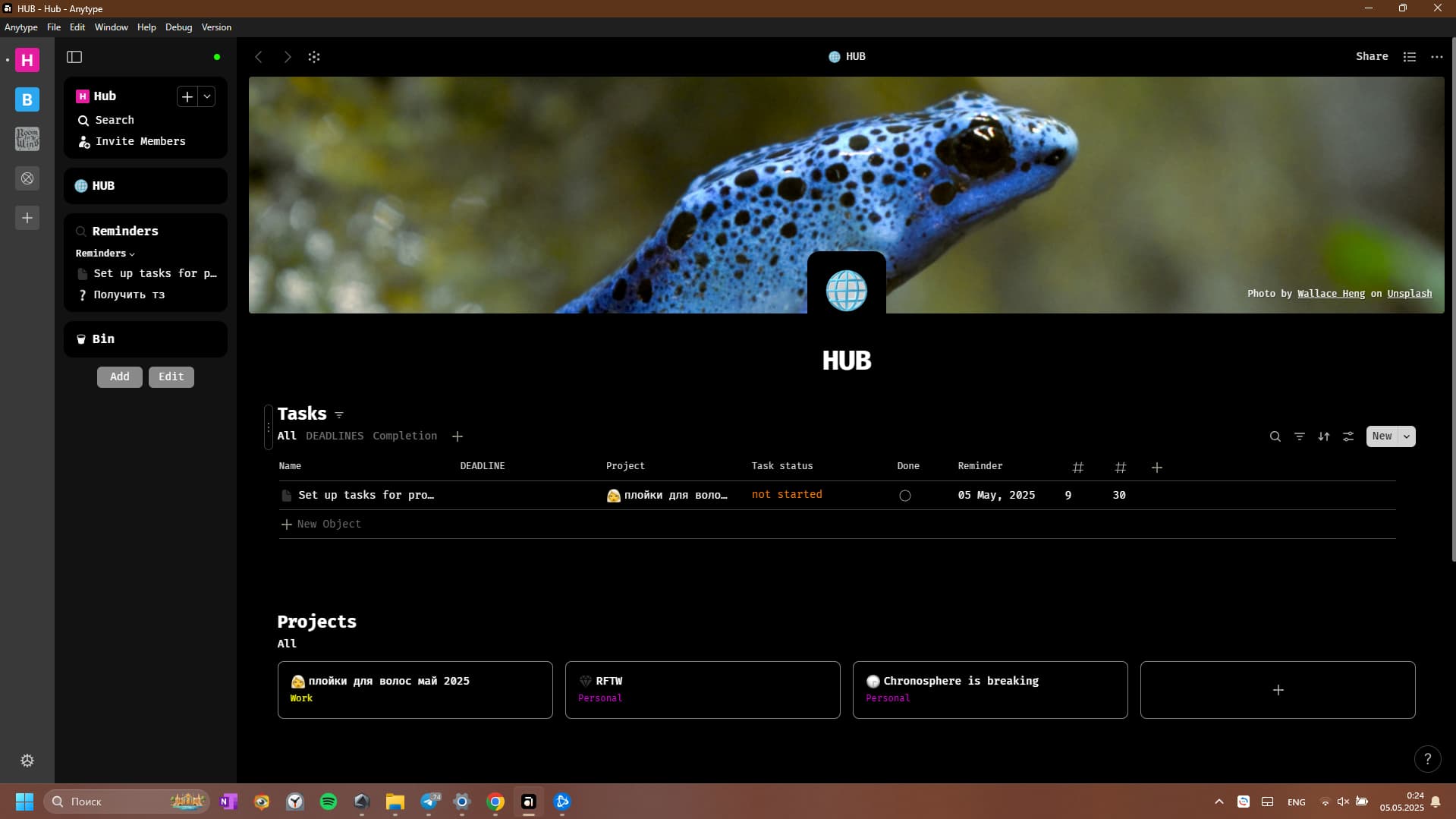
So i’ve spent a few hours to change font which was fast but then i couldn’t quite figure out all the colours but it feels so much better like i actually wanna use the app because i’ve put the font i live (fira code) and the saturated colours that make my brain go brr, i still couldn’t find how to change the left bar and in general this whole process is very clunky to do properly but i mean this is just so much better now, even if it took way longer then it should’ve (i know nothing about css).
if someone can give me some advice on how i can change the left bar i would apreciate it.
And well yea this should be a deafult feature cuz it does make the experience feel so much better even if it’s uniformly over all the interface still so much better.
Razor
May 6, 2025, 8:30am
2
The most left bar is called Vault:
@import "~scss/_mixins";

.vault {
	background-color: var(--color-shape-primary); z-index: 30; width: $vaultWidthCollapsed; height: 100%; display: flex; flex-direction: column;
	flex-shrink: 0; position: fixed; left: 0px; top: 0px; overflow: hidden; transform: translate3d(0px, 0px, 0px); transition: none;
}
.vault.isClosed, .vault.isHidden { width: 0px; }
.vault.anim { transition-property: width; transition-timing-function: linear; }
.vault {
	.head {
		height: 50px; display: flex; flex-direction: row; align-items: center; justify-content: flex-end; gap: 0px 8px; padding: 0px 14px; flex-shrink: 0;
		position: relative; z-index: 1; background: inherit;
	}

	.body {
		display: flex; flex-direction: column; justify-content: space-between; flex-grow: 1; gap: 12px 0px; height: calc(100% - 64px);
		width: $vaultWidthCollapsed;
	}
	.body {
		.side { padding: 0px 10px; display: flex; flex-direction: column; align-items: center; }
show original
The bar with widgets is called Sidebar:
@import "~scss/_mixins";

.pageFlex { display: flex; flex-direction: row; justify-content: stretch; width: 100% !important; transition: transform 0.2s $easeInQuint; }
.pageFlex {
	.sidebarDummy { flex-shrink: 0; }
	#page { width: 100%; position: relative; }
}

.sidebarAnimation { transition: width $transitionSidebarTime linear; }

#sidebarToggle,
#sidebarSync { position: fixed; top: 12px; z-index: 22; -webkit-app-region: no-drag; transition: none; }

#sidebarToggle { backdrop-filter: blur(20px); left: 84px; background-image: url('~img/icon/widget/toggle0.svg'); }
#sidebarToggle.sidebarAnimation, #sidebarSync.sidebarAnimation { transition: left $transitionSidebarTime linear; }
#sidebarToggle:hover, #sidebarToggle.hover { background-color: var(--color-shape-highlight-medium) !important; background-image: url('~img/icon/widget/toggle1.svg'); }

.sidebar { position: fixed; z-index: 21; user-select: none; transition: none; top: 0px; height: 100%; background-color: var(--color-shape-tertiary); }
.sidebar.anim { transition-duration: $transitionSidebarTime; transition-timing-function: linear; }
.sidebar.isClosed { left: 0px !important; overflow: hidden; }
show original
haas
May 19, 2025, 7:05pm
3
Will you be sharing your css in the future? Looks really nice!
haas
May 24, 2025, 11:07pm
5
Thank you! I couldn’t locate it under the themes tag