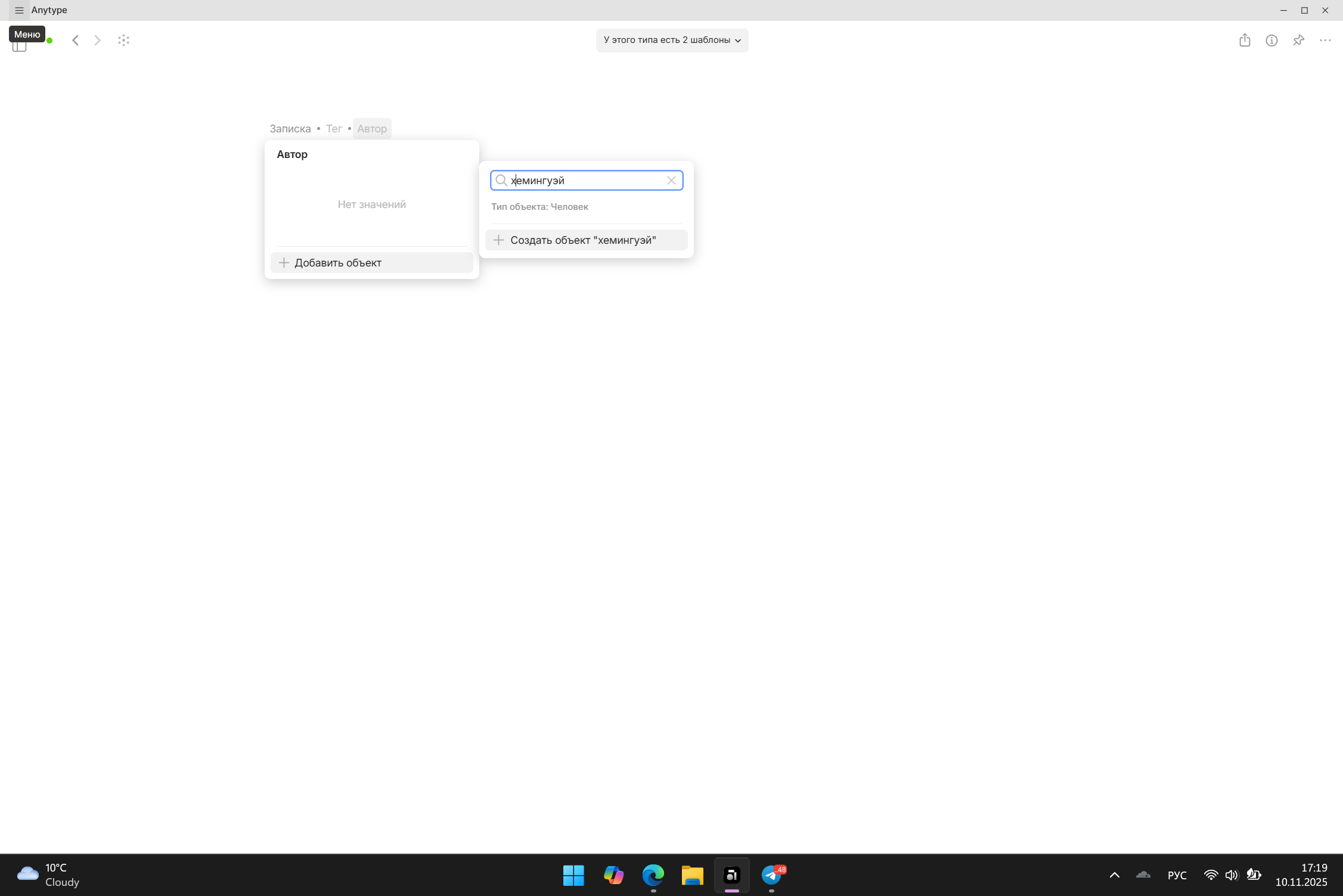
Like on desktop, I always find myself trying to create linked objects on the fly. For example, when I create a new “publication” object, if the publication’s author doesn’t have an object yet, I create it directly from inside the publication’s relations. But I cannot do it on mobile, and need to go to a lengthy and tedious process:
Close the current object I’m working on (eg. publication)
Create a new object (eg. author)
Name the new object
Close the new object
Navigation to the object I was working on
Go back to the relation I was trying to set
Search for the new object I just created and add it to the relation
If there are 3 or 4 such relations (eg authors, publisher, source, etc), this is not tenable and instead I need to go back to desktop to fill these relations with new objects.
Can’t add new object relation on mobile.
No way to “save” the relation added.
How To Reproduce It
Create new object from template
select the relation you want to fill
Write the new relation
When clicking enter the keyboard disappears but nothing happpen
The Expected Behavior
A new relation added.
Device
iPhone 15
OS
17.5.1
Anytype Version
0.30.0 (24)
Network Mode
Anysync
Technical Information
Version de l’application : 0.30.0
Numéro de version : 24
Version de la bibliothèque : v0.34.0-rc5
ID Anytype :
A9tED25D4gA58TV1WQ6ydgvvxxdvwYrjqQMoFGD7Uoh z6aiR
ID de l’appareil :
12D3KooWPAyi2phWTm2VDgj9cRrL4AT1i9GHcKHCjsipc
8Ffhz3y
ID analytique :
fa34ad17-995d-4fec-946d-621a45506634
WHAT DO YOU RECOMMEND? Add the ability to create a new object directly from a Relation field (Object type) in the Android app, similar to how it works in the desktop version.
HOW COULD IT BE DONE? When typing into a Relation field on Android, if no matching object exists, show an option like “Create new object” below the suggestions list. Tapping it should instantly create the object and link it to the field. This mirrors the behavior already available in the Windows app.
REAL WORLD USE CASES When filling out a template or creating a new object that references others (e.g. linking a Task to a Project), I often realize the target object doesn’t exist yet. On desktop, I can create it instantly from the Relation field. On Android, I have to leave the current object, manually create the new one, then return and link it — which breaks flow and slows down work.
This feature would be especially useful for workflows involving:
Task → Project
Note → Topic
Contact → Company
Page → Related Page
RECOMMENDED ALTERNATIVES Currently, the only workaround is to manually create the missing object first, then return to the original one and link it. This is time-consuming and disrupts the user experience.
ADDITIONAL CONTEXT I’m not sure if this limitation exists on iOS as well. On Windows, the feature works smoothly and is a great UX improvement. It would be ideal to bring feature parity across platforms.
Filip, I’m a little confused that you’re asking about the desktop version, since this feature is already implemented there. My suggestion is for the Android version. But I’ll certainly let you know