One example (which explains why I can’t use Anytype to prepare notes…)
I’m preparing a post for this forum.
I’m writing it in Anytype, putting images in it.
And then, drama!
If I copy and paste everything, the images just become [image].
And I have no way of copying and pasting the images without having to download them.
True.
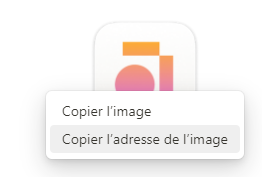
I would expect a right click on an image inside a Note or Page would offer the option “copy to clipboard”.
But there is no such option. This hinders the workflow.
This works quite seamlessly on OneNote. Currently in Anytype one has to download the same image and then reuse. If we could copy to clipboard, that would be super convenient.
Same here. I’m a graphic designer, and I use AnyType to collect image references for mood boards. However, I can’t copy images directly to other apps.
I’ve noticed that AnyType is missing some basic functions. For instance, you can’t directly copy a link address from a bookmark. Since AnyType is based on the concept of “objects,” you can’t copy an object to the clipboard; you have to open it first.
My current usercase :
I want to move a part of a long page with multiples image from a vault to another.
I copy what I want (CTRL+C), past it in the other vault/space (CTRL+V)… text is here but no image. And after 5mn trying to find how to get them one by one in clipboard, I can’t find and remember this FR…
FYI, I don’t want to export/import because :
it’s really less intuitive and fast than copy/paste
I want only a part of this page, I don’t want to have to clean up unnecessary objects and text (especially since Anytype isn’t very user-friendly for that either).
each vault work with a different version of Anytype, I don’t want to risk importing unwanted objects from a different version, which could cause problems.
an import messed the space by creating a collection… here too, some “gift” cleaning I could do without.
It would be great if we could add a “Copy image” option to the popup menu when right-clicking on an image. I often have to copy and paste images between windows and programs and having to re-download the image and open it up in order to copy really slows down the workflow.
For me, on Windows 10, it only half works unfortunately:
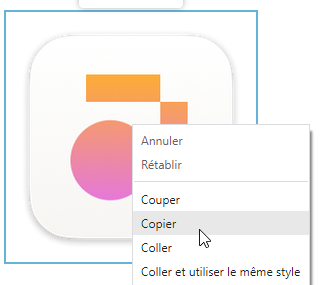
After right click and Ctrl + c I can paste the image elsewhere inside of Anytype, so as if it would be in the clipboard.
BUT: it isn’t possible to paste it outside of Anytype, for example into IrfanView.
– Seems that Anytype uses an own clipboard that sometimes shakes hand with the Windows clipboard, but sometimes doesn’t.
This is strange!
Indeed, both methods (to select an image) work if I paste the clipboard into LibreOffice Writer.
But non of them works if I paste it into IrfanView. Simply nothing happend there if I press Ctrl + v there.
Normally IrfanView never failed if it comes to graphic and some copy + paste actions between different software products.
I believe now that different formats exist how a graphic can be coded in the clipboard. And Anytype uses a coding that’s not universell enough to work with every other software.
Interesting - so it works and doesn’t at the same time.
On Windows 10 this trick works when pasting in Word, but not when pasting in graphics software. The clipboard must contain some kind of special object?
It feels like a UI optimization that’s “almost there” and could be easily put in place by the team (maybe just by stripping something out of the object to make it a plain graphic?)