What’s The Bug?
If I’m writing inline LateX, and whatever I’m writing ends with an upper case R, it does not display correctly, examples:
$R$ and $\R$
$y \in R$ and $x \in \R$
in all these examples the LateX R or the Real number R is not displayed correctly, and it (by my knowledge) only happens with upper case R.
How To Reproduce It
- Be in any anytype object that allows inline latex (Titles, subheadings, page, etc…)
- Type any inline Latex that ends exactly with upper case R.
Image or Video
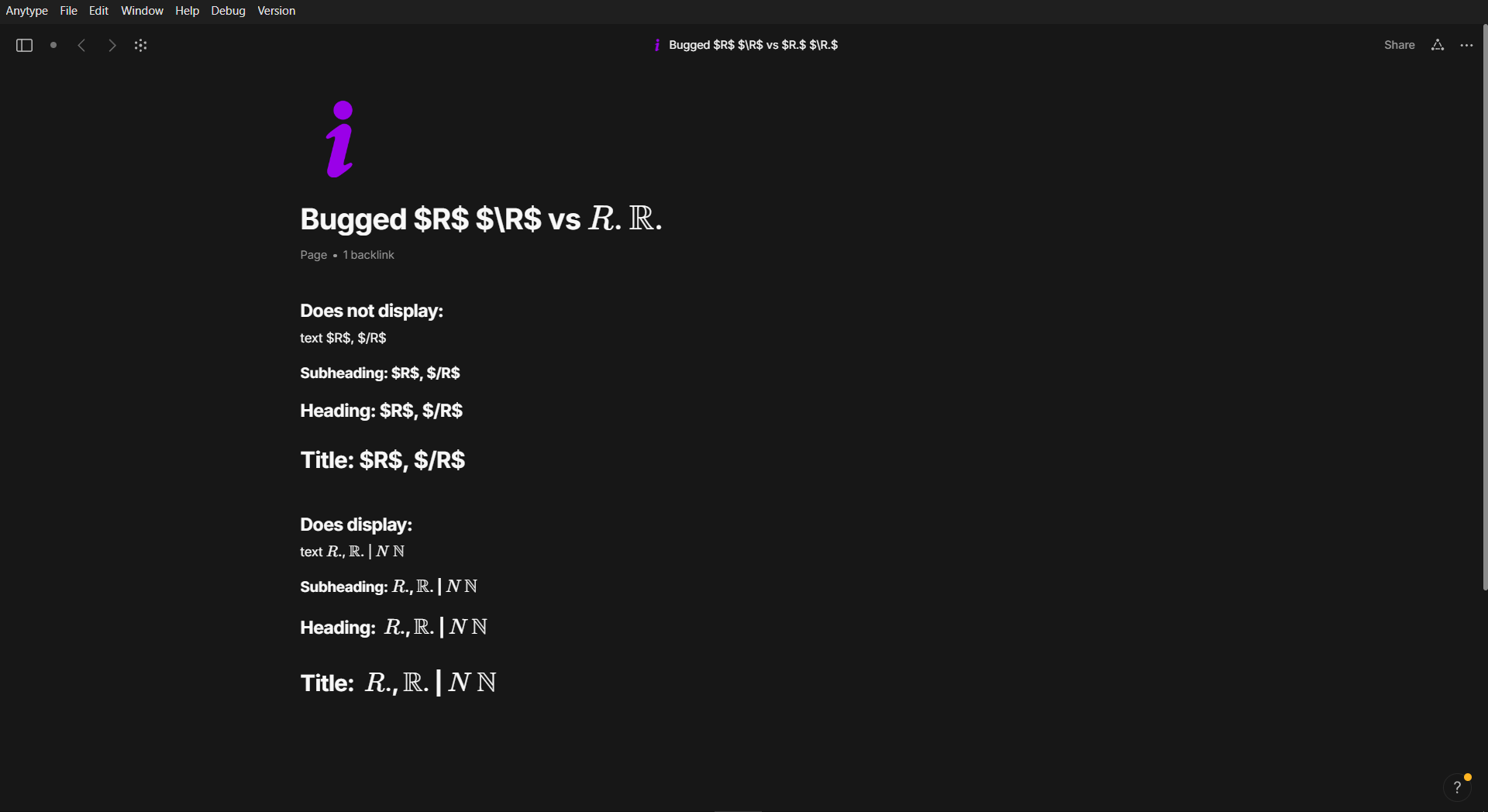
The Expected Behavior
That the Inline LateX display the letter correctly, like it happens for other similar letters, like $N$ or $\N$
Additional Context
a temporary solution for me has been to add a dot after R to avoid the sentence to end in R, so like: $R.$ the dot is visible, but its the least cluttering solution I’ve found.
Device
Asus Tuf Dash F15
OS
Windows 10
Anytype Version
v0.45.3
Network Mode
AnySync
Technical Information
OS version: win32 x64 10.0.19045
App version: 0.45.3
Build number: build on 2025-02-17 15:22:27 +0000 UTC at #f1ceda0a1457dbf982d8b3fd8479ccdcb95df6d3 (dirty)
Library version: v0.39.11
Anytype Identity: AArykBJaFigCSN3kYQ51y9rdqo6DDJLKyaBeNLmQWmShPsVy
Analytics ID: 9b04a683-a556-44d3-be58-ccd180cb17ac
Device ID: 12D3KooWEWqnrqYuQtVy26e4koeb2V44YmmemidwWP6ZKEuHvSAk