WHAT IS THE BUG
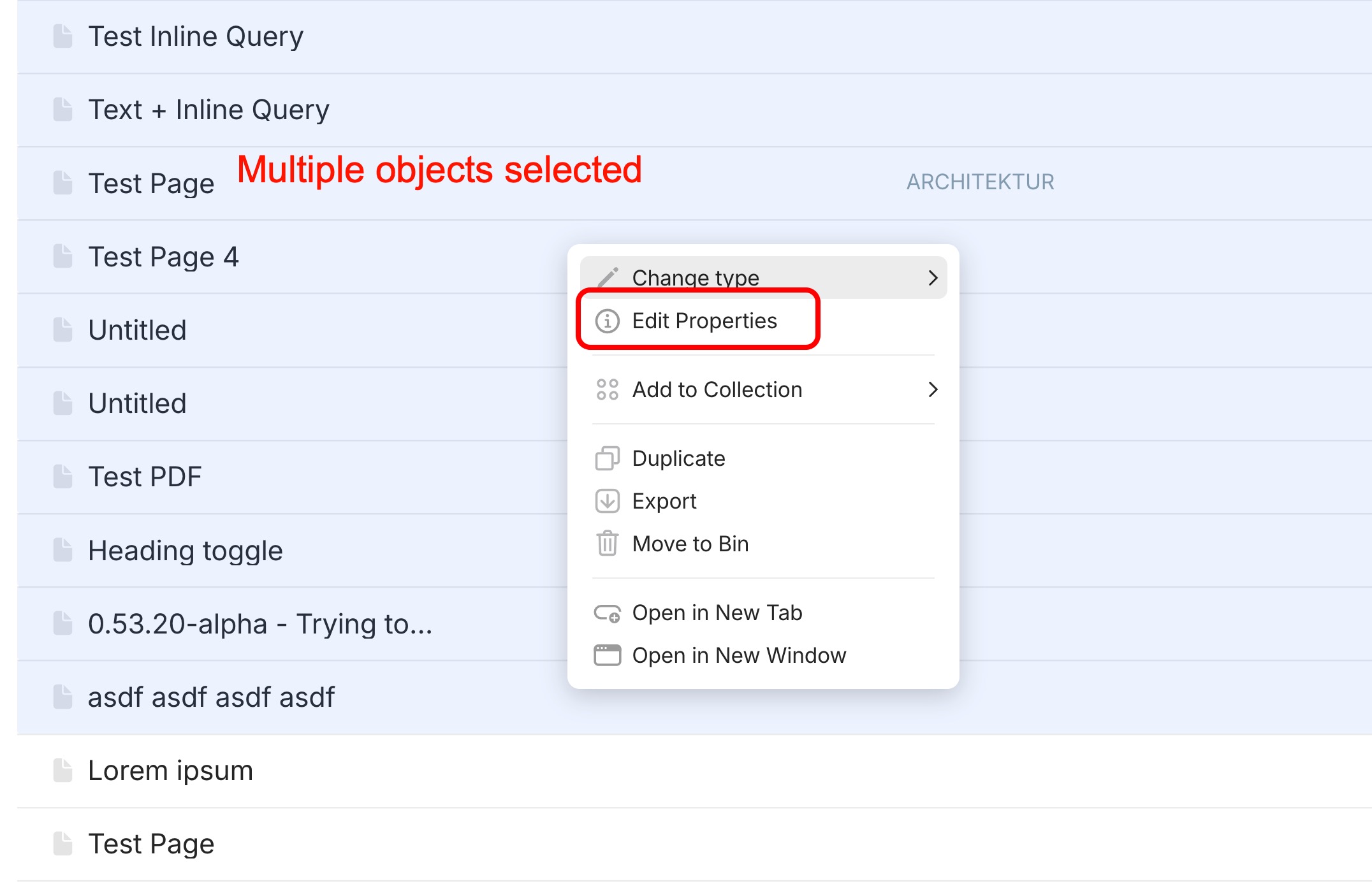
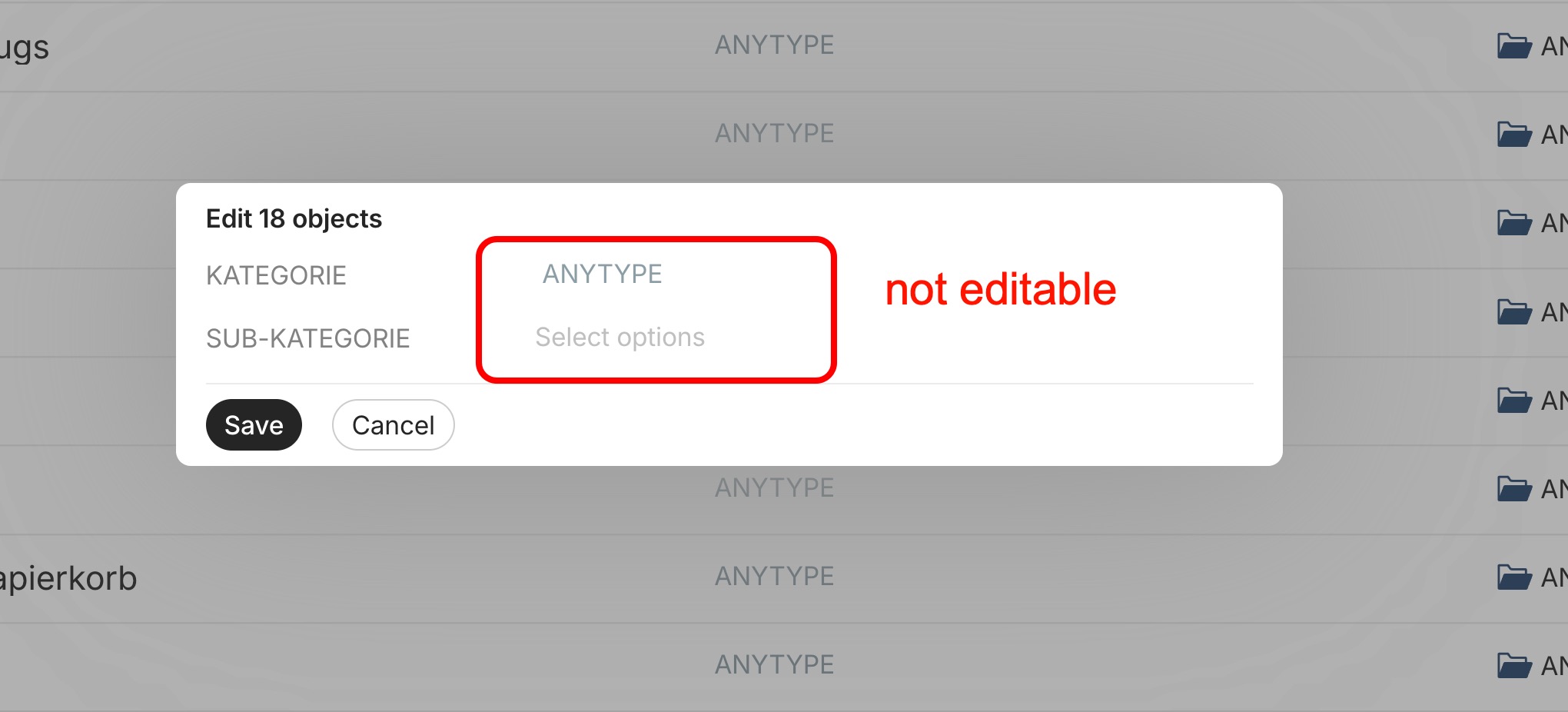
When I select multiple objects in a query or collection, in order to edit the options of multi-select properties in batch, a window with the list of editable multi-select properties opens, saying “Edit x objects”, listing the multi-select properties with a field to edit their options, but I’m not able to edit them.
HOW TO REPRODUCE IT
- Given a collection or a query with objects with multi-select properties.
- The in the view of the collection or query activate one or more multi-select properties (so they show up in the view).
- Select multiple objects.
- Right click, a context menu opens, select “Edit Properties”.
- A window pops up showing the available multi-select properties along with the field to edit their options (“Select options”).
- But these options are not editable.
EXPECTED BEHAVIOR
Options of multi-select properties in queries and collections should be editable, as offered by the pop-up window.
TECHNICAL INFORMATION
OS version: darwin x64 15.7.3
App version: 0.53.34-alpha
Build number: build on 2026-01-30 17:02:40 +0000 UTC at #30284690409813b9a11d64fc07837e8f1899211a
Library version: v0.48.0-rc02
Anytype Identity: A6nu7vz891FKvFggksu3HdNpVmvcKrURYW3236JYBzSxZ5w5
Analytics ID: db6eb2b8-aecb-4e0e-aa76-e4bcdcbdae6e
Device ID: 12D3KooWGgMd73hBEUEe3cm6m9bgBLYdFu75MUHvLE3fCzeT6WsT
Ethereum Address: 0x0Cc7cC1e558731283991Cdf528e7cf347a51b044