I’m also still experiencing this exact issue on a Samsung A13.
Hi, we are investigating the startup crash issue. On Monday, there will be a new build available that will allow you to collect a local log of the issue and send it to us so that we can understand what exactly is causing the crash. The log will not contain any personal data. On Monday, I’ll provide instructions on how to get the log. Thank you for your patience.
Release 0.34.25 will be available very soon! It now includes the ability to send us the app’s debug log to help us understand login crash issues.
Here’s how to do it:
-
Open the app and enter your seed phrase.
-
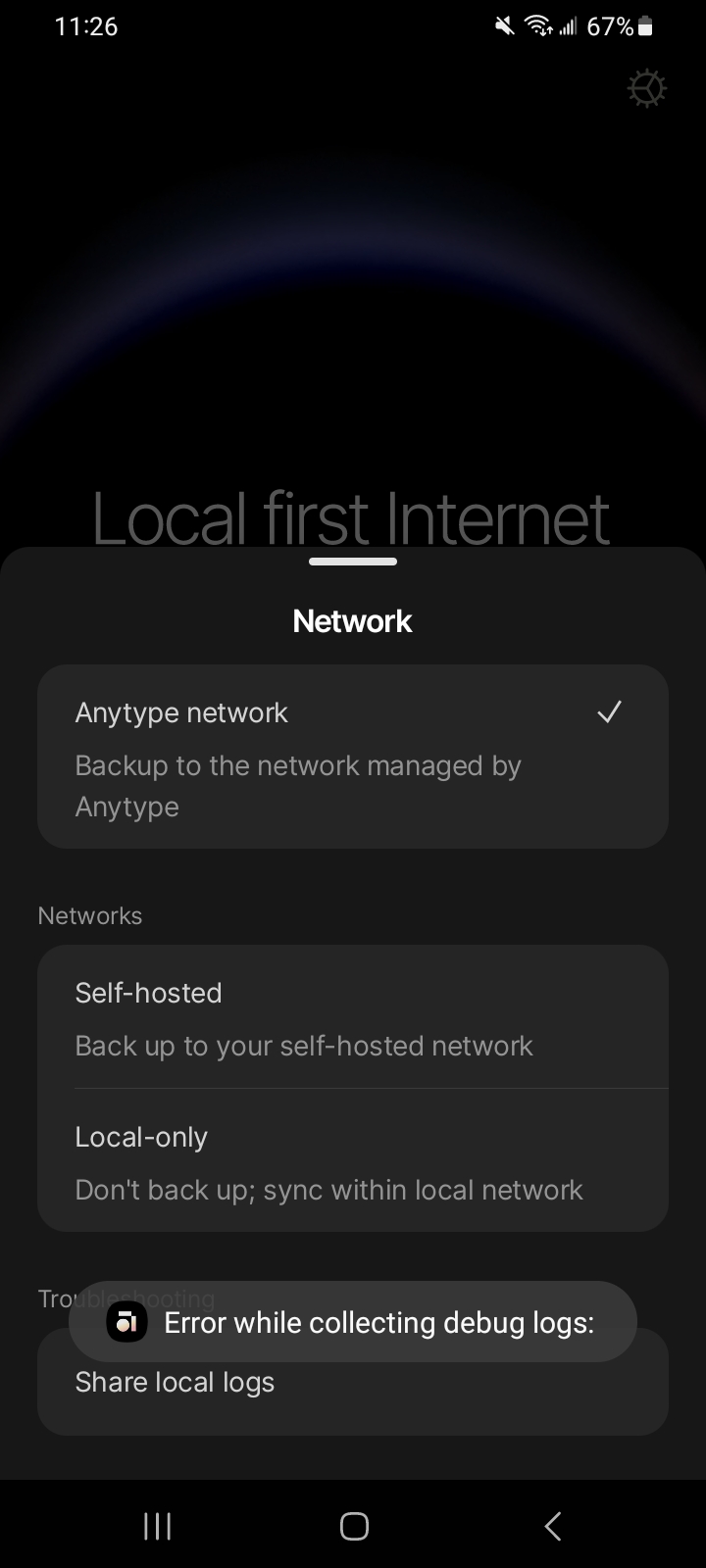
After the crash, reopen the app. On the screen with the “I have a key” button, tap the settings icon in the top right corner.
-
This will open the network settings screen. From there, tap the “Share local logs” button.
-
Send the generated file to our email at [email protected]. In the email, you can include a link to this topic on the forum or attach the log directly here.
Thank you!
Yep exact same thing for me too
Android version 12
4 gb ram
Only 1 space
And yes I’ve tried deleting and reinstalling multiple times
@Divinity thank you for the info!
Can you provide built-in android bugreport zip as well?
here is instruction on how to do it if you are not familiar.
1.	Enable Developer Options (if not already enabled):
	•	Go to Settings > About phone.
	•	Tap Build number seven times until you see a message indicating Developer Options have been enabled.
2.	Access Developer Options:
	•	Go to Settings > System > Developer options (the location may vary depending on your Android version or manufacturer).
3.	Generate Bug Report:
	•	Scroll down in the Developer Options menu and look for Bug report or Take bug report.
	•	Tap Take bug report.
	•	Choose Full report
	•	The system will start collecting logs. This might take a few minutes.
4.	Share the Bug Report:
	•	Once the report is ready, you’ll receive a notification.
	•	Tap the notification to share the bug report (via email, cloud storage, or other apps).
• The bug report is usually saved as a .zip file containing various logs and a main .txt file with detailed information.Android Version 14
6 GB of RAM
One space
I have done it so many times, I’ve lost count of it
bugreport-a02qins-SP1A.210812.016-2025-01-07-22-30-06.zip (22.8 MB)
here you go
- Android ver 14
- 4gb RAM
- Only 1 space
- Yes, sir, I have
Decided to upload mine as well.
bugreport-a13nnxx-UP1A.231005.007-2025-02-02-20-11-45.zip (29.0 MB)
I have 2 news for you guys.
- We have identified the root cause, and for both of you, the reason for the crash is essentially the same.
- Anytype will not work on your Samsung devices in the near future. The underlying SQLite database engine consistently crashes due to memory corruption, and we have limited options to address this.
We are working on replacing SQLite with something equally reliable, but it’s not a quick process—sorry for the inconvenience.
We updated the sqlite/memory library with some fixes for 32bit android OS, it may fix your issues. The version number with a fix is >= 0.35.27. Please update via Google play or apk and let us know if it helps you @Kayn
Wow, can’t believe it. It finally works, after such a long time. Thank you very much! Couldn’t have appreciated the team’s work more. This app deserves more popularity honestly for how nice the community is. Thank you once more.
Well, it was nice while it lasted. Unfortunately, I’m now experiencing this same crash on startup once again.
Thanks for letting us know. Are you able to go into any channels? Is it crashing in any specific channel? Or are you effectively not able to open up the app at all?