WHAT IS THE BUG
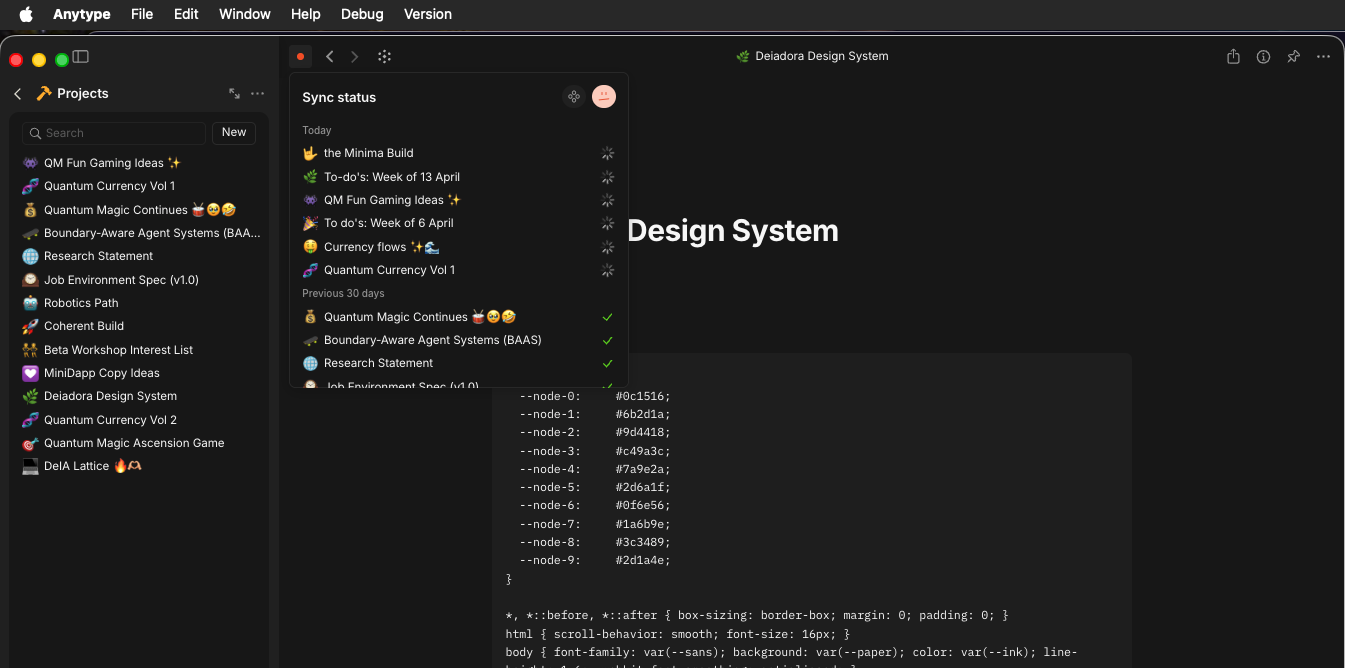
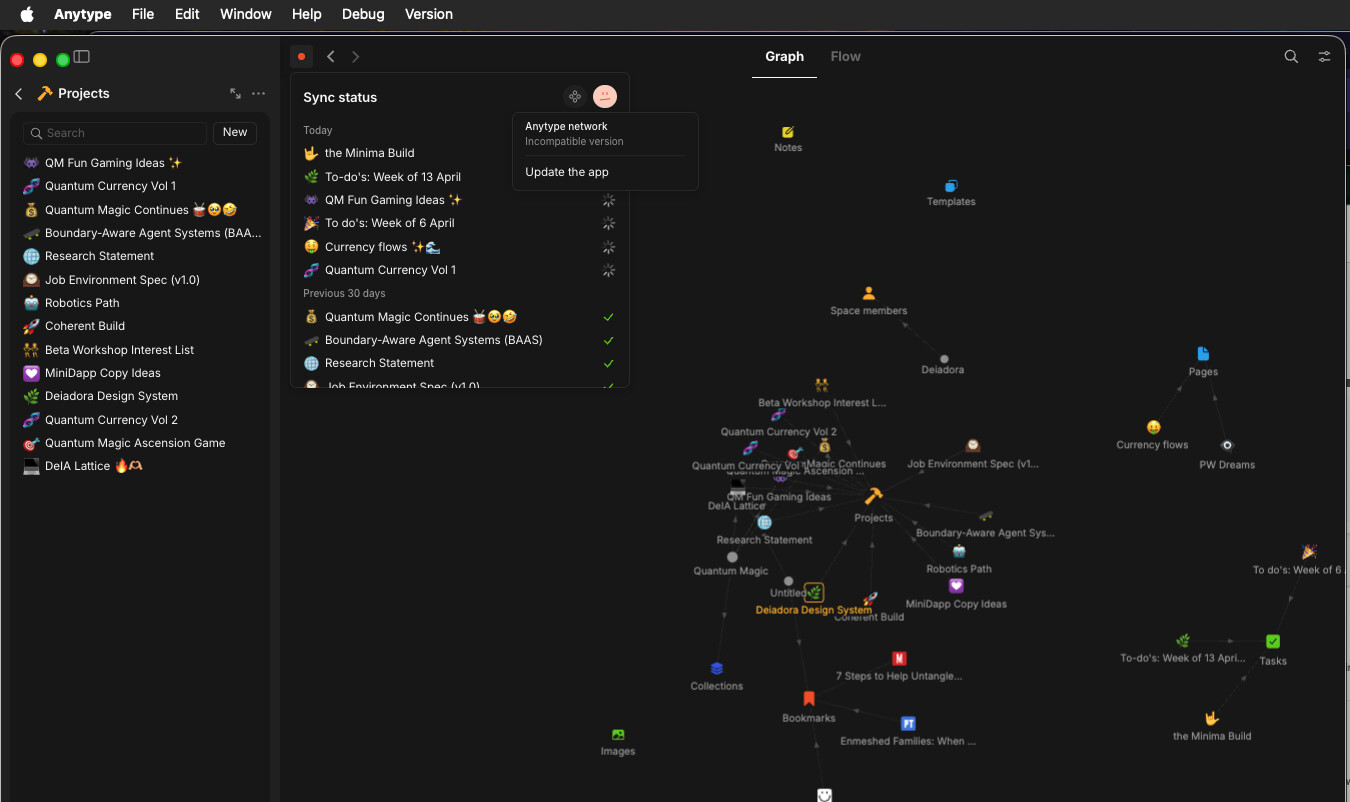
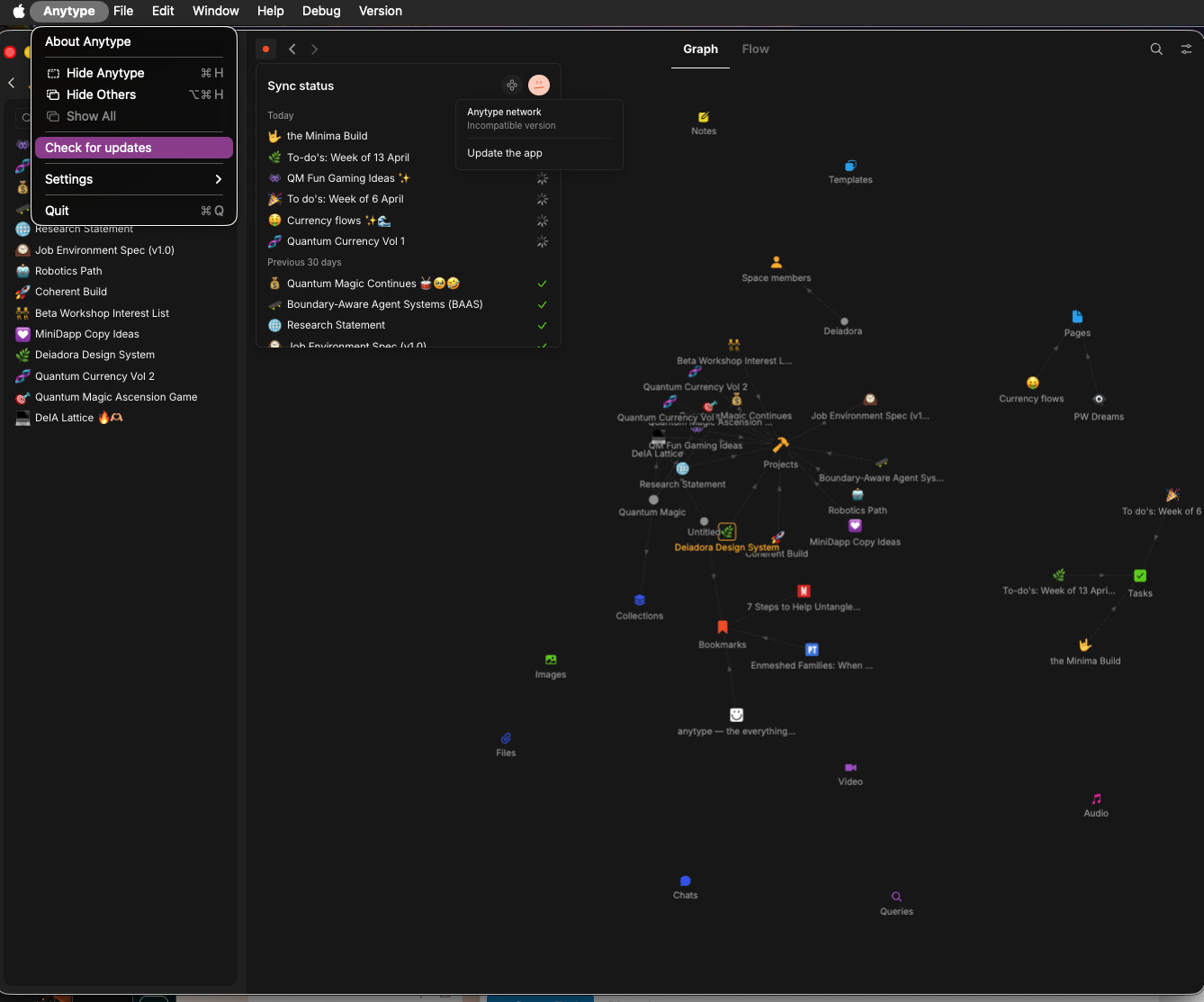
When I open Anytype on desktop (MacOS), it isn’t syncing (sad face sync icon). The dropdown says Anytype network - Incompatible version. When I click Update the app, it doesn’t respond. Check for updates from the main nav: Anytype > Check for updates doesn’t doesn’t respond either. Mobile/Android is also not syncing. Logged in and out and back in on both. Attempted to fix via Terminal (and searched through tickets) to no avail.
HOW TO REPRODUCE IT
Outline the steps needed to reproduce the behavior in sequence:
-
Go to any Page, Object, or Task
-
Click on sad face icon “Sync status”
-
Scroll down to Anytype network - Incompatible version / Update the app
-
ᅟSee an error… sync status remains unsynced
-
ᅟI was able to provide a video capture (or screen-shot) of the bug, here it is:
THE EXPECTED BEHAVIOR
For it to sync and to be able to update. (I have been using Anytype for about 6 months, and love it! Updates and syncing were working until about 1 week ago. I waited to share the bug because I searching through reports on and off, and trying to fix it myself. I don’t see a way to review the latest bug reports which might help filter.)
ADDITIONAL CONTEXT
I can find older tickets (pre-2026) that do not have how the bug was fixed… just that it was fixed. Ha! 
TECHNICAL INFORMATION
Provide your setup info:
Desktop: MacOS Tahoe Version 26.3.1; Anytype 0.50.4
Mobile: 9.45.12, Build no.: 4512, Library version: 0.49.0-rc08