This update introduces Discussions on objects, a redesigned Channels creation flow, and a new split between personal favorites and channel-wide pins, along with a round of fixes.
Objects Discussions
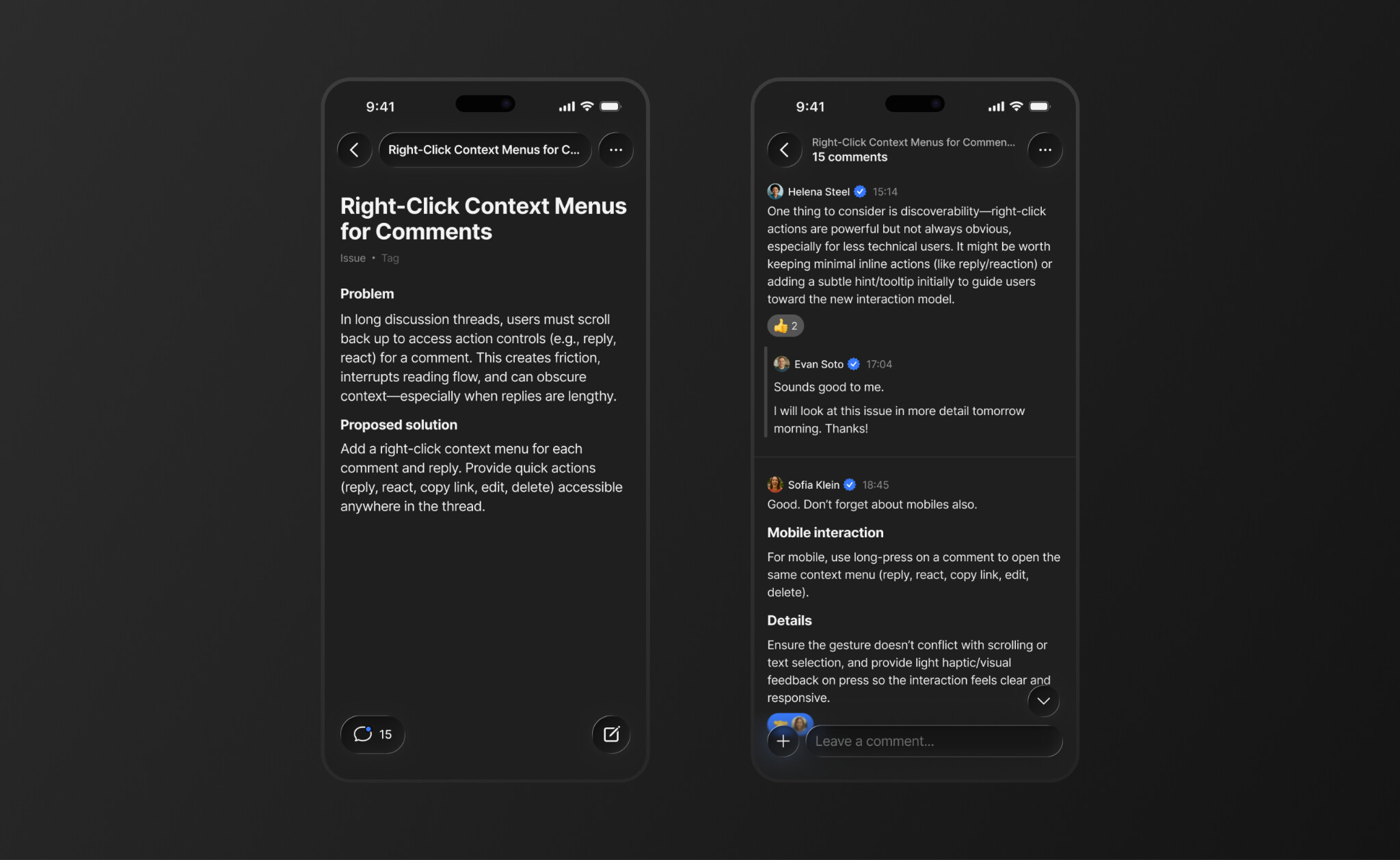
Every object now has a dedicated Discussion tab in the bottom navigation. Tap it on any object to leave a comment, and the discussion is created automatically. Replies are visually threaded with indentation so it’s easy to follow who’s responding to what, and you can share files, images, and other content directly in comments with full rich block rendering. Tapping a notification or shared link takes you straight to the specific comment referenced.
Redesigned Channel Creation
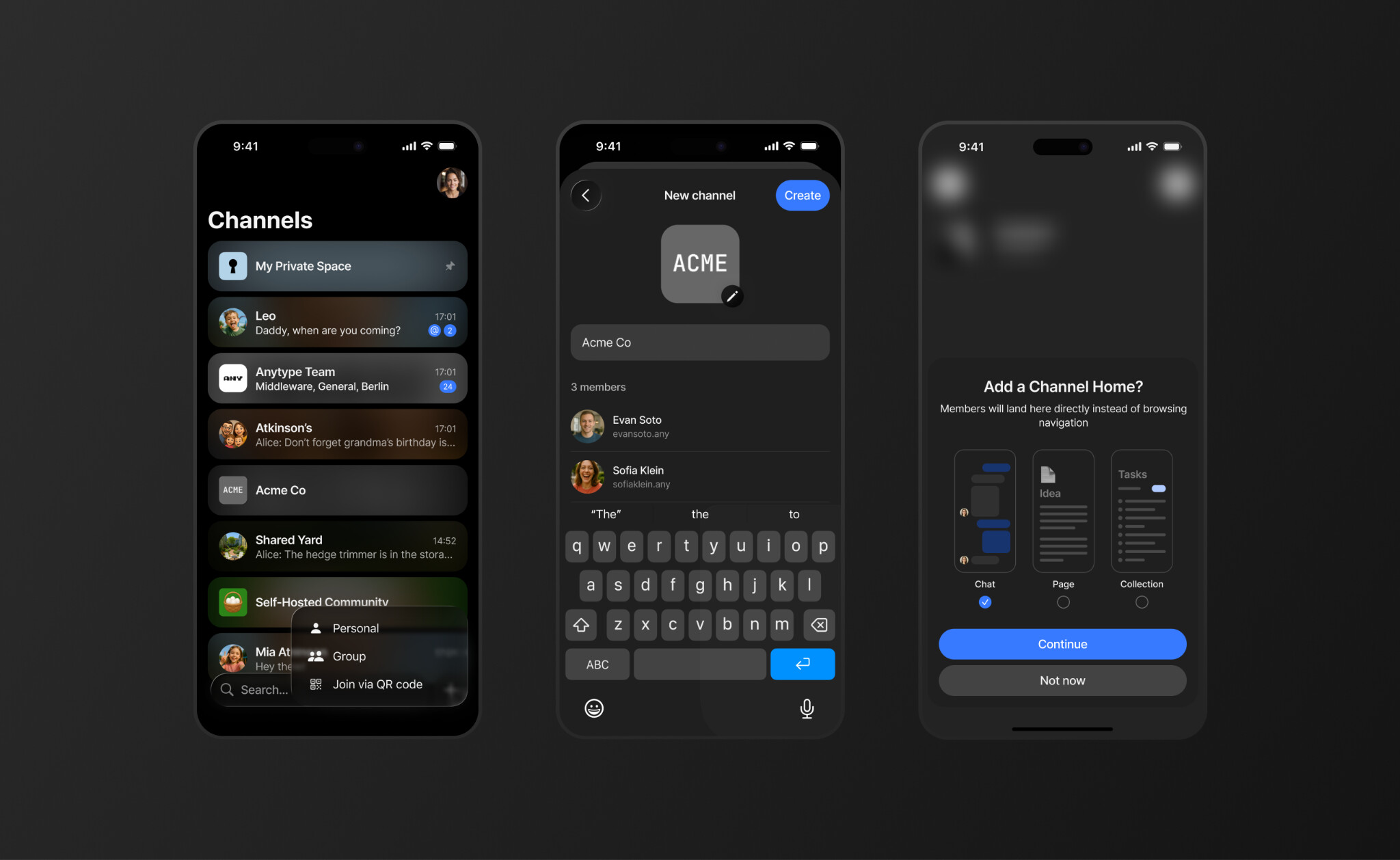
Channels are now unified – instead of choosing between a “Chat Channel” and a “Space Channel” upfront, you pick what opens first and can change it anytime. Tap the + button at the bottom of your Channels list to choose between Personal, Group, or Join via QR Code, and then select what the channel opens to: a Chat, a Page, or a Collection.
When creating a group, a dedicated screen lets you pick members with search and multi-select. Contacts are sorted by how many spaces you share together, so the people you collaborate with most appear at the top.
Personal Favorites
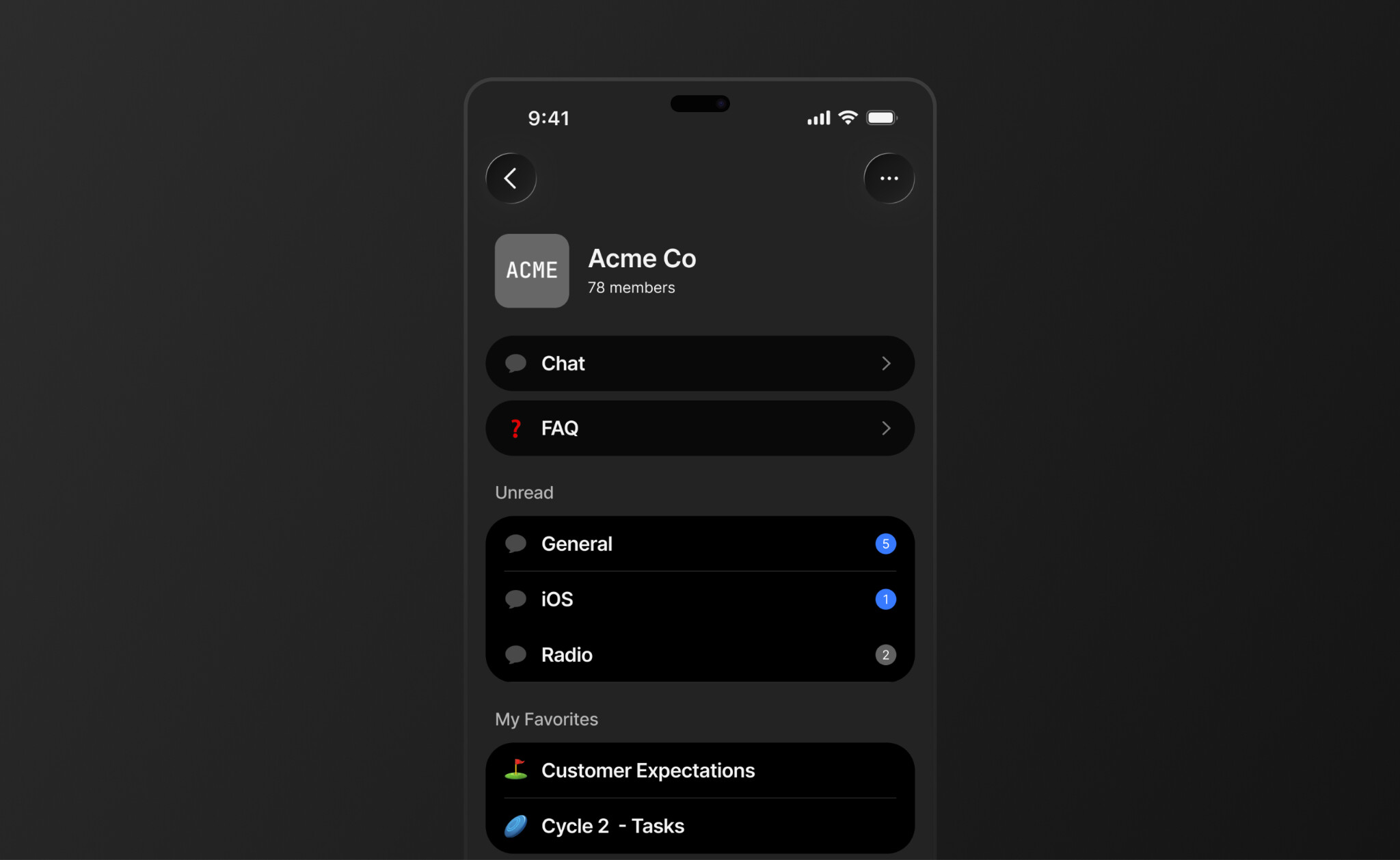
Pinning has been split into two independent mechanisms so your personal shortcuts no longer clutter the shared view. Every member can now mark objects as personal favorites with a new star action, available in object settings and the widget long-press menu. Favorites appear in a new “My Favorites” section on the widget screen, visible only to you, and reorderable via drag-and-drop.
Improvements
Chat & Collaboration
-
You can now mute notifications from specific chats, or hide them entirely from your list to reduce noise.
-
Reactions now show how many people reacted, with a long-press to see who.
-
The app icon now displays a badge with your unread message count.
-
Chat message push notifications now use a consistent, unified format.
-
You can copy a direct link to any chat message for sharing.
Channels & Navigation
-
Round icons are now exclusive to 1-on-1 conversations.
-
The vault now has a more compact layout option.
-
Accepted invitations now open the space automatically.
Editor
-
New Toggle H1, H2, and H3 block styles.
-
Faster indentation on mobile.
-
Block and text highlights now use the Light color palette.
-
You can now set your preferred file download size limit.
Fixes
-
Fixed chat opening twice when tapped from a push notification.
-
Fixed inability to scroll while editing long messages.
-
Messages can no longer be edited to contain only whitespace.
-
Fixed sharing to 1-on-1 chats via the sharing extension.
-
Fixed query filter views that had stopped working.
-
Fixed empty vault state.
-
Fixed layout breaking when sender name is too long.
-
Fixed inability to change due dates.
-
Fixed template chooser padding and tap area.
-
Fixed Korean text not rendering in italics.
-
Fixed “Tap to create block” not disappearing in Toggle blocks.
-
Fixed PDF file type mapping.
-
Fixed notifications screen content overflow.