Hey, Community!
This update brings richer chat tools, navigation polish, performance improvements, and some cross-platform compatibility fixes.
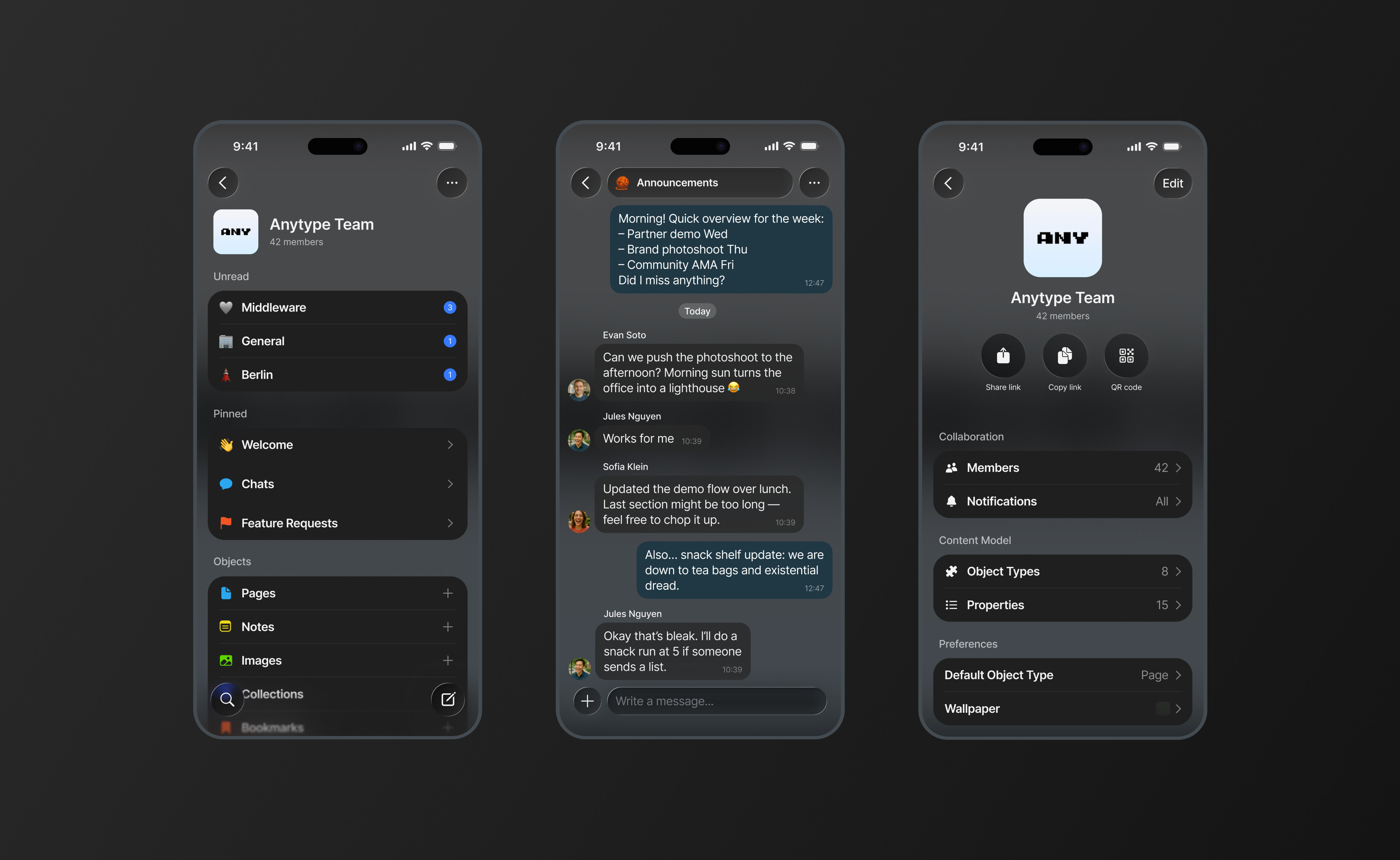
Chat
Create and Manage Multiple Chats
You can now create, rename, and customize multiple chat objects within any space. Each chat has its own name, icon, settings, and management options including pin, archive, and delete.
Per-Chat Notifications
Notification preferences can now be configured per chat. You can override space-wide defaults and control which conversations send you alerts.
Chat Creation from Editor
Chat objects can now be created directly from the slash menu inside Editor, allowing discussions to be embedded naturally within your content.
Increased Message Limit
Chat messages now support up to 4,000 characters (previously 2,000).
Chat Archive and Restore
Archived chats open in read-only mode and can be restored directly from within the chat screen.
Chat Deletion Confirmation
Deleting a chat now requires confirmation to prevent accidental removal.
Chat Preview for Attachments
Unread messages containing media or object attachments now show a text preview in widgets and channels.
Pin Chats
You can now pin important chat objects within a space for quicker access.
Navigation & Widgets
3-dots Menu in Widgets
The Widgets top bar now includes a 3-dots menu with quick access to Channel Settings, Notifications, and Copy Invite Link. These options are now accessible directly from the header instead of navigating to Settings first.
Redesigned Settings Screen
Channel Settings have a refreshed layout with clearer section organization and updated styling.
Search and Create Button Swap
The Search and Create New buttons have swapped positions in the bottom panel on Widget and Object screens to make creating new objects feel more natural. The layout in Chat and Vault remains unchanged.
Unified Object Types Widget
All Object Types are now displayed in a single consolidated Widget. Only Types with existing objects are shown, reducing clutter on the widget screen.
Widget Visual Refresh
Widgets feature more rounded corners and updated styling aligned with the current design language.
Cross-Platform Compatibility
Toggle Heading Blocks
Toggle headings created on Desktop now render properly on iOS instead of appearing as unsupported blocks.
Full Toggle Heading functionality – including creation, editing, and collapse/expand behavior – will be implemented in upcoming updates.
Advanced Filters Display
Complex filters created on Desktop are now visible on iOS in a read-only format.
Mobile Experience
Always Open to Vault
The app now opens to the Vault screen on launch instead of restoring the last opened object, providing a clearer and more consistent starting point.
Updated Sharing Screen
The sharing extension now shows suggestions for frequently used Channels and Objects.
Performance
Faster App Launch
The app now properly closes its database when terminated, reducing the next launch time by 2-10 seconds.
Improved Image Loading in Chats
Images are now pre-downloaded in the background as you scroll through chats, making the fullscreen viewer load faster.
Bug Fixes
-
Unread message counters now clear properly after reading messages.
-
Deleted chats no longer remain visible in the Unread section.
-
Letters with descenders no longer get clipped on the authentication screen.
-
The Bin widget is now accessible at the bottom of the widget screen.
-
Filters added on Desktop without values no longer incorrectly hide objects.
-
Home blur gradient updated to match the Space Hub design.
-
Drag indicator updated to align with the current design system.
