This release introduces Object Discussions — comment and have threaded conversations directly inside any Object. Spaces and Chats merge into Channels with a redesigned creation flow, files become first-class Objects you can upload and organize, Bookmarks get a dedicated layout, and the new Anytype Agents’ Skill lets AI coding agents read, create, and manipulate your data.
On top of that: a redesigned Bin with delete permissions, a new Sidebar view mode, pinned messages, and a long list of fixes and quality-of-life improvements across the app.
Object Discussions
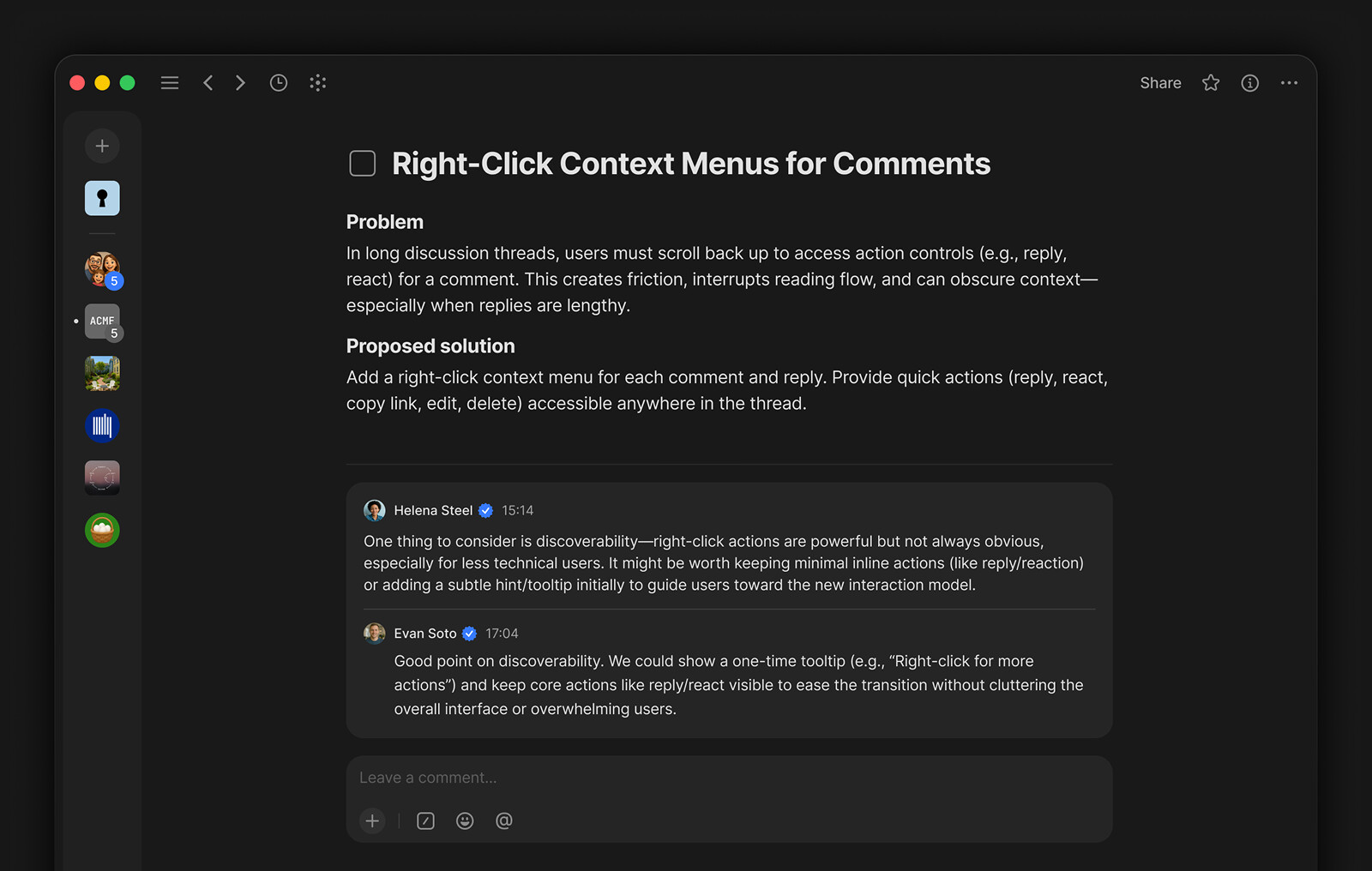
You can now start a discussion and comment directly inside any Object – no need to switch to a separate Chat. Post a comment, reply to others, and build a conversation right where the work happens.
Discussion posts support rich content: code blocks, checkboxes, attachments, embeds, and inline links. You can edit your posts after sending, react with emoji, and reply to specific messages to keep threads organized.
Updated Channel Creation
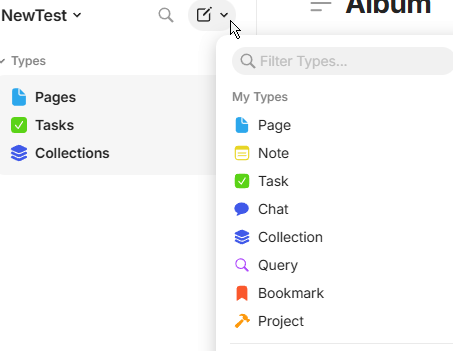
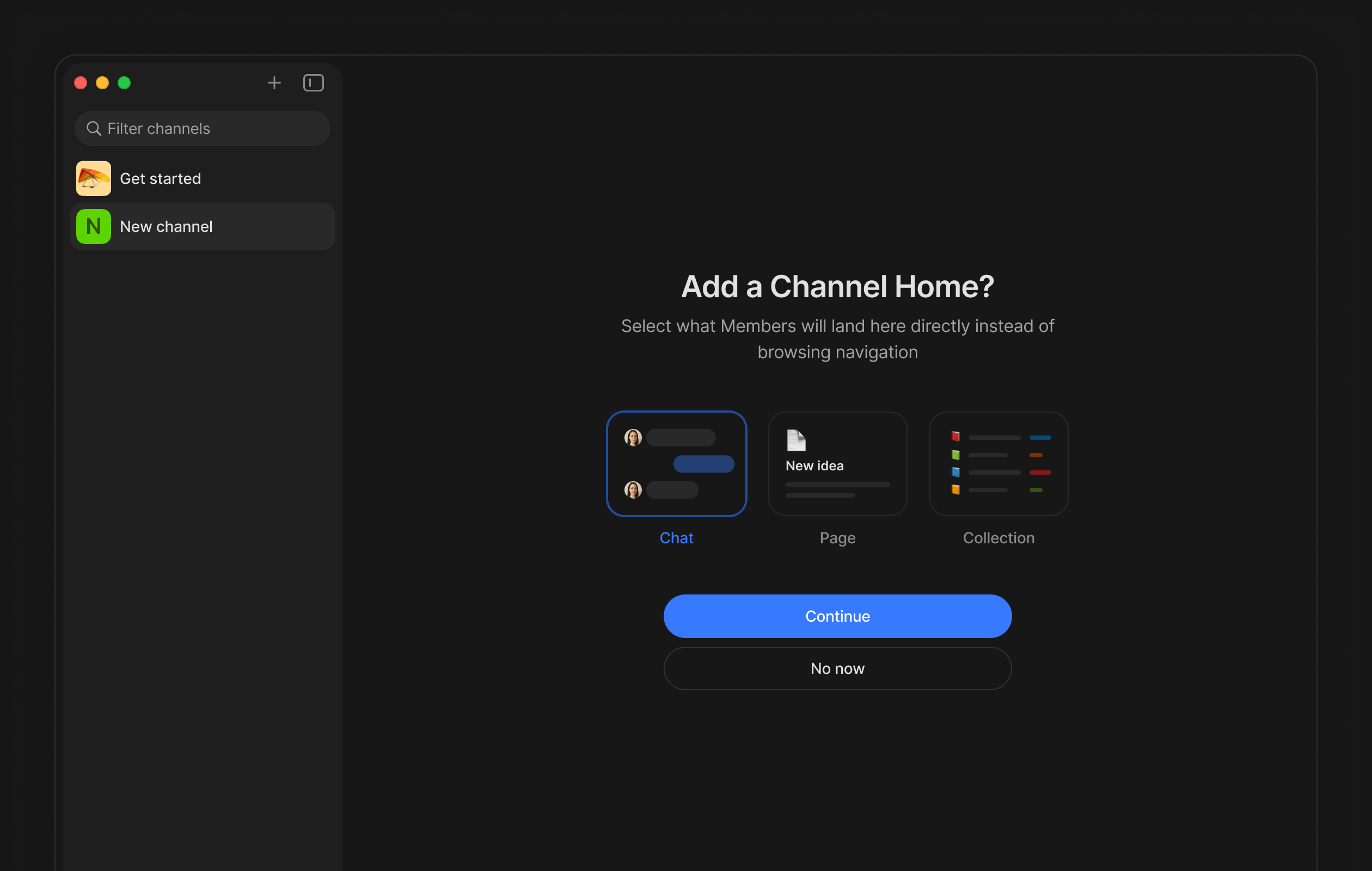
Spaces and Chats have been merged into a single concept: Channel. Instead of choosing between “create a Space” or “create a Chat”, you now create a Channel and pick what opens as its Home — a Chat, a Page, a Collection. The creation flow walks you through it step by step: name your Channel, invite members, and select the Home.
Personal Favorites
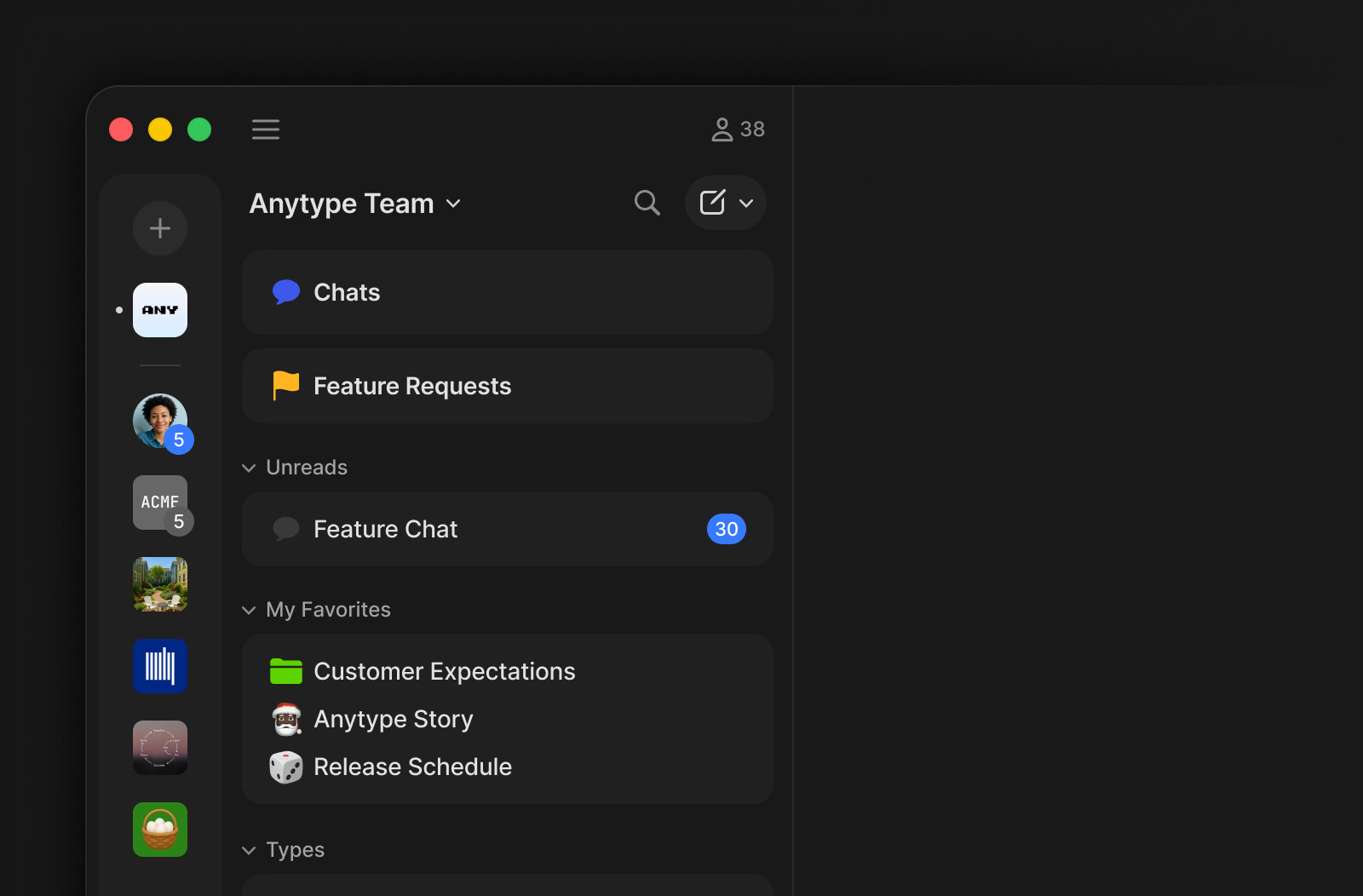
Each Channel now has two distinct mechanisms: My Favorites, visible only to you, and Shared Pins, visible to all members. Any user can add objects to My Favorites for quick access without affecting what other members see. Shared Pins remain available to Owners who need to surface important docs for the whole team. Both appear in the Widget Bar in clearly separated sections.
File & Media Uploads
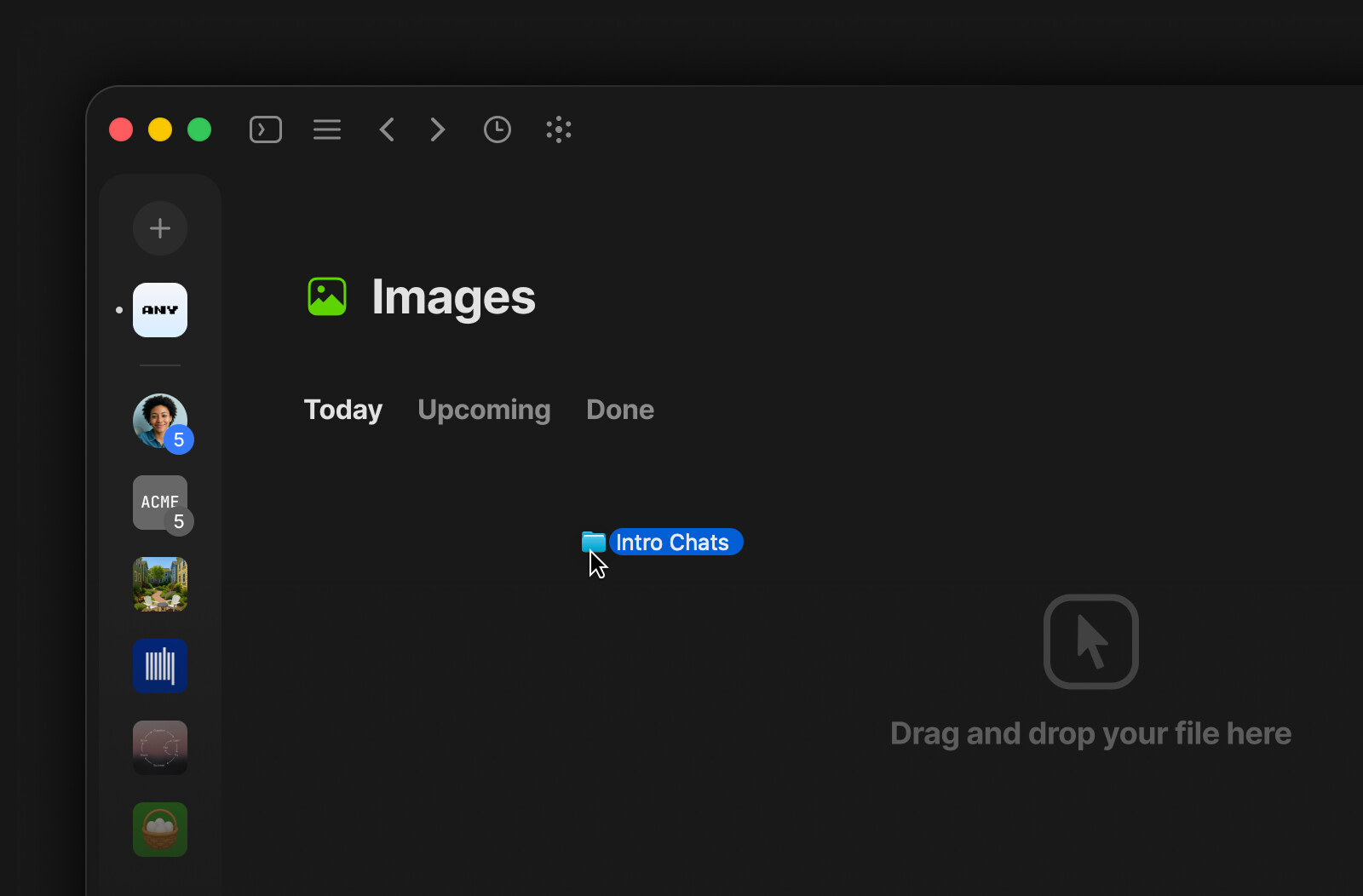
You can now upload files directly as standalone Objects. Choose Image, Video, Audio, or File from the “Create” menu, drag files onto a Type page or widget, or paste from the clipboard – each file becomes its own Object that you can find, link, and organize like anything else in Anytype. Drop a folder and it converts into a Collection that mirrors the original structure.
Bookmark Layout
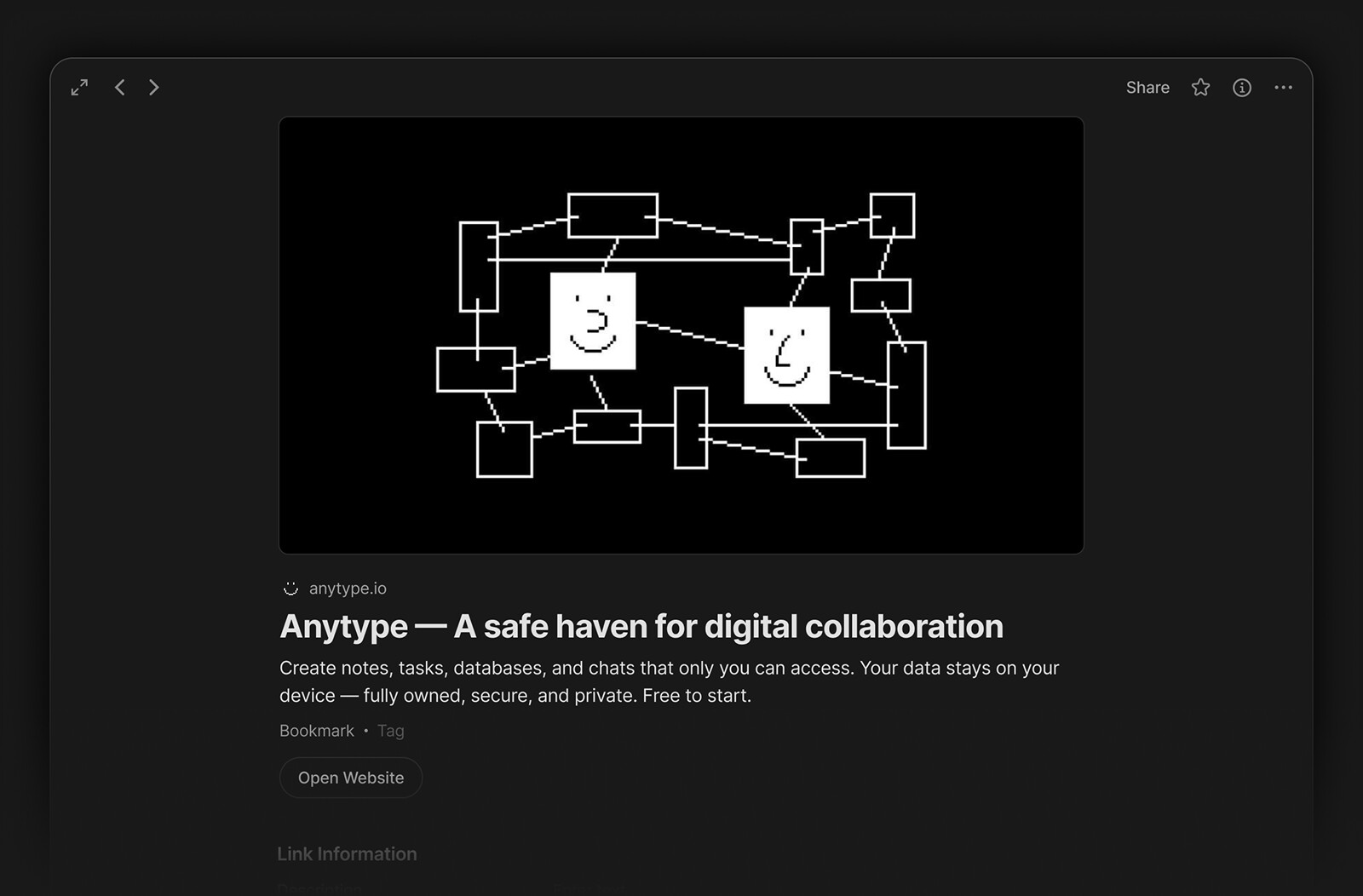
Bookmarks now have their own dedicated layout. Instead of inheriting the Page layout, each bookmark displays the site’s preview image, a short URL with the site icon, and a prominent “Open Website” button.
The paste menu has also been updated: when you paste a URL, you can now choose to insert it as a Mention, a Bookmark, an Embed, or a plain link.
Anytype Agents’ Skill
The new open-source anytype-agents-skill provides a lightweight, isolated JavaScript runtime for executing code against your Anytype data, and exposes around 30 high-level methods to read, create, search, and manipulate objects in your Channels. Give your favorite AI agent – Claude Code, Cursor, Gemini CLI, GitHub Copilot, and others – the skill, and let it handle bulk edits, data transformations, and repetitive tasks for you – gluing your data efficiently with the full power of a programming language.
Quality of Life Improvements
Sidebar Links View
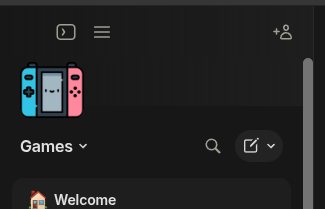
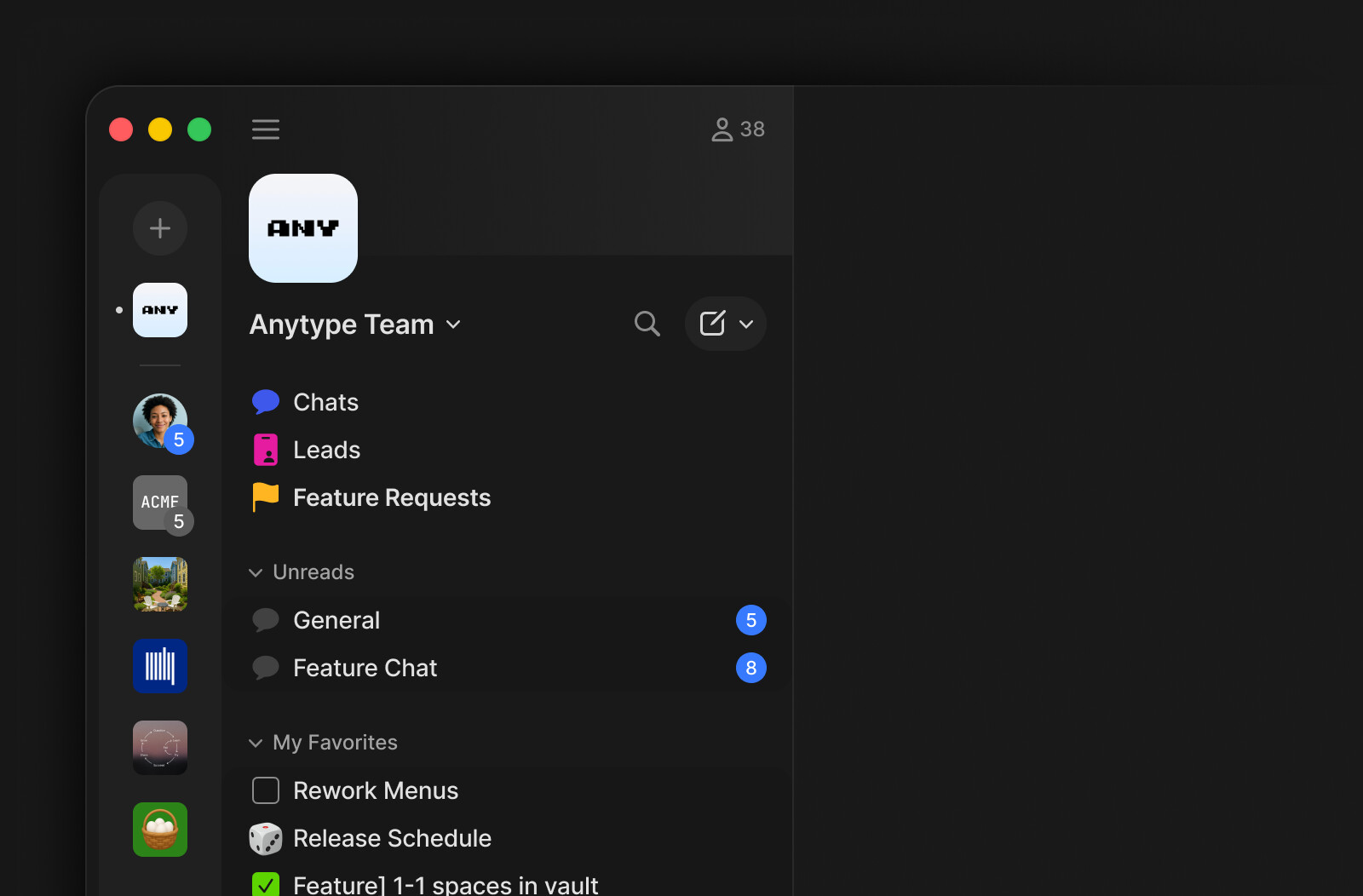
A new option in Channel Preferences lets you switch the sidebar between two display modes: Widgets (the default), which shows rich previews, or Links – a compact view that lists objects as simple links.
Redesigned Bin with Delete Permissions
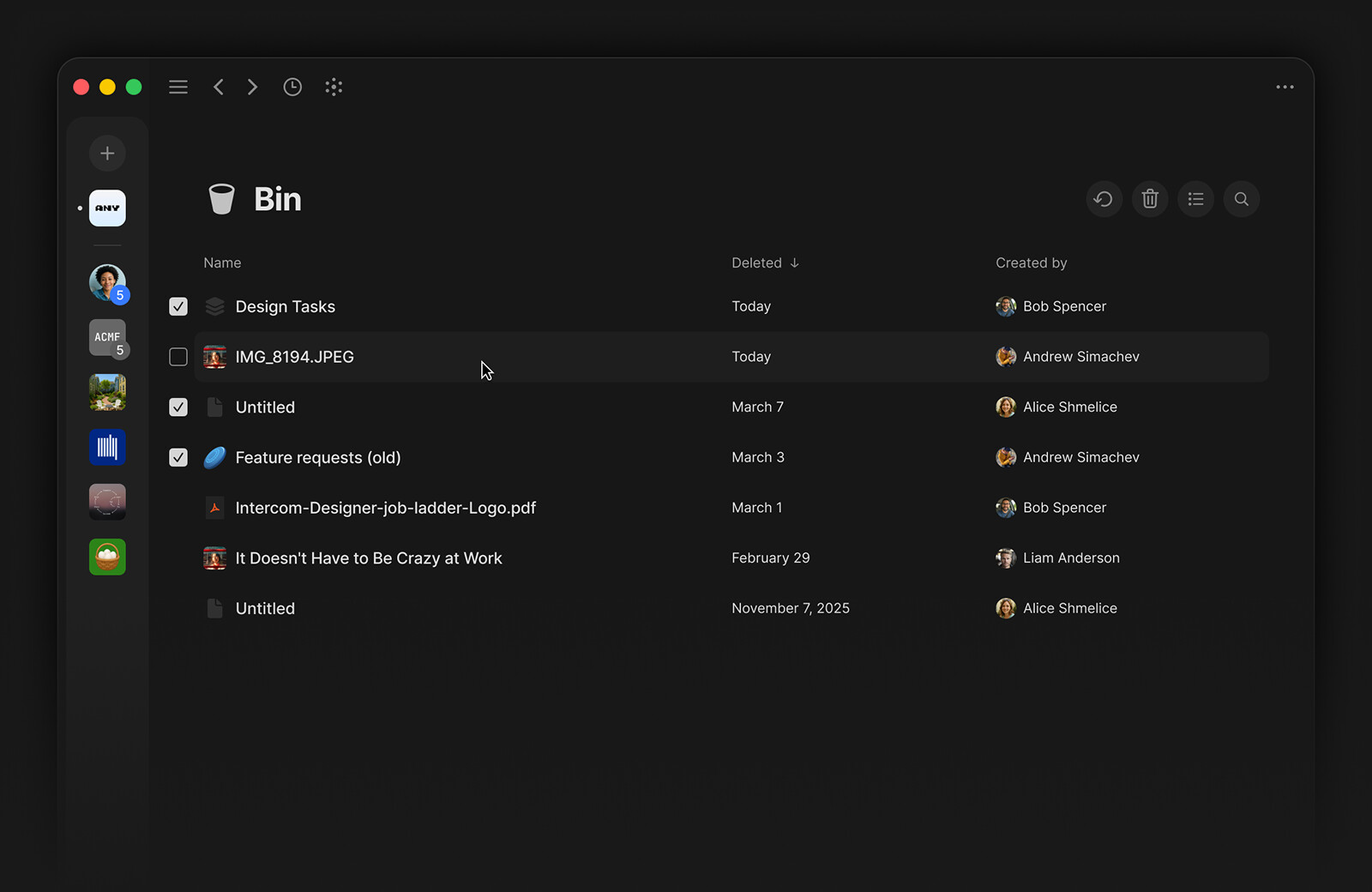
The Bin now displays objects in a columned list with Name, Deleted date, and Created By columns. In shared Channels, editors can only permanently delete objects they created – protecting the team from accidental data loss. Owners can empty the entire Bin from a new menu.
Redesigned Option Menus
Select, Multi-select, Object, and Attachment property menus have been redesigned with a cleaner layout, better keyboard navigation, and more consistent behavior across the app.
Pin Messages in Chats
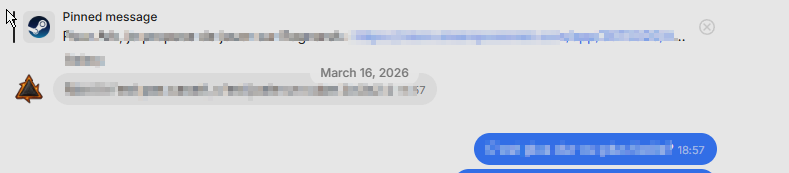
You can now pin important messages in Chat. Pinned messages appear in a persistent banner at the top of the conversation. When multiple messages are pinned, click the banner to cycle through them from newest to oldest.
Multi-Cell Selection in Tables
You can now select multiple cells in a table at once, making it easier to copy, delete, or format table content in bulk.
Full Width Toggle
The layout width slider in Type Settings has been replaced with a simple “Full Width” toggle, making it faster to switch between standard and full-width layouts.
Configurable File Download Size Limit
“Offline Access” Setting in Local Storage is now configurable. Instead of a simple on/off toggle, you can choose a storage threshold (Off, 20MB, 100MB, 250MB, 1GB, or Unlimited) to control how much data is auto-synced for offline use.
Size Setting in List View
List view now offers a Regular mode alongside the compact default – you can choose between two modes in a new Size setting.
Reaction Counters and Notifications
Emoji reactions in Chat now show a counter next to each reaction, and you receive notifications when someone reacts to your message.
Disable Automatic Text Replacements
A new setting lets you turn off automatic Unicode sequence replacements (like arrows and em dashes), so what you type stays exactly as you typed it.
Emoji Search Popup
Typing : followed by a keyword now opens an emoji search popup, so you can find and insert emoji without leaving the keyboard.
Consistent Cmd+Click Across Views
Cmd+Click and Cmd+Shift+Click now behave consistently across Grid, Gallery, List, and Board views.
Copy Object Link with Cmd+C
When no text is selected, pressing Cmd+C now copies a link to the current Object. You can paste it elsewhere to create a quick reference.
Auto-resolve Pasted Links in Chat
Pasting an Anytype Object link into the Chat input now automatically converts it into an attachment card, so recipients see a rich preview instead of a raw URL.
Return to Scroll Position
Navigating away from a Type or Collection and coming back now restores your scroll position, so you don’t lose your place.
PDF Export Background Color
You can now choose a background color when exporting to PDF, so your exports match the look you want. Thanks to @Petefln!
Multi-line Indentation in Code Blocks
You can now select multiple lines in a code block and indent or outdent them all at once with Tab and Shift+Tab. Thanks to @dpr!
Updated Keyboard Shortcuts
Shortcut labels throughout the app have been updated for accuracy, and several new shortcuts have been added.
Auto-open Filter Values
Selecting a property in the filter menu now automatically opens the values picker, saving you an extra click.
Download Spinner on File Objects
File Objects now show a spinner while downloading, so you can see the progress at a glance.
New Notification Sound
The desktop notification sound has been replaced with a new, more pleasant tone.
Locale-aware Date Filters
Date inputs in filters now respect your system locale, displaying dates in the format you’re used to.
Description Toggle Preserves Modified Date
Toggling the Description field visibility on an object no longer changes its Modified Date, so your “recently modified” sorting stays accurate.
Inline Image Indentation
Inline images can now be indented with Tab, just like text blocks.
Close Table of Contents on Navigation
The Table of Contents panel now closes automatically when you navigate to a different Object.
Open New Window from Dock
You can now open a new Anytype window directly from the dock icon context menu.
Markdown Panel Inline Code Hint
The Markdown cheat sheet now correctly shows single backticks for inline code instead of double.
Visual Refresh
Unified Context Menus
Context menus across the app – object settings, widgets, editor blocks, and text blocks – have been redesigned with a consistent structure, action grouping, and visual style.
Updated Color Palette
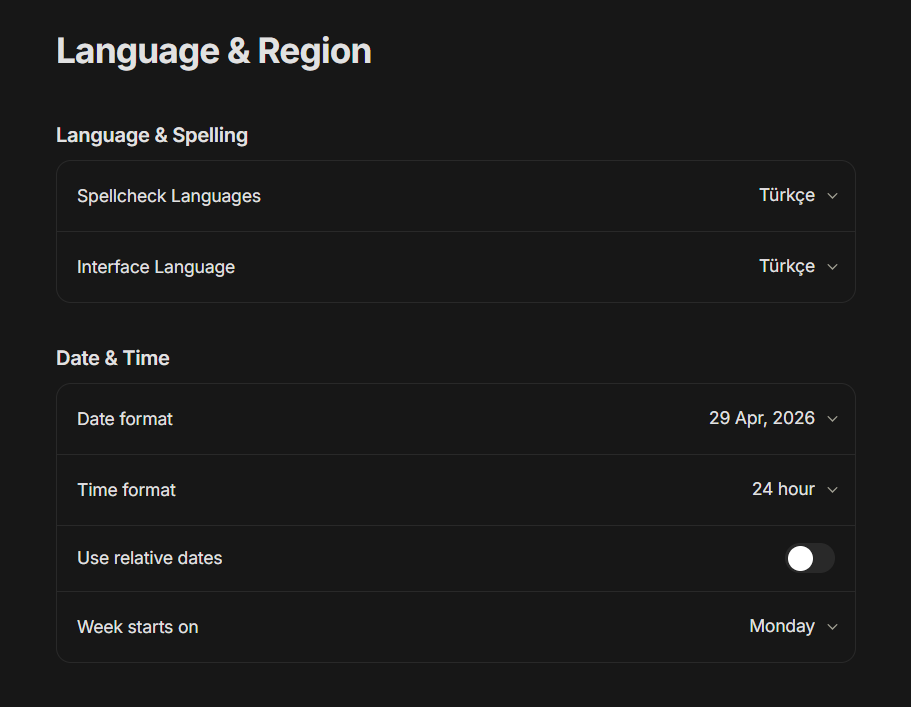
Colors across the app have been refreshed with an updated palette – including new text colors in dark mode and improved contrast for highlights and selections.
Improved Text Selection & Highlighting
Text selection and block highlighting now use updated colors with better contrast, making it easier to see what you’ve selected in both light and dark modes.
Updated Task & Checkbox Icons
Task and checkbox icons have been refreshed with a cleaner look across the app.
Refreshed Object Type Icons
Object type icons (Task, Bookmark, Note, File, Chat, and others) and the import icon have been updated for a more consistent visual style.
Table of Contents Scroll Tracking
The Table of Contents now highlights the heading you’re currently viewing, so you always know where you are in long documents.
Redesigned Input Fields
Input fields across the app have been updated with a cleaner design, building on the new style introduced with Advanced Filters.
Muted and Hidden Chat Styling
Muted and hidden Chats now use grey text styling, making it easier to tell them apart from active conversations.
Bug Fixes
Chat & Messaging
- Messages can no longer be edited to whitespace-only content, which previously caused them to appear empty.
- The “Scroll to Bottom” button now works on the first tap.
- The upload indicator now displays correctly when sending images.
- The “Meet the most powerful private chat” tooltip no longer renders incorrectly.
- Replying to an older message now correctly shows the reply in the current scroll position.
- Right-clicking in Chat no longer causes the view to shake.
- Links in 1-on-1 Chats now open correctly.
- Chat message links no longer resolve to the wrong Chat or fail to open.
- The message editing state is no longer carried over when switching between Chats.
- Chat now scrolls to the first unread message when opened.
- The order of adding objects, links, and images to Chat messages has been corrected.
- Editing or changing an image in a Chat message now updates immediately.
- The endless file upload spinner in Chat has been fixed.
- Chat Objects in the Bin now show a clear “deleted” state instead of appearing as if they’re still active.
Editor & Blocks
- Pressing multiple
Enterkeys in the middle of a toggle no longer exits the indentation. - Callout block rendering and behavior issues have been fixed.
- A newline is no longer incorrectly added to code blocks in certain situations.
- Pressing
Enterno longer spams new lines when an empty block follows the current one. Thanks to @lumeno.kotobazza! - Modifier keys no longer insert unwanted characters during text formatting. Thanks to @trialsin!
- Duplicating a toggle block no longer nests the copy inside the deepest grandchild.
- Unlinking a URL from text no longer triggers an undo action.
- Heading behavior after pressing
Enterhas been corrected. - Multiple editor issues with block operations have been resolved.
- Markdown and code block conflicts have been fixed.
- Toggles can now be opened and closed when blocks are highlighted.
- Line breaks in headings now work correctly.
- Pasting a URL to create a bookmark no longer overwrites the block above it.
- Table of Contents now renders correctly when the document contains toggle headings.
- Deleting an empty line above a toggle no longer closes or removes it. Thanks to @Code-Jack!
- Highlighting single link blocks now works correctly.
- Markdown replacement whitespace behavior has been fixed. Thanks to @flypenguin!
- Inconsistent emoji editing behavior has been corrected. Thanks to @herb!
- Text entered before a hyperlink no longer becomes part of the link. Thanks to @a44!
- Text is no longer duplicated after inserting an emoji.
- Mentions can now be correctly copied and cut.
- The cursor no longer disappears when the first Mention in a block is deleted.
- Selecting a block with a triple click now correctly deletes mentions and text together.
- Chinese character input now works in Embed blocks. Thanks to @AlfredZhang!
- Display issues when editing blocks in Chinese next to inline links have been fixed. Thanks to @M.D1!
- Inline code blocks no longer malform text containing recognized symbols. Thanks to @spiffytech!
- Pressing
Enterin the middle of a heading now converts the text in the next block to regular style. - Pressing
Enterat the beginning of a heading now creates a regular text block above it. - Backspace no longer out-indents a block and inherits the next set as children.
- Pressing
Entertwice on a highlight block now correctly exits it. - Pressing
Enterinside a highlight block now creates a sibling block, not a child. - Pressing
Enterafter a collapsed toggle heading now creates a line break outside the toggle. - The
/shortcut now works correctly at the beginning of a block. - Block type conversion no longer sends multiple block IDs unnecessarily.
- You can now place the cursor at the very first character of an inline code span without it jumping. Thanks to @spiffytech!
- Applying underline or other text formatting no longer extends the style to trailing whitespace.
- Duplicate toggle behavior has been corrected.
- Pasting a heading into an empty toggle no longer replaces the toggle – the heading becomes the toggle’s title instead. Thanks to @Code-Jack!
- Backspacing in a bulleted list no longer causes unexpected indentation of the blocks below.
- Empty file block placeholders can now be copied and pasted correctly.
- Closing a Toggle while its content is selected no longer fails. Thanks to @Code-Jack!
Graph
- Long-pressing and then releasing an Object in the graph no longer opens it.
- Long-pressing an Object no longer causes it to float away.
- Images are no longer shown in the graph when the toggle for them is off.
- High CPU usage when viewing the graph has been resolved.
- Graph View filters now apply correctly when the graph is first opened. Thanks to @lhewett946!
Objects & Views
- Google “My Maps” embeds now render correctly.
- Opening another Object in a new tab no longer opens the currently active Object instead.
- The “+Create option” button in Select and Multi-select properties now works correctly.
- Tag creation has been fixed.
- Copying the source link from a Bookmark now returns the correct URL.
- Clicking on the sidebar while editing a property option now closes the menu.
- Advanced Filters now work correctly.
Cmd+Anow correctly selects all objects in a Type, Query, or Collection.- Shortened links now open correctly instead of failing with “..”. Thanks to @Shampra!
- Inline Queries with a default sort applied no longer return empty results.
- Restored properties now appear in the Query immediately without re-opening.
- Deleted properties via Channel Settings no longer remain accessible in Query views.
- New options in Select properties now display immediately without a refresh.
- Manual sorting within Collections has been restored.
- List View in Regular mode now shows the divider line when manually sorted.
- Templates can now be filtered out in queries. Thanks to @Uvann!
- The “Create Object” option no longer appears in the
/linkmenu. - Gallery view scrolling performance has been improved. Thanks to @dpr!
- Scrolling now works correctly in Gallery layout.
- Graph view links can now be turned off again in query view. Thanks to @riblek!
- Object Types found in search now correctly load their properties.
- Searching by Multi-select property values in Collections now finds all matching entries. Thanks to @Code-Jack!
- File syncing between devices and with the Anytype network now works reliably. Thanks to @NicolasJouanin!
- Cover images in Gallery view now display with correct dimensions, matching what you see when the object is opened.
- Duplicating an Object from the sidebar context menu now automatically opens the new copy. Thanks to @Chrispy163!
- Properties now correctly disappear from the Advanced Filter after removal.
- The date format is now displayed correctly in property filters.
- The “Include time” switch in Advanced Filters now works as expected.
UI & Rendering
- The app no longer turns white after extended inactivity.
- Checkbox properties no longer shrink when placed as the first column with a reduced width.
- An invisible button on the interface has been removed.
- Tooltip text for layout settings is no longer cut off.
- The Edit Type screen no longer breaks when the window is small.
- The editor layout no longer breaks after toggling the sidebar via keyboard shortcut.
- The Properties menu in Settings has been fixed.
- The PIN entry screen after inactivity is now visible without resizing the window. Thanks to @mdmdj!
- Sidebar state and tabs are now preserved correctly when installing updates.
- Title Fullscreen mode no longer hides the menu bar on Linux.
- Scrolling in Remote Storage now works when hovering over objects.
- The filter list popup no longer renders too small.
- Search pane animation is no longer choppy. Thanks to @dpr!
- The Object Type header font size is no longer oversized on Mac. Thanks to @henrywu!
- The “Object Type: Name” selection box now closes after clicking an option. Thanks to @Hexara!
- Odd behavior when typing an account name has been fixed. Thanks to @Regis!
- A crash on new MacBook M5 models at app startup has been fixed. Thanks to @kic!
- Profile images uploaded on iOS now display correctly on Desktop.
Navigation & Tabs
- The app no longer unexpectedly redirects to the auth screen.
- Logging in with two vaults on the same device no longer briefly shows the previous vault.
- Duplicated tabs now load correctly.
- Closing a tab now opens the correct neighboring tab.
- The sidebar no longer closes unexpectedly in a new tab with “Automatically hide sidebar” enabled.
- Opening another Channel from a pinned tab now opens the correct Channel.
- The interface no longer disappears after re-opening the application.
- White screen after importing data has been fixed. Thanks to @Shampra!
- Creating an account in different windows no longer causes issues.
- The window can now be dragged and maximized when the menu bar is turned off.
- The right-click context menu in the Bin now opens at the correct position.
- The “Transfer ownership” option no longer appears incorrectly in the Vault.
- The Property Panel is no longer visible in the Bin.
- The description and shortcut for Pin/Unpin Tab have been corrected.
- Pinning a tab that’s already open no longer creates a duplicate – the existing tab is pinned instead.
- Returning to the members list no longer shows a blank screen.
- The closed sidebar no longer reopens unexpectedly. Thanks to @C.c!
- The “Automatically hide sidebar” setting now applies immediately to all open tabs, not just the active one.
Keyboard & Shortcuts
Cmd+/now correctly triggers the “View Shortcuts” panel.- Typing to filter block actions now auto-selects the first matching option. Thanks to @nathan.connor!
- CSS formatting now correctly follows the selection in preferences. Thanks to @Shampra!
- “Jump to Previous/Next Block” hotkeys now work on Windows. Thanks to @trialsin!
- Keyboard shortcut for selecting text right-to-left has been fixed.
- The @ mention search now works correctly after switching to a non-Latin keyboard layout.
Notifications & Counters
- Muted and hidden Chats are no longer counted in the Channel unread badge in the Vault.
- The unread message counter now correctly appears instead of the pinned icon for pinned Channels.
- The Pin and Counter icons no longer overlap when “Mention Only” is enabled.
- Muted and “Mention Only” counters are no longer hidden from the Vault sidebar.
- Notification badges now display consistently in both collapsed and expanded sidebar states.