I don’t think this was done intentionally though
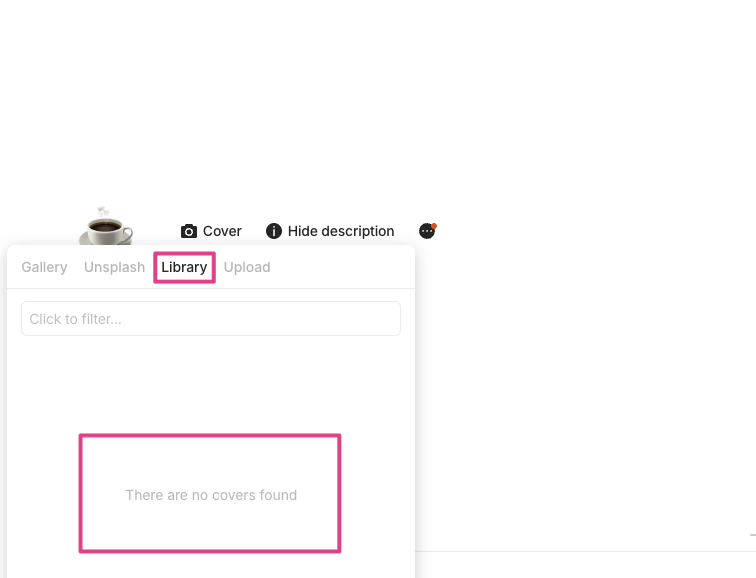
@krst
Unsplash…? Which version are you referring to?
Also, I have another problem to feedback: The All Objects
In the desktop 0.47.1, there’s a small default all objects link/button between Search and Invite Members while the mobile apps don’t. So the point is that if I don’t manually add a All Objects widget in the sidebar, it’s impossible to access all objects on mobile apps such as ios. But if I do, there would be two ways of the all objects: one is the widget and the other one is the small button between Search and Invite Members.
The new version has a inconsistency design of the sidebar between desktop and mobile apps.
May it be fixed soon?
@krst
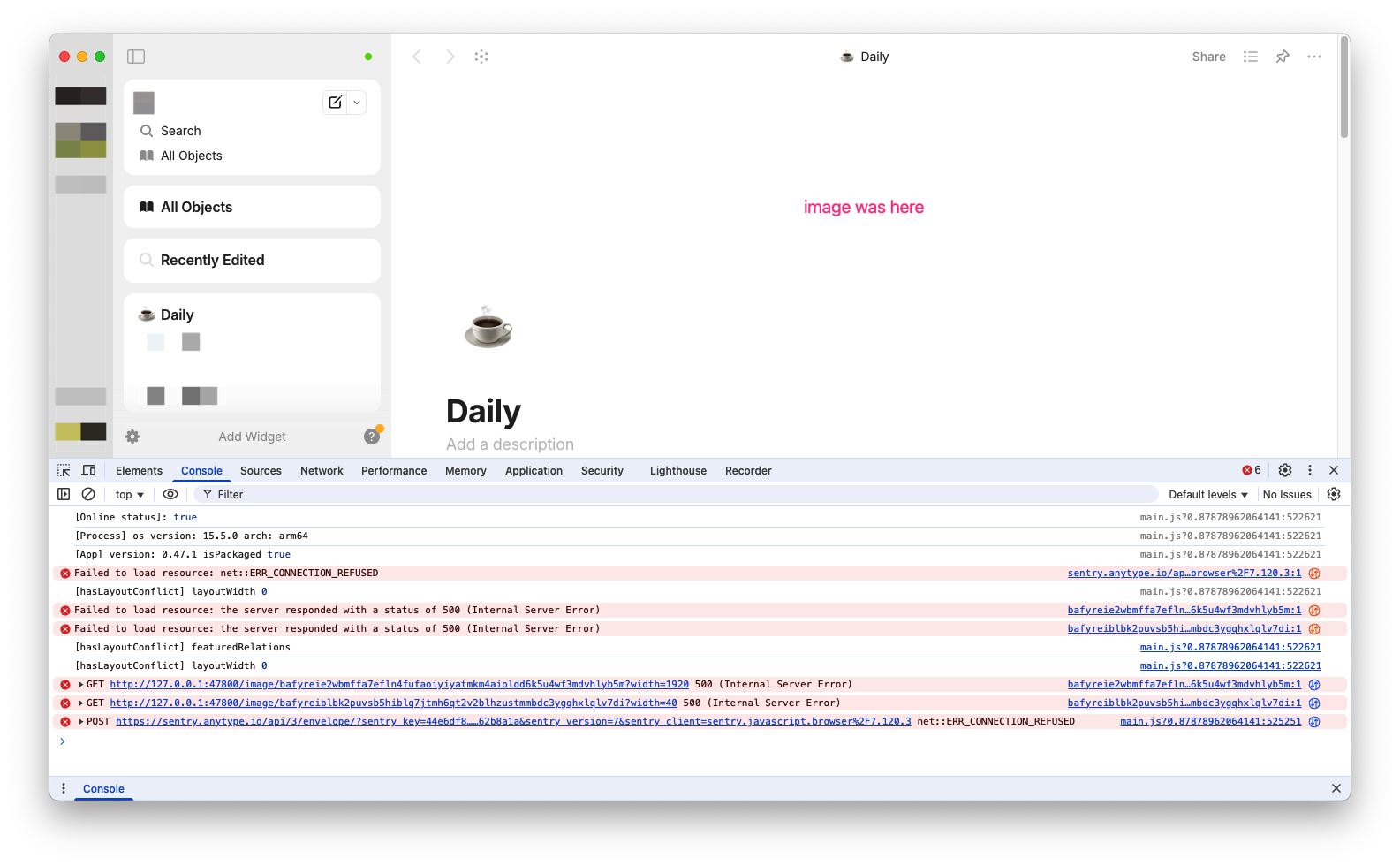
This is what I’m seeing on version 0.47.1 on macOS. I have never seen Unsplash implemented so far.
I can’t say anything about that, just that I’m up to date and that I can utilize images from Unsplash since I use Anytype for nearly 2 years. I also have it for newly created objects.
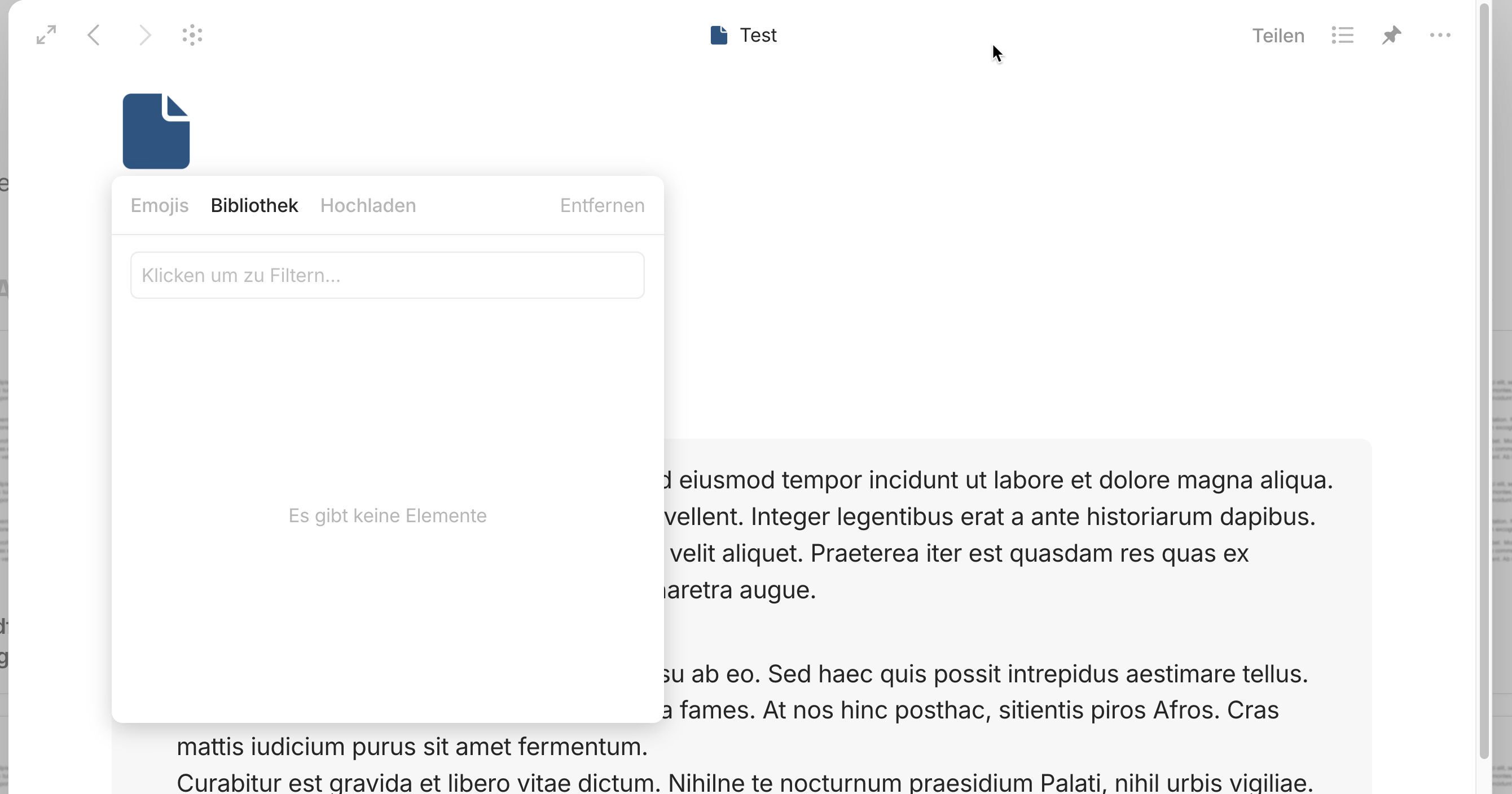
edit: I also don’t have the “remove” link like you - this is odd
edit: lol, I think there is a misunderstanding - you try to edit the icon, I edit the cover
edit of the edits: but then again, you can use Emojis, and I cannot (trying to edit an object icon)
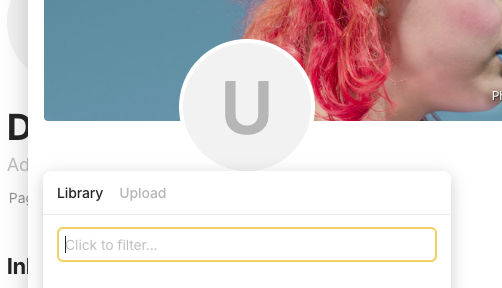
This is funny. I created a new page, added an Unsplash image, and now a totally different page got it’s icon removed

ugh… the fun didn’t last very long
edit: I see, Emojis can’t be set for the Profile view, only for the basic view. And I wasn’t aware that when I change that, it’s only possible to change this for the whole type (while it was possible to change every object individually). yeah, I haven’t used it for a while and I’m a bit out of the loop. But all this confuses me quite a bit.
Yes, there’s obviously something wrong with the library for icons and cover images.
I cannot launch 0.47.1 on Fedora Linux. Neither with the RPM or the AppImage.
$ anytype
Checking for beta autoupdate feature for deb/rpm distributions
Found package-type: rpm

(process:8677): Gtk-ERROR **: 11:02:31.956: GTK 2/3 symbols detected. Using GTK 2/3 and GTK 4 in the same process is not supported
It just hangs here, never opening a window. Ctrl-c doesn’t close the program, I have to kill -9 it.
I can still launch the 0.46.8 AppImage, as long as I don’t update it.
Release v0.47.2-alpha · anyproto/anytype-ts · GitHub this build fixes GTK problem, we will patch stable version with the fix for images.
Thanks to the team for the great update 
I have some types where I’d like to switch the header properties to column view. Before I commit to it though, can I ask if this is going to be implemented on mobile as well?
Awesome update going there!
I love the obsidian import! this is great! i know this will bring a lot of people in.
also, in this new update i am still having problems with my Notion import with the dates
@Razor
0.47.3-alpha - Image library is working again, thank you for the quick repair!
Also, it’s nice that the titles of images are now displayed on/below the thumbnails of the image selection popup! Thanks! 
The graph viewing mode on desktop freezes when opened from within an object or collection for me:(
create a separate issue with a video please
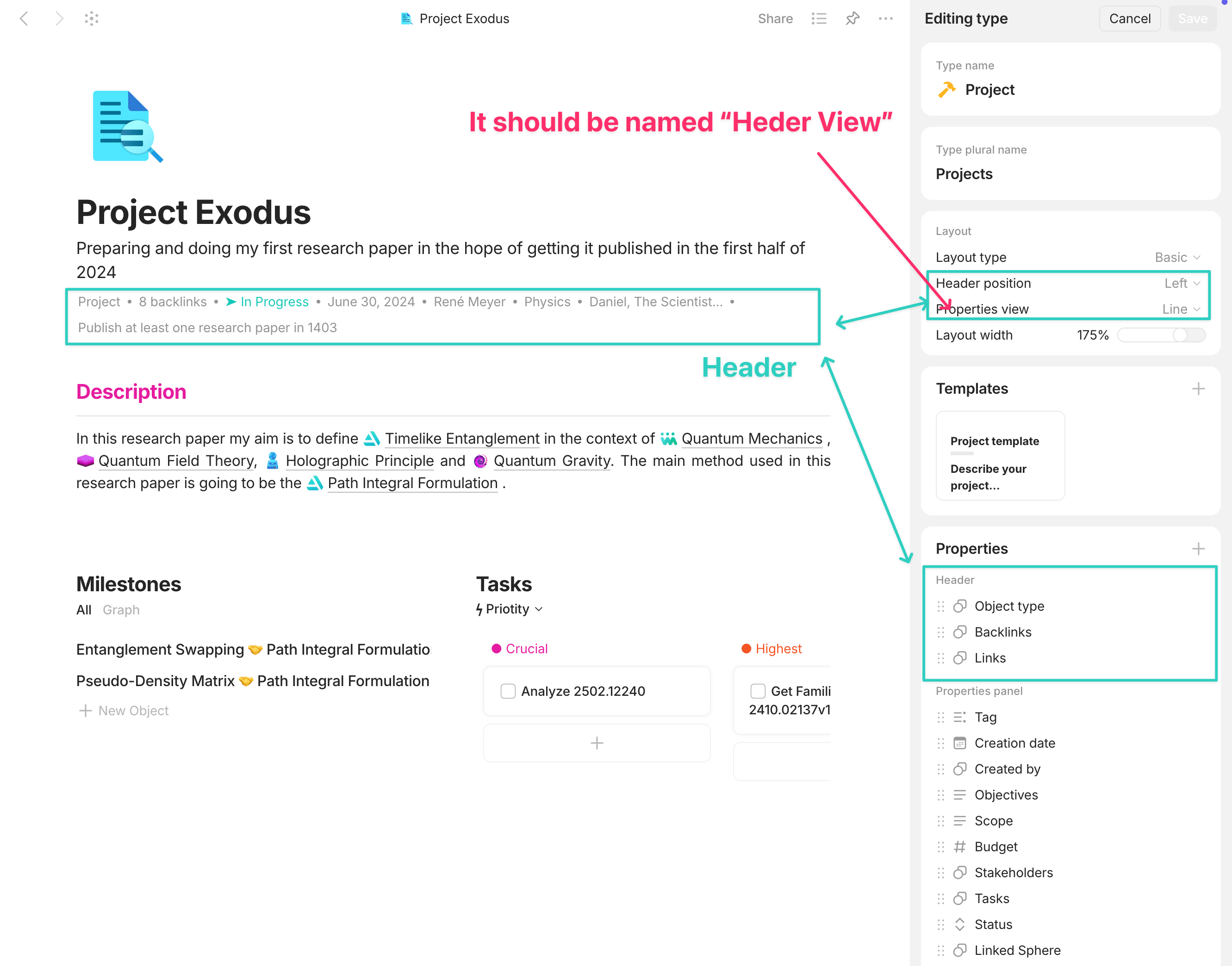
I love the subtle tweaks, the gradient look on the sidebar, and the slight tweaks to the font weight and reorganization of the properties panel. However, I think the naming scheme is a little bit confsuing. You see, now we can have list or line view for “properties”; however, it’s for the “header” section of the properties. But then again, we have “header position” referring correctly to header. However, it says “properties view” which is again for the properties of the “header section”. I think “header view” is more appropriate here.
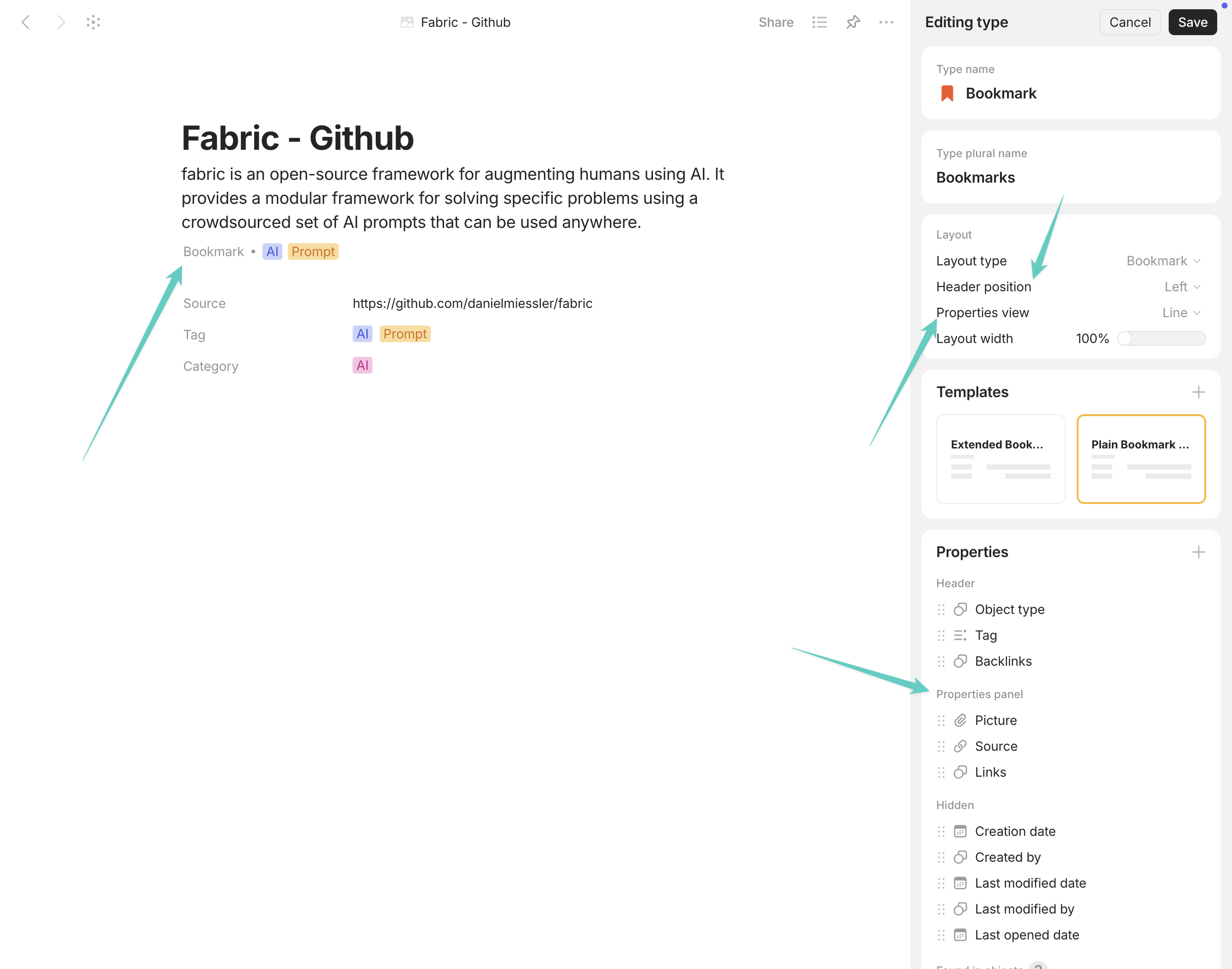
But then again, if we had the option to dictate what properties should be at the header of any object at the “template” level" not the “type” level, it would be more suitable.
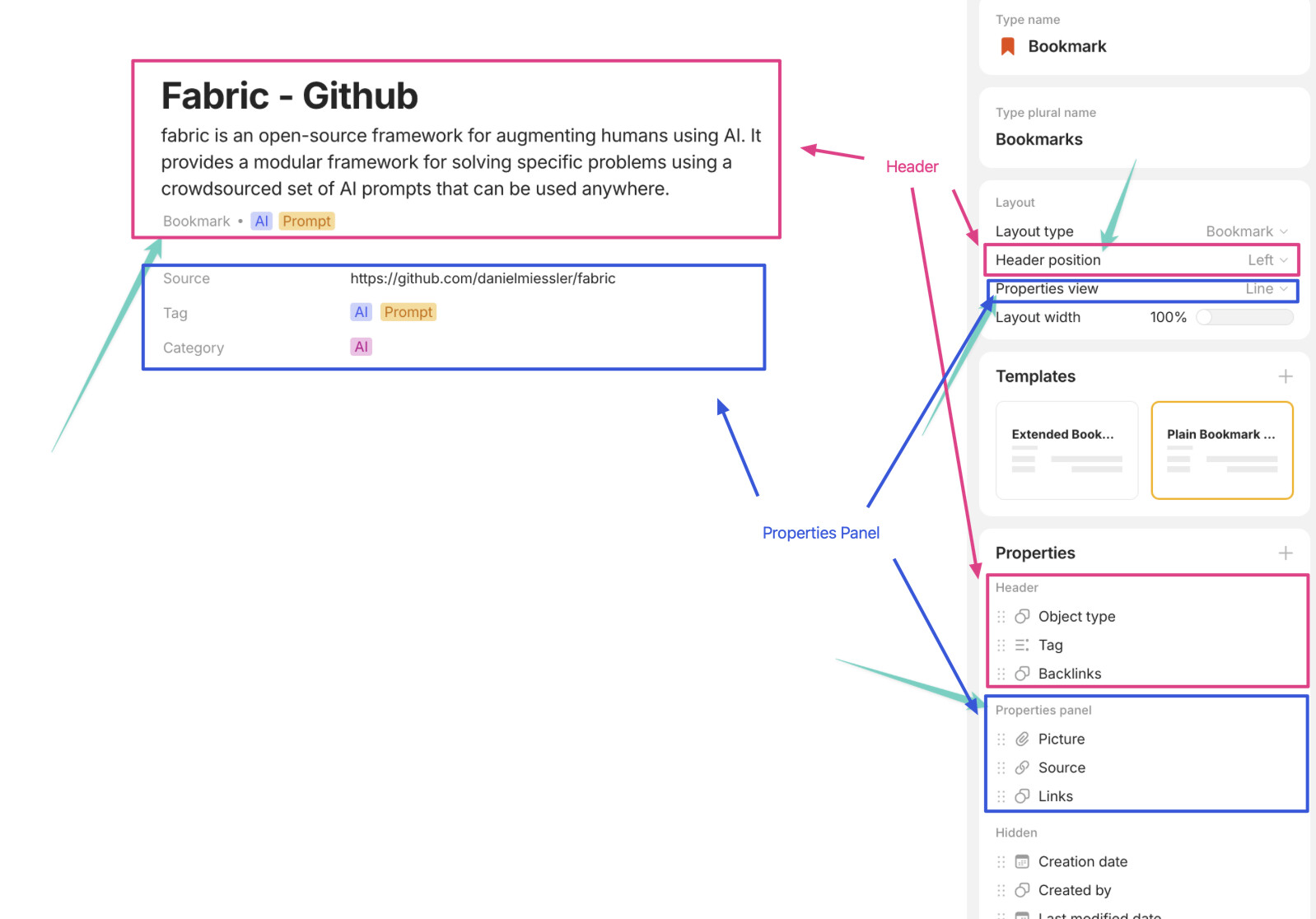
No, The blue box in your picture is what I have manually put in my template. It’s not an automatic thing. I manually add the relations in editor panel.
As you can see, the properties marked as “header” are shown as “line”. However, my point is that in the Properties section, the ones that is going to be shown in the header are in the subsection of “Header”. But in the “Layout” menu, the name of the item to change the view of these “header” properties is called “Properties” view which is confusing because we have yet another section in the “Properties” section named “Properties Panel” but it’s just the default properties of the “type”.
For clarity, I’ve attached another one of my objects to showcase what I’m saying:
@Geladariia
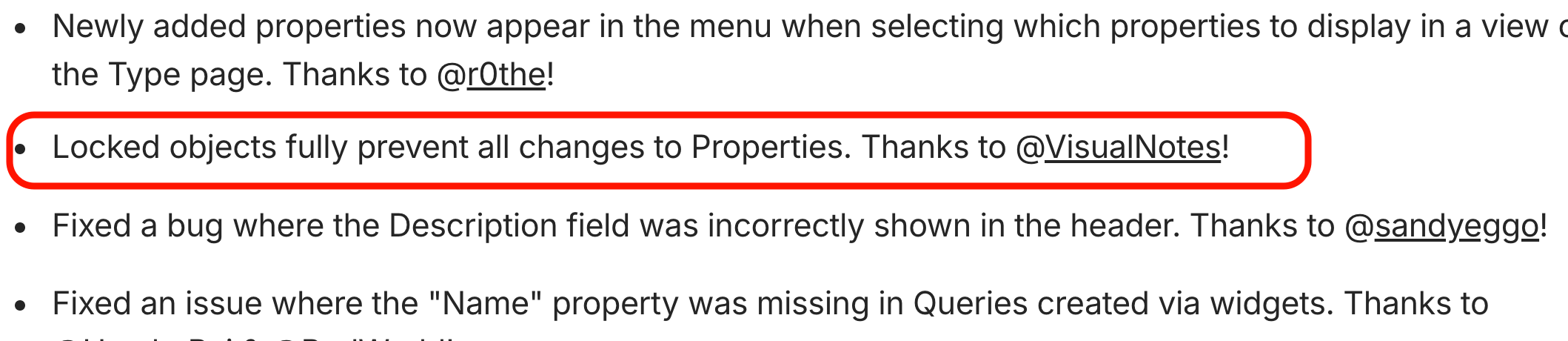
0.47.3 - Properties of a locked page are still not 100% locked.
I’m using images as a page property to display them as thumbnails for cards in gallery view.
On a locked page an image as property can not be deleted or replaced, but still can be opened - and then removed.