Hey, Community!
The Android team is back with cross-platform improvements and a handful of quality-of-life updates to keep your flow smooth
Advanced Filters: View Support
Filters created on Desktop using AND/OR logic and nested conditions are now correctly applied and displayed on Android. You’ll see filtered results as expected and can identify when an advanced filter is active. Full editing support on mobile is on the way.
Toggled Heading: Display Support
Toggled Heading blocks (H1, H2, H3) created on Desktop now render as regular headings on Android, so your content stays readable across platforms. Full toggle interaction on mobile is coming in a future release.
Template Name Pre-fill Setting
A new option in the template editor menu lets you control whether the template’s name is pre-filled when creating new objects from it. Find it in the three-dot menu, between “Hide Description” and “Set as Default”.
UPD: Reverted | Grid Layout Deprecated on Mobile
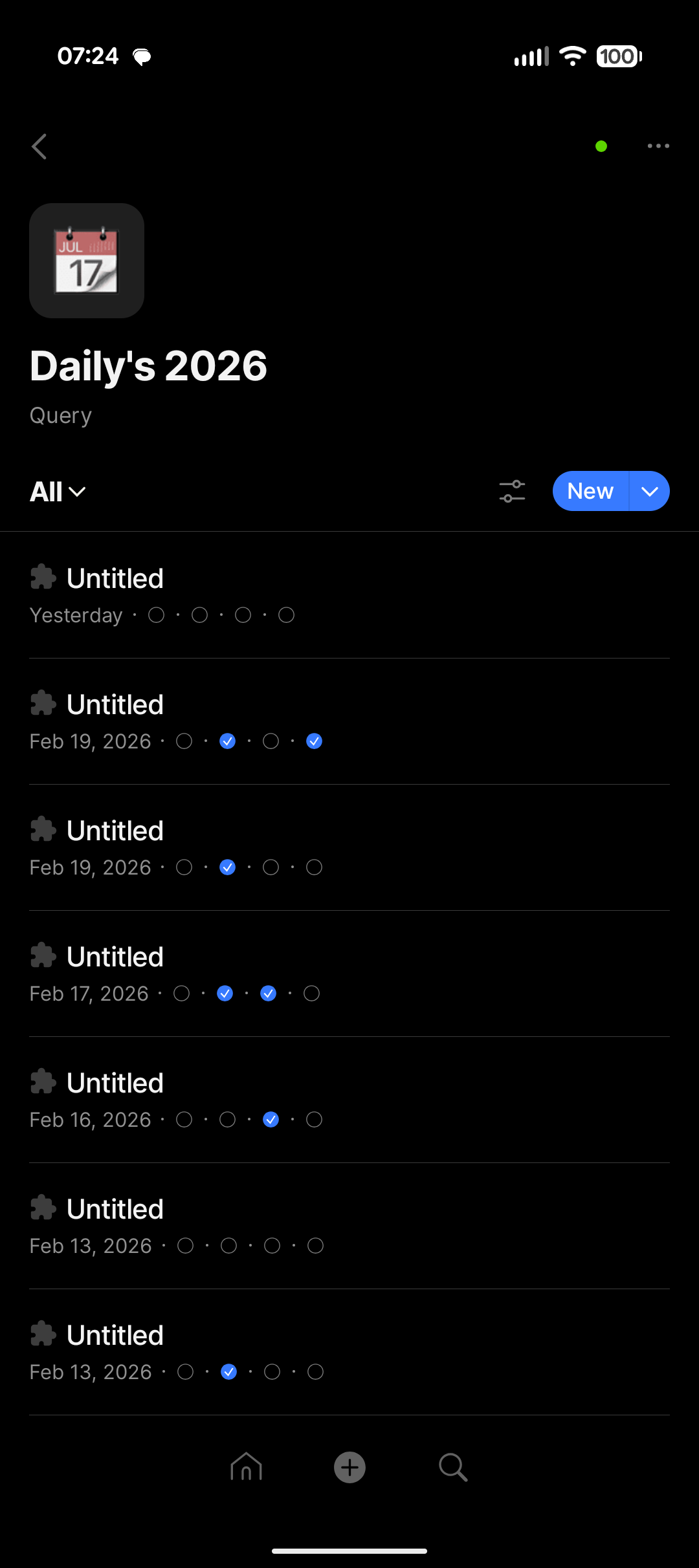
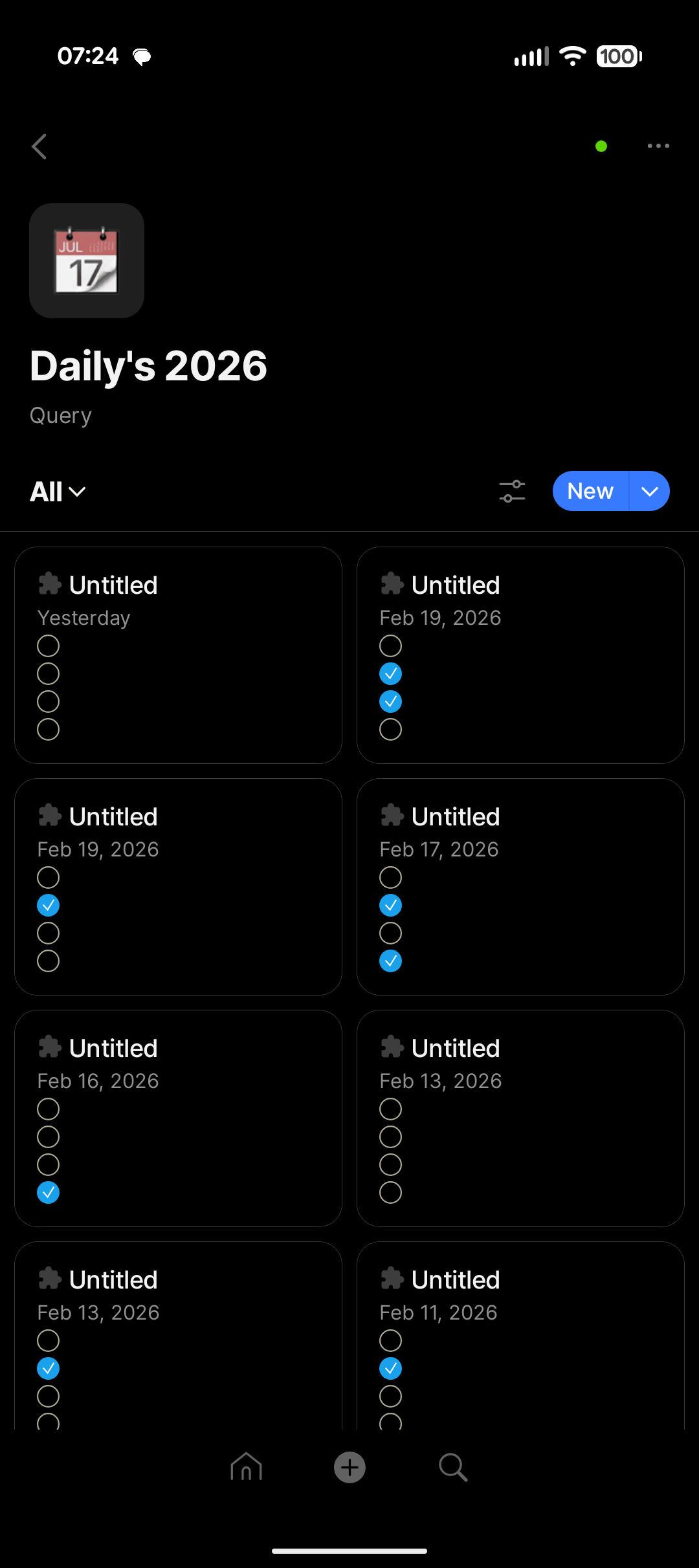
Queries and Collections now open in List view by default, with Gallery remaining the default for Image and Video types. List provides a more comfortable experience on smaller screens. Views previously set to Grid (for example, on Desktop) will automatically appear as List on mobile. Grid continues to be available on Desktop.
Grid view has been restored in the version 0.45.2.
Coming up: an improved List view and Board (Kanban) layout are in the works for mobile.
Sharing Extension UI Update
The sharing extension gets a fresh update: a New Object button, a required option selection to proceed, and an expanded comment section supporting up to 2,000 characters.
1-1 Notifications Update
Push notification titles for direct messages no longer show your own name.
We’ve also squashed a number of crashes and made various under-the-hood improvements for a more stable experience.
Grid view needed a re-write to become more pleasant/easy to use rather than being deprecated. It’s inconvenient to have some type of view available on Desktop but not mobile.
When sharing to Anytype, you now have the option to add it to a new object. I’ve tried it three times, and can’t see new objects (I assume it should use the default type), just the images added to the space.
There is a bug in the filter settings. I use these filters in a query:
Due date on or before today
Due date is not empty
It worked before the update, now I see objects with due dates in the future.
And is it planned to have the grid view back? I liked the opportunity to change a tag without opening the object. This change is not good for the workflow.
In neither layout do I see property names now on items. I use the grid layout in so many different ways, but this one is the most affected by the update. Who asked for this?? I also can’t even click those check boxes now. It just navigates to the object.
I’ve had the exact same bug on my phone. Its only supposed to show what is due today… but its showing way more. This is confusing my new employees. I recorded videos on how to use the process, this bug is throwing them off. We should get prior warning when a major change like this is going to drop….
Came here as soon as I saw my grids were taken away. This was a terrible decision. I use grids extensively on mobile. I will admit that editing the layout of them was a pain from mobile, so I mostly did that from desktop. But being able to quickly change the properties of an object without clicking through was Essential to my workflow. I use it for everything from my shopping list to media library. You need to revert this change asap.
Ideally, I would prefer the grid layout to be kept until the list layout is improved. I use grid view to quickly read number properties of several objects. In the current list view, I just have a list of numbers without any labels, which makes it almost impossible to read.
Also, while the filter update works for a simple filter, it doesn’t work in a more complicated case (the queried objects differ between desktop and Android). Since it uses ‘before or on today’ and ‘after or on today’, it might be related to the problems experienced by Bass-T.
New to Anytype (and loving it). Spent ages working out what was the best view for mobile - and that was definitely Grid! The ability to quickly change the property from the list without actually going into the object itself is completely essential and I feel dumbfounded that this is disappearing. Thankfully I haven’t updated yet but please bring this, or similar functionality, back!