After power loss, images show blank until clicked (sync status still “OK”)

Yesterday my PC froze, therefore I was forced to give it a cold reboot by unplugging the power cable.
I also unplugged the LAN cable.
Anytype was in an unused state at that moment, there was surely nothing unsynced in the pipe.

After re-connecting the PC to the power (but without the LAN cable), the PC booted normal without any warnings or so.
But since then, nearly all my images are gone, even most of the icons for the Spaces:

After that, I tried multiple regular reboots, also I re-connected the LAN cable. But also after decent waiting, nothing changed, not even after more reboots.

When I click on one of the empty images in the “Bilder” Query, it needs 2-3 seconds to show it.
I can do it as often as I want, to get my images back, one by one. But that’s of course not a good solution.
So, it looks that clicking on an seemingly empty image reloads it from the server via Anysync.

The sync status gives the (wrong) impression, that everything is fine, nothing there to sync.
The windows task manager shows no transfer over the internet.
But in the moment when I click on an empty image, so that it becomes reloaded, I see a little spice in the task manger’s internet traffic.

That means, the sync status isn’t reliable.
And the “local first” concept failed again; without internet connection, I don’t have full access to my data.

WHAT IS THE BUG
My local data aren’t loaded completely. Maybe they became corrupted (although I don’t believe that).
In spite of that fact, Anytype also doesn’t reload them automatically.
Anytype reloads/restores missing data only on demand, when I click on something that is seemingly empty.

HOW TO REPRODUCE IT
If you want to impress Chuck Norris, do this:

  • Unplug the PC from all power while it runs.
  • After that, unplug the LAN cable if that’s your internet connection.
  • Now plug only the power cable in (but not the LAN cable) and reboot.
    → Is everything fine? For me it wasn’t :frowning:
  • Now plug your LAN cable in again, wait, do reboots, wait again …
    –>Is everything there? Or do you miss images?
    → And what says the sync status?

THE EXPECTED BEHAVIOR
If the sync status gives the impression, that there is nothing to sync in the pipe, AND if the windows task manager doesn’t show internet traffic (although there is connection to the internet), THEN I expect to see all my data in Anytype!

ADDITIONAL CONTEXT

TECHNICAL INFORMATION
OS version: win32 x64 10.0.19045
App version: 0.53.1
Build number: build on 2025-12-19 12:23:54 +0000 UTC at #e63221baedd2e83396d1390bac9b46703e6b4157
Library version: v0.44.0-nightly.20251220.1
Anytype Identity: AAtt6aReARByswg2CbvZhveoJEEcnydfDu7U2VAkgJALsE7D
Analytics ID: 8a514008-4f5d-40d3-970f-a0d241b63af2
Device ID: 12D3KooWQY7QdCb6zTNw6fHxKHb4iAjb3yLfwop5ApExC7pNMZQQ
Ethereum Address: 0x2da4881c5D6689bac7d6B6BC00D8862aACca9B60
This report has been added to our issue tracker and received by the Development Team.

An important update to the issue (a bunch of problems):

At least I gave up, too much content was missing.
Therefore I decided to shut down Anytype, then to rename the Anytype folder and to restart the program, to force a full resync of all data from the server (via Anysync).

It needed many hours to get my data back. – That was three days ago.
But unfortunately, it worked not as perfect as expected.
Worst thing: I miss some data!

This is what has happen:

  1. The resync from the server stalled: in the sync status, the round symbol right beneath some Pages and images rotated and rotated and never ended; not even after hours.
    Restarting Anytype again and again, or to reboot the PC, didn’t help.
    .
    Then I opened the bin and found there some unexpected things.
    For example, there was an image that I once have deleted. This image belonged to one of the Pages that still stalled in the sync.
    Then I emptied the bin. After that, the sync was suddenly finish.
    – That means, there is seemingly a problem with the syncing if there is a Page with a deleted image.
    .
  2. Yesterday (two days after the disaster), I found out, that my Query for images misses seven images.
    They are shown in the Grid and in the Gallery, but only as empty entries.
    If I try to open one of these images, it opens the object without showing the image.
    – That means, the image Object has its metadata, like Added Date, file extension, and so on, but the graphic itself isn’t there. :-/
    .
    Today I found out that these seven images have one thing in common: they have the same “Last modified date”: 2025-09-08.
    When I click on that date (date as Object) then I see some other Pages that have the same Last modified date. These files are seemingly OK, only all images from that day are affected (not present as graphic).
    I now exactly that these missing images was, because I see their file name and they was unique. I saw them each time when I looked into my Query for images.
    .
  3. Also in one of my other Spaces is one thing strange:
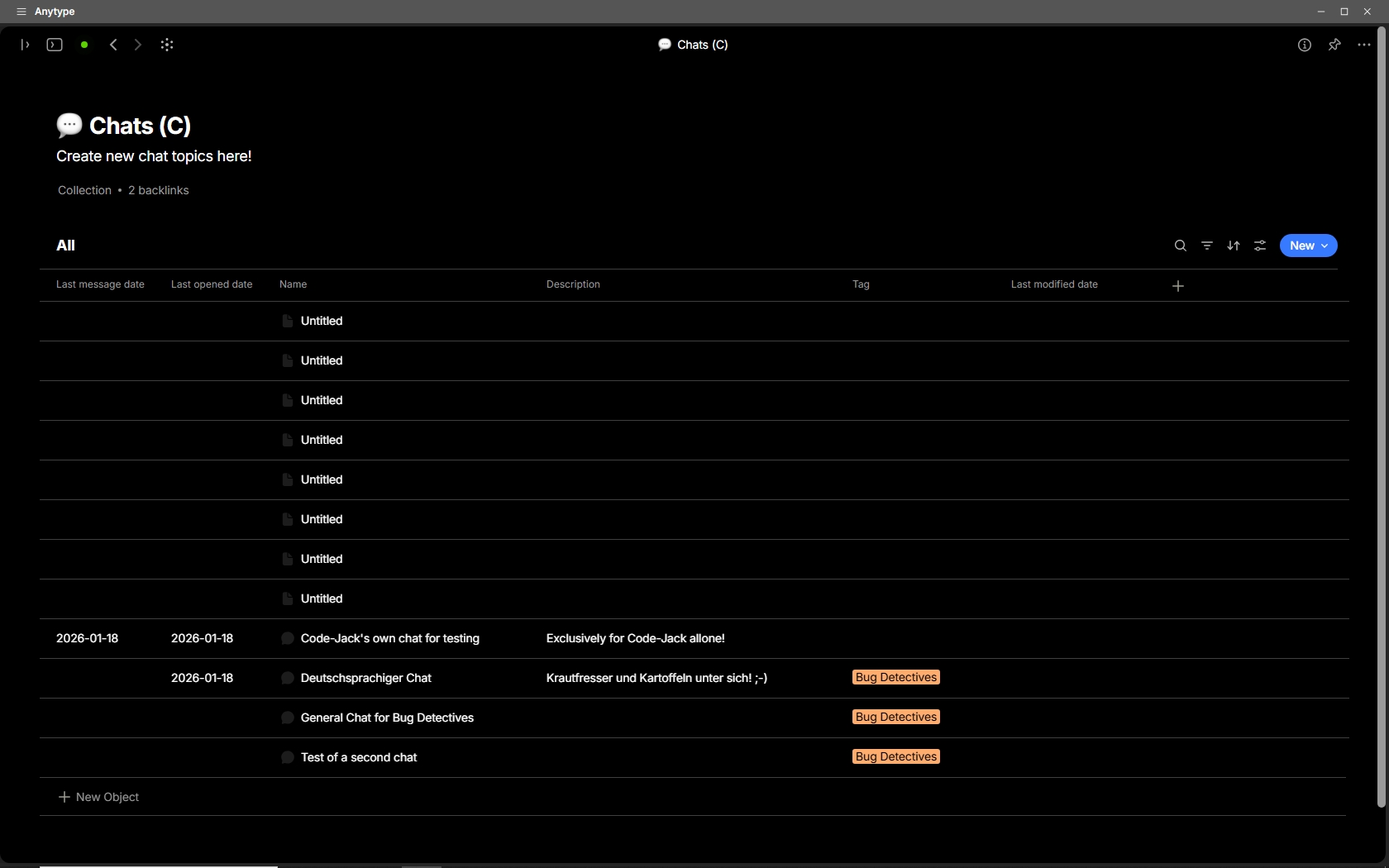
    I have a Query for all my chats. And I would expect to see four chat Objects there.
    But there are also eight additional “Untitled” chats.
    – I strongly believe that these are remainings from very early experiments with chat - deleted long ago.
    In the bin does no chat exist.
    .
    Therefore I believe that something goes wrong if one deletes a chat; it seems as if it confuses the sync protocol.
    .
  4. Also see the three dates in the Query (see image):
    a) “Last message date” is empty (until I open the chat and post a new message).
    b) “Last opened date” is empty, until I open the chat.
    c) “Last modified date” is always empty, until I modify its Properties.

.

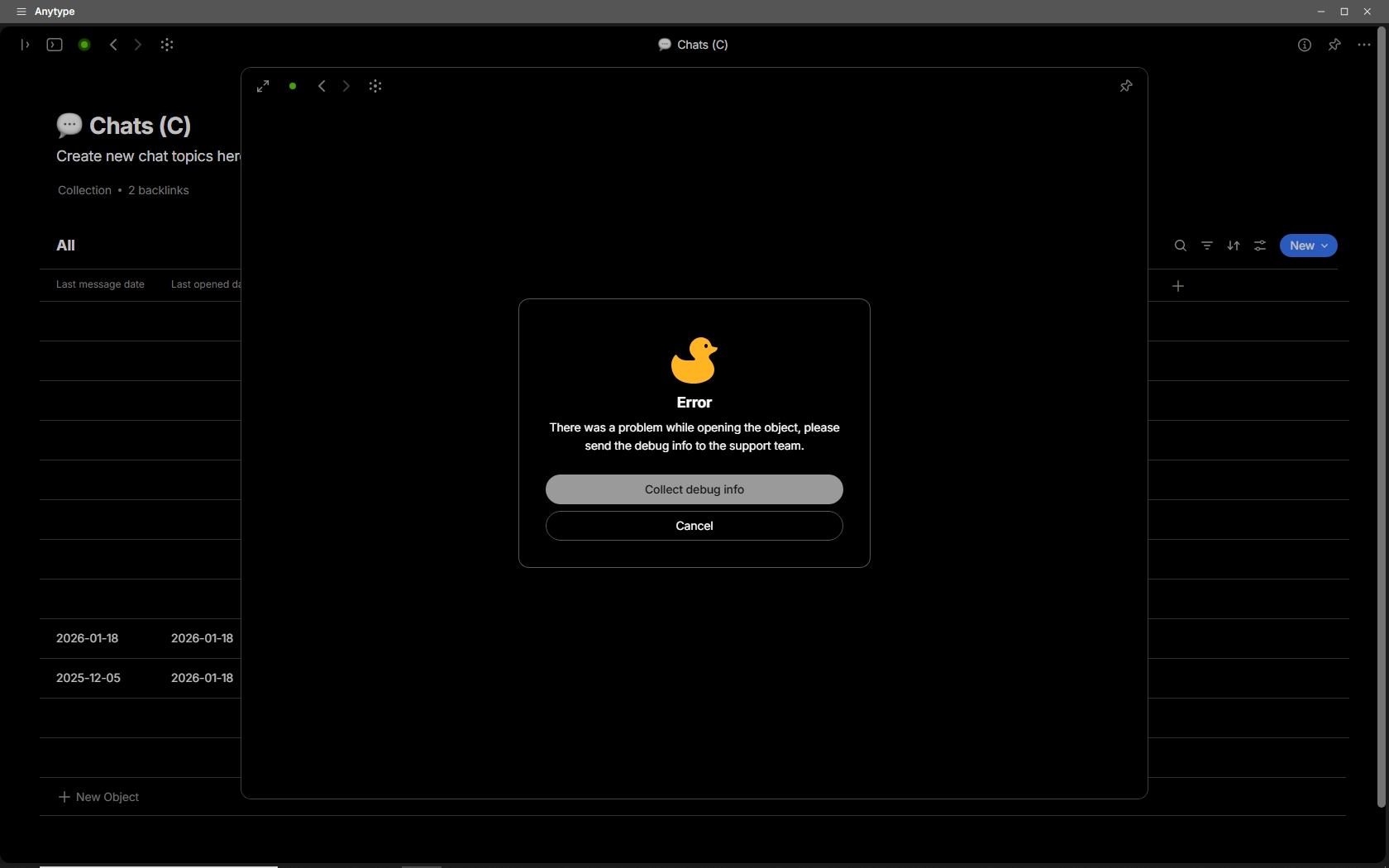
When I try to open one of the “Untitled” chats, then I get this error message:

.

Unfortunately, although the error message appears and I clicked on the button “Collect debug info”, it doesn’t open the corresponding folder in Windows where the debug info is stored.


The biggest issue of all these are the seven missing images!
One of them is the only image I possessed that shows me together with my old girlfriend. – I considered it to be safe in Anytype … :-/

Now my question:
What can I do to get my images back?
When I look into the remote storage, I see the missing image Objects there, even with a plausible file size, but when I open one of them, there is no graphic to see, only the metadata and Properties.

@kirillston are you the man to speak with for finding a solution?

Thank you for the update. I have passed it on to the team.

@kirillston will look into this and will get back to you if he needs any more information.

@kirillston it would be nice to hear from you about this topic …

Today I tried something to get my missing images back:
I created a new Space and imported a ZIP-backup from some days before the disaster, that must contain the missing images.

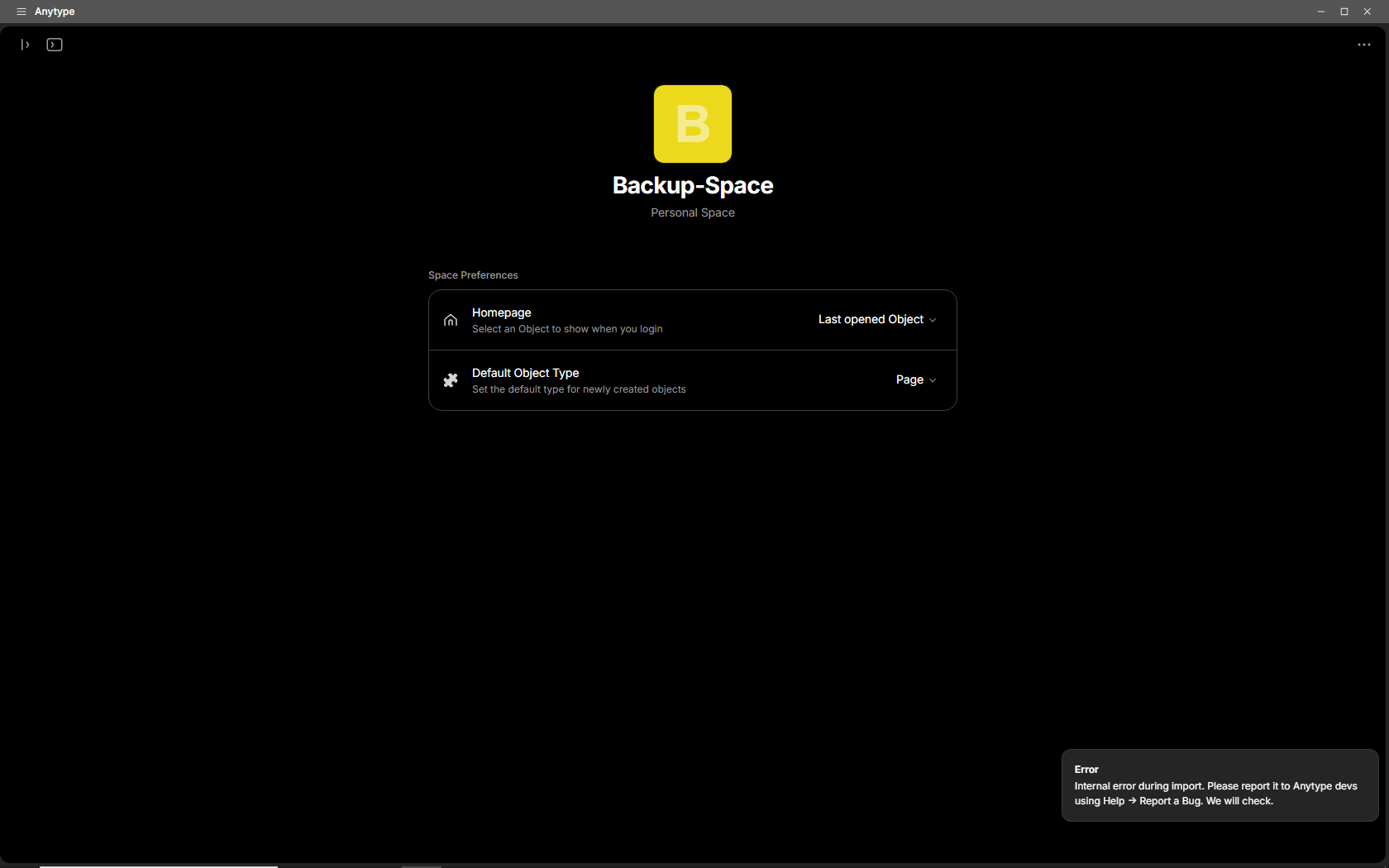
Unfortunately, I got this error message:

After that, I created for a second time a new Space and imported another ZIP–Backup, that’s some days older.
This time I looked on the progress indicator during the import.
In the moment when the progress has reached 100% I got again the error message. :frowning:

Nevertheless, one (exactly one) of my missing images is there.
But the others have the same issue as described in my start post: I see them in a Querie’s View, but if open one, there are only their meta data, but not the images themselves. :frowning:

–

And there is even more wrong:
MANY images have the “Added date” and “Creation date” from today!
But that’s totally wrong of course.
And, strangely, it affects not all of my images, but a lot of them.
– I’ll write a separate BR for this issue.

And one thing more:
ALL the images have the “origin” “Imported object”.
– Although this is somehow true, it’s really not what I’ve expected to see!
I mean, when I import from my backup, then I expect to see the state as it was when I created the backup.
As it is, all my information about the true origin (Clipboard etc.) is lost! :frowning:
This is definitely not what I expect from a backup!
– I’ll write also for this issue a separate BR.

Edit: Done.

Hello @Code-Jack

Sorry for prolonged reply, only for now I have managed to return to issues from community.

As I have understood from your post and comments you have encountered multiple issues of different severity:

  1. Problems with sync status:
    1. On power loss and reboot files are corrupted, but syncstatus does not show it.
    2. Syncing was not ending until bin with deleted file was not emptied.
  2. Untitled chats re-appeared in chats query
  3. Multiple images were not uploaded on full reindex (the most severe issue connected with data loss)
  4. Added date, Creation date and Origin properties of file objects imported to new space do not handle former meta information

Please correct me if I miss something.

#1: Give me please some time to investigate sync status issues to grab some context of what could’ve happened and try to reproduce the behavior you’ve faced. I will return back with it.

Regarding issue #2 I am sure the problem lies in the very collection, as lastModifiedDate is set to every object on reindex (untitled chats miss it). Could you please provide me with Debug information of collection object. It seems to me we have some problems with chats removal from collection.

You have also mentioned that this behavior could be connected with our “very early experiments with chat“. It may be true in case you have added one of instances to the collection. But any way it does not influence the issue directly.

As for the issue #3 could you please provide me with file formats info. It should be available in file objects details. Don’t they by accident share HEIC format? We have a recent issue connected with HEIC images upload - I am working on it right now and I hope to deliver it in recent updates. If they share different format, any way they should have some other property/quality in common. If it is applicable, please share one or two Debug info(s) of file objects missing its source. I repeat again that this info is anonymized and handles only changes applied to object tree. I am sure this info will be utile to track Upload status of these images.

Thank you for filing separate BR for issue #4 , as it seems that it is more product question. As for me files that appear in spaces first time on import should be treated the same as simple objects: pages, types, templates etc. regardless what account these spaces share. Moreover, if we imagine shared space with multiple users including me and you and you have decided to import some your images to our space I would expect:

  • Origin = Import, as you have imported these images from some other place
  • AddedDate = today, as this is the first time these images appear in the space
  • CreatedDate = today, as the objects linked to these files were created today and these objects are dedicated to link files to the space

Any way that’s my opinion. I hope our products share the same one, but we could discuss it in separate topic you have filed

Nope, it’s not HEIC. The images was in PNG and in JPG format.

As I wrote in my start post, I’ve “imported” (*) into a brand new (and therefore empty) Space.
Therefore your argument “if we imagine shared space with multiple users” doesn’t count. There is no other user in a brand new empty Space.

(*) Why did I put the word “imported” into quotation marks?
– Because, what I WANTED to do, was not an “import” in addition to existing data.
What I really wanted was, to RESTORE my main Space with the data from a backup file!
That means, I’ve expected to get everything back from the backup file to EXACTLY that state as the Space was when I’ve created the backup.
Bit for bit, not the slightest difference!
UNFORTUNTALEY, Anytype doesn’t have a real restore function! The import function simply doesn’t do that.

It’s hard for me to find the right words here, but this is … a scandal! :frowning:
It was always told that our data are “secure”. And “locally first” and so one, “our data are ours” and so on.
But the reality is the opposite: our images and files are ONLY in a kind of cloud. And if there is a problem (like actually in my case), the data are simply … gone! :frowning:
Not even “importing” a whole Space from an earlier made export solved that. :frowning:

And on top of that, after doing such a whole “import”, the filters in the Views doesn’t work anymore, because different Properties like “Creation Date” and “Added date” etc. became overwriten! :frowning:
This is an additional kind of data loss! And this is definitely not expected by someone who frequently makes backups (exports) when the situation is there that he needs to use one of them!

The conclusion is brutal hard:
Our data was never secure in Anytype! :frowning:
Not even if the user has frequently exported his data, in the sweet believe it would be equal to a backup.
Nope, not even copying the whole Anytype folder on the PC is a working backup strategy – there simply is not such a thing like a working backup strategy! :frowning:

– I know, I know, there is actually something in the pipe: a function to force a “complete” sync (again in quotation marks, because of the restriction to 20 MB per file).
This sounds like a good step in the right direction, yes. But it comes late. And it is still not 1 to 1 if there is a restriction.
For an already some years old product that has always claimed things like “secure” and “local first” and so on, I can’t express what I think about the de facto absence of a truly working backup concept!!!

Sorry for sounding harsh, but really …

What I definitely expect from a “local first” software is, that my data are definitely complete on my hardware, and no matter if the whole internet explodes, I’m always able to have full access to all my data! Every bit!
It hits me really hard to see, that – for Anytype --, this was all the time nothing more then an illusion!