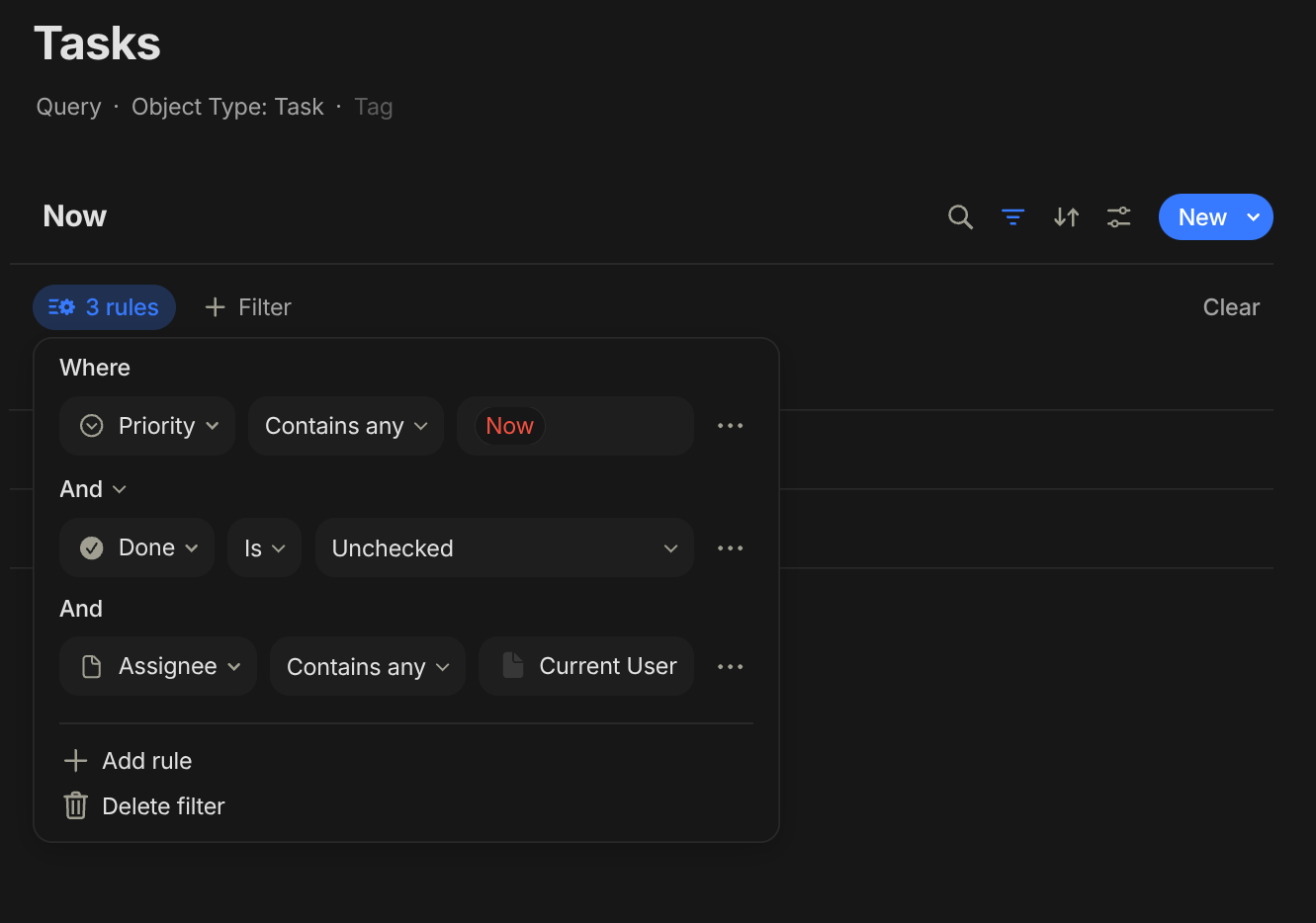
I’ve set up an advanced filter query for tasks that aims to only show tasks where the assignee is the current user, and it works on desktop and Android but no on iOS.
HOW TO REPRODUCE IT
Create a query with an advanced filter that only shows tasks where the Assignee is “Current User”
Create a task that is assigned to a user using the iOS app
I would expect that a query filtering by “Current User” always surfaces objects that are assigned to the user currently logged in while using the query, so that each user can get a list of tasks that is assigned to them using the same query.
ADDITIONAL CONTEXT
I’m creating the query using the desktop app on Linux, and then looking at them in Android and iOS.
TECHNICAL INFORMATION
Desktop:
OS version: linux arm64 6.19.14-400.asahi.fc43.aarch64+16k
App version: 0.55.5
Build number: build on 2026-06-02 16:45:57 +0000 UTC
Mobile:
Device: iPhone 12 mini
OS version: 26.5
App version: 0.47.0
Build number: 32
Library version: v0.50.8
Just for clarification: you’ve set up the advanced filter, and when you create a task that’s assigned to a user, that task object is properly filtered in the query on desktop and android. However, if you create the task object on iOS, it does not show up in the query?
Do any tasks show up on the iOS for the query you’ve created?
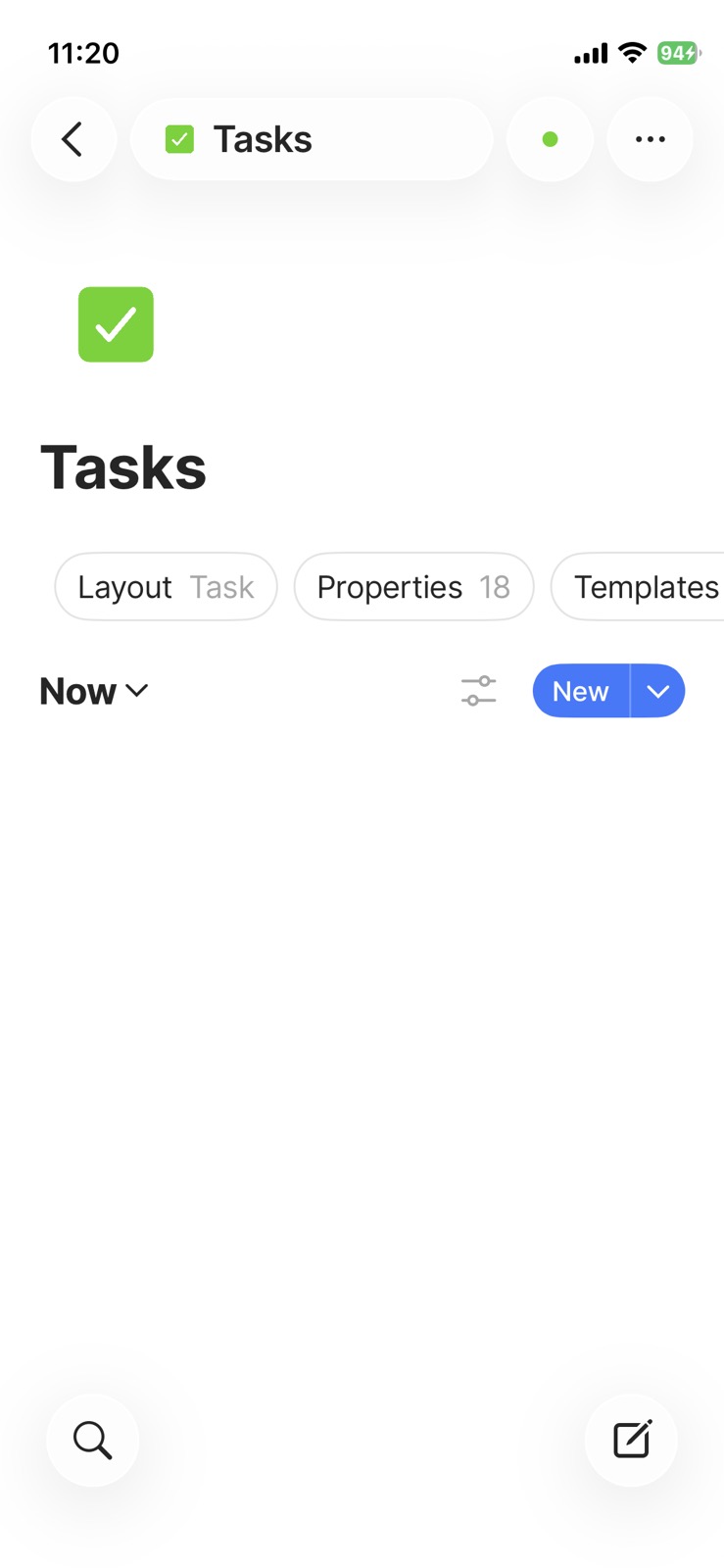
A task created on iOS that is assigned to that user does not show up when the advanced filter is in place, even though the advanced filter is supposed to show all tasks assigned to “current user”. If the “current user” views the same advanced filter on desktop or Android, the task assigned to the “current user” is correctly displayed. So it appears that this advanced filter option does not work as intended on iOS, but it does work on desktop and Android. The attached screenshot shows what the same view looks like on iOS. (I’ve reproduced this issue with both queries and object views using the same advanced filter setting).
As soon as I remove the filter by “assigned to current user”, the tasks show up on iOS. So it’s that specific filter that does not seem to work on iOS.
Hi @kaye, further testing I’ve done shows that the same bug exists in the Android app: An advanced filter set up on the desktop app to only show objects assigned to the current user does not show these tasks in the Android mobile app, while correctly filtering in the desktop app.
Ok, I’ll have our Android developer take a look into this. We’ve been making a lot of changes to our middleware, which may be impacting this. Thanks for reporting.