Sadly, as far as I know that splitscreen and multi column navigation was not added in 2024.
There has been another post by either anton or another member of the team explaining a bit more what splitscreen would be and if I remember correctly it would be something like Logseq. Where you can open pages in a sidepanel but I cannot find this post sadly so take this with a grain of salt please.
However, it has to be said that the currently available multi-window functionality works very well.
For example, I open two windows of Anytype and place them so that each takes up half the screen - so I can move or copy and paste blocks from one window to the other.
Thanks for the info, I haven’t found the answer yet. It would be great if the developers would occasionally share their progress in the questions. What I haven’t yet understood: Are tabs being avoided as a matter of principle because AnyType is planning alternative features, or is it due to technical difficulties with the program? Then I’d be interested to know what the alternative options for working on multiple notes simultaneously will look like in the future.
I’m also familiar with LogSeq; it has a plugin for tabs, at least. I don’t think AnyType offers such marketplaces with plug-ins…
Yes, it works for two or three pages if you position the windows cleverly. But it’s not a replacement. And on mobile devices with smaller screens, I haven’t seen any alternative function for tabs yet.
for me personally two improvements would really make the difference:
being able to optionally turn on that a pane slides in when clicking on an object (like in Notion) → good overview and works good for adding notes quickly
being able to display the local graph on the right while adding some infos to the object on the left/center
If this is blocked for the time-being, could we prioritize improving object interactivity when multiple windows are open?
I run a weekly TTRPG game and always have 5-6 windows open and the responsiveness slows down tremendously. The most annoying thing is typing input lag; it can take up to 3 seconds or so for what I’ve typed to show up.
I’ve tried working with several partially overlapping windows to effectively work with notes and information. Since version 49.2, I’ve encountered the problem again that I have to reload the pages every time I open my Mac, or even re-register the key with AnyType (or restart the program). It’s very inconvenient, unfortunately. It’s still much more helpful to work with notes using other note-taking programs that allow more tabs to be opened, as you don’t have to switch pages so frequently, which always start the position from the top when reopening them.
Since version 0.50 (currently 0.50.5), working with multiple windows on mac has become even more difficult. After every program switch or after hibernation, only one window with content is visible, while the others are black, forcing me to close and reopen them. What could be causing this? Is there a way to fix the problem? At least it used to work with three windows remaining open at all times.
Since the team is currently working on Tabs I wanted to give my two cents on that topic.
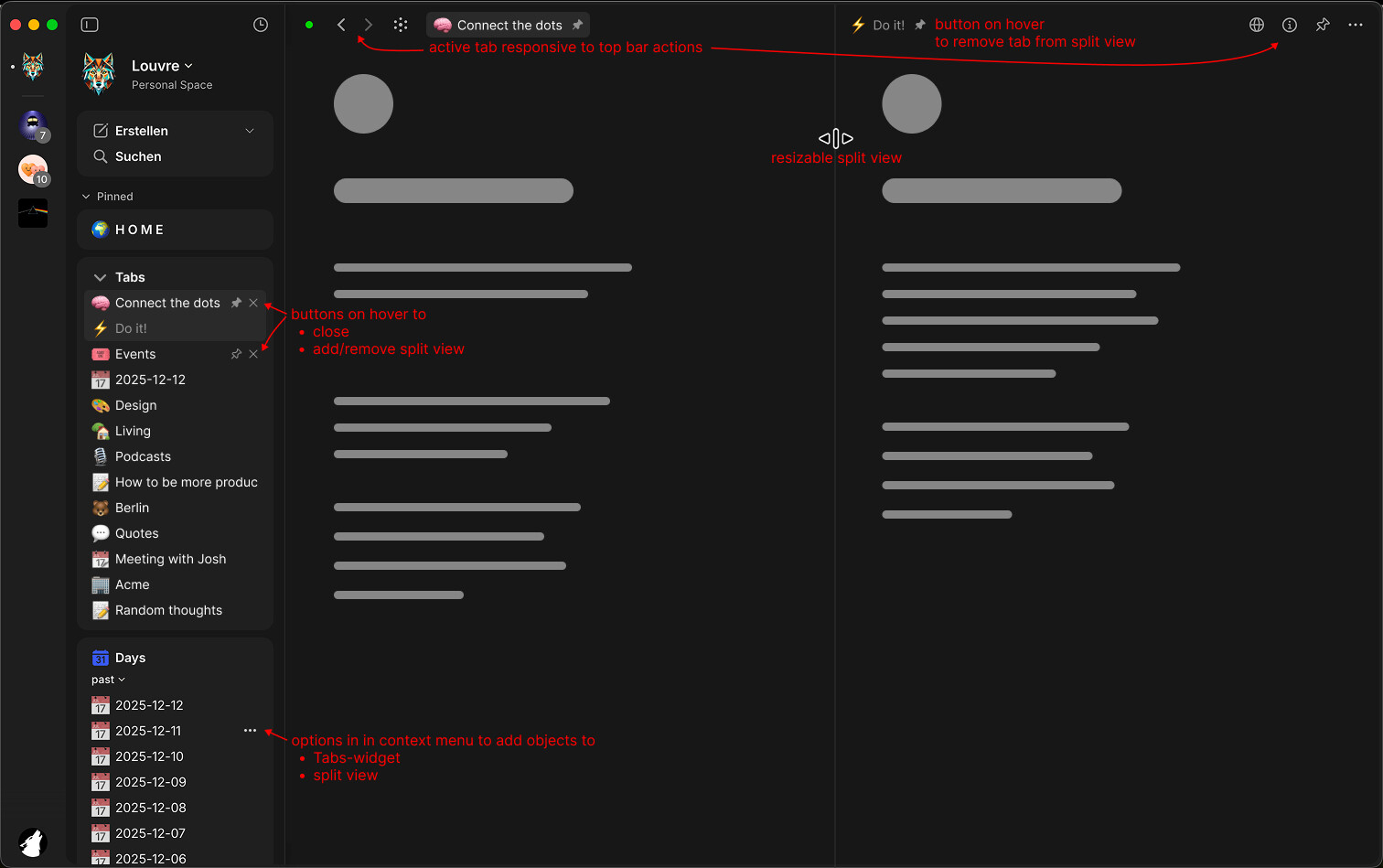
Apart from traditional horizontal Tabs in the top bar I imagine something like a Tab-Widget or Tab-Section in the Widget-Sidebar to have vertical Tabs. Actually the whole sidebar basically already acts like a vertical Tab bar but a dedicated Tab-Widget would be helpful for temporary object navigation.
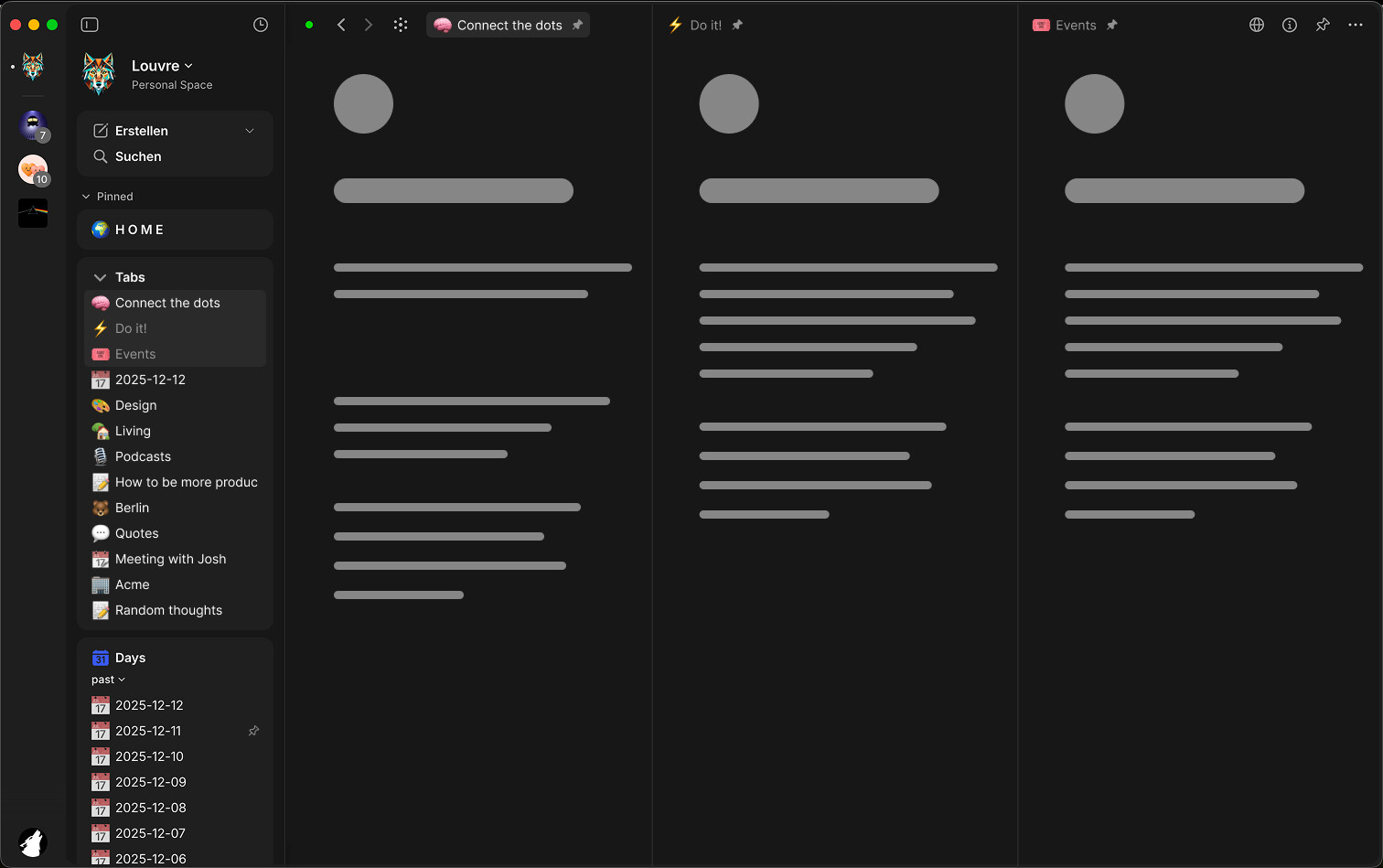
In addition I would love to see a split view for multiple Tabs for more efficient workflows. With this solution it would be even possible to save different split views and even “Tab-Collections”… there could just be an option to save the current Tab-Widget as Collection or vice versa pin any Collection as Tab-Widget.
Here’s a rough mockup to visualize how this might look like:
Would love to see tabs on mobile. On desktop, I’m more than happy simply opening multiple windows, but on mobile, tabs would be a game changer. I think it could work similar to web browsers on mobile. The duduckgo browser for example makes tab management very smooth and easy
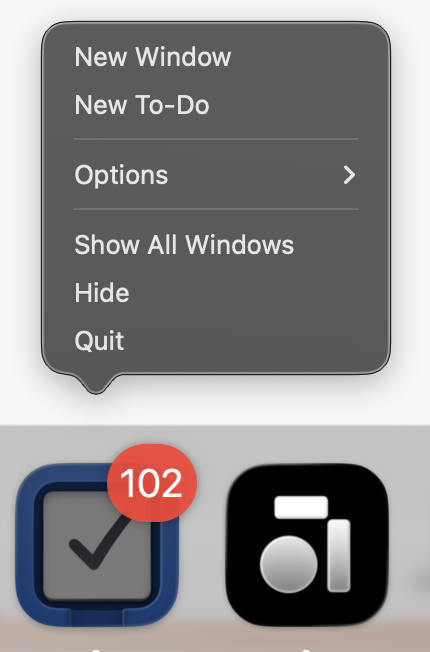
Speaking of this, I’m the one who asked in the December Town Hall if an “New Window” option can be added to the Antype’s Dock Menu.
I request this because I also enjoy using multiple windows, but I also use spaces and need to be able to open a new window from the Dock into that space — without having to switch spaces back to where Anytype is currently open, then open a new window from the Menu Bar or CMD+SHIFT+N, and then drag it back to the other space.
This is a tiny thing but actually very inconvenient.
Loving it for the limited time that I’ve been playing around with it!
Just for visibility, two missing things that were mentioned in the AT Community chat channel were middle click and keyboard shortcuts (CMD + Opt + left/right arrow).
@Razor I can’t install it.
It is not running on my PC (I checked and terminated all processes). However, when I start the installation, it gets stuck because “Anytype is already running and cannot continue.”
I was going to talk to you about it via chat, but the installed version won’t launch anymore (I guess the new installation started partially and destroyed the old one). And since Anytype doesn’t work on my smartphone, I have no way to access the chat.
If I switch between light/dark mode in the second tab, the first tab doesn’t change. I think the expected behavior would be to update all tabs with the new theme without refreshing, but not sure if that’s possible. I know you have to refresh when you update the custom.css file, so I’m not sure if this is a similar thing.