What’s The Bug?
In the editor we can move lines or Blocks up/down by using the keyboard command Ctrl + Shift + up/down.
This command is not documented in the list of keyboard shortcuts, but it works normally fine.
There is one exception:
How To Reproduce It
- Place in the editor some lines, then a simple table, after that again some lines.
- Try to move one of the lines from below the simple table to above it, by pressing Ctrl + Shift + up.
→ The line will disappear!
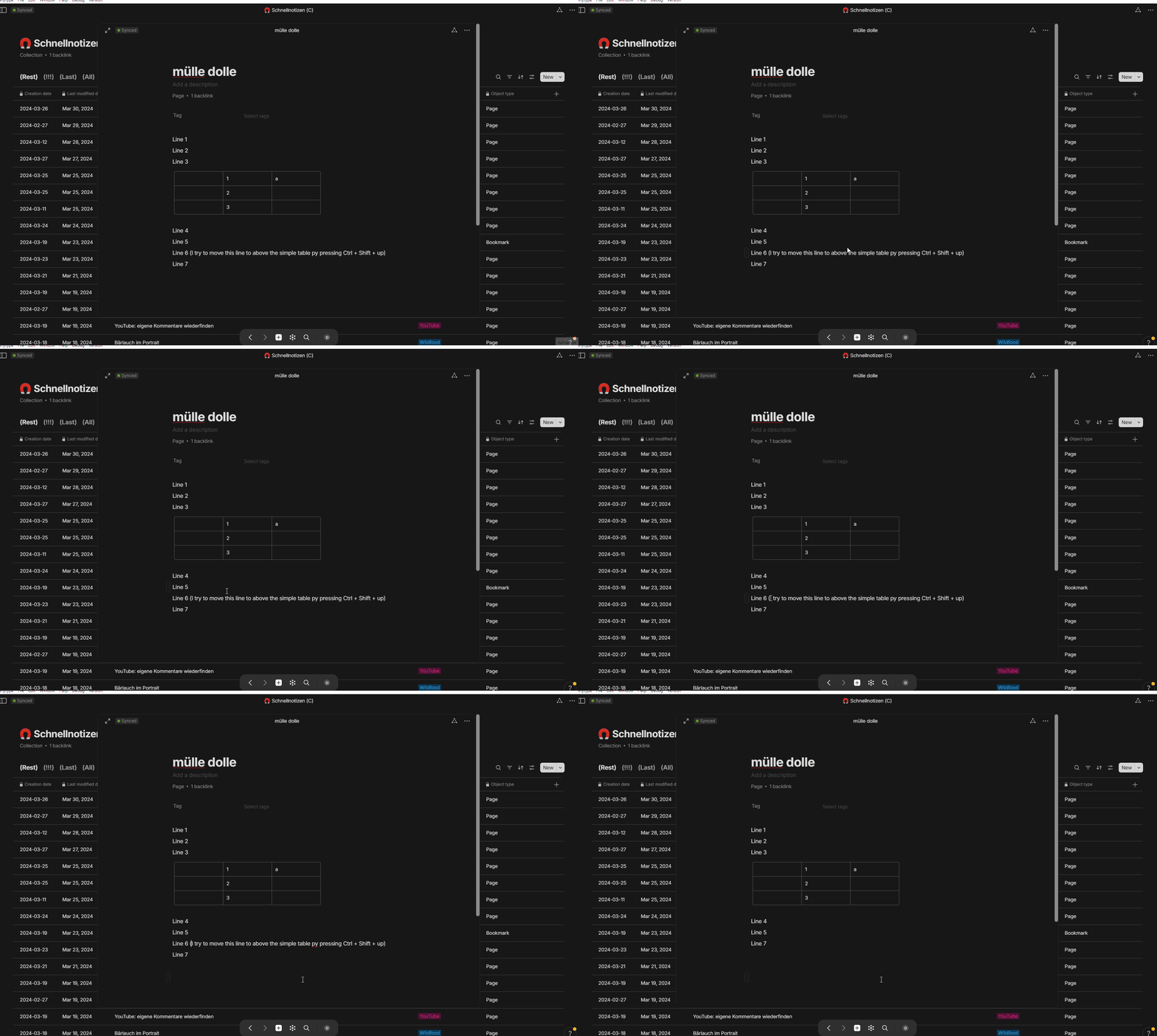
It’s not possible to bring the line back – nor by repeated pressing Ctrl + Shift + down, nor by pressing Ctrl + z.
The only possible way to bring it back is to restore the Page from the Version History.
The Expected Behavior
- The line shouldn’t disappear while moving it up.
- Ctrl + z should always work if something has gone wrong.
- The key-combinations Ctrl + Shift + up/down should be documented in the list of shortcuts.
Additional Context
After such an incident has happen, there may be some more strange behaviors:
- Possibly it’s no longer possible to create a new line by pressing Enter.
- It may even be that the page can no longer opened from a Set’s Grid by clicking on its name (only “Open as Object” works).
Related:
Device
Desktop PC
OS
Win 10 / 11
Anytype Version
0.39.13-beta
Technical Information
OS version: win32 x64 10.0.19045
App version: 0.39.13-beta
Build number: build on 2024-03-28 14:23:29 +0000 UTC at #f06837e41d50bb3e6c6f852eb008de2ca54c43eb (dirty)
Library version: v0.33.0-rc5
Anytype Identity: AAtt6aReARByswg2CbvZhveoJEEcnydfDu7U2VAkgJALsE7D
Analytics ID: 8a514008-4f5d-40d3-970f-a0d241b63af2
Device ID: 12D3KooWGqd6JSafCCcEwvnke5JAVgBNnuR9gGQeSBQ5HdUboWtG