But! If you have the manifest file and the binary file the problem is somewhere else, seems the permissions on binary are correct as you have all execute permissions.
No worries  And thanks for looking into it!
Is it possible that the google-chrome folder in my host system was created by another app? I find it weird that Anytype fails to create it in the VM, but manages to do so in my host.
Maybe I could try creating it manually in the VM and see what happens?
Also, just a random idea: is it possible that the problem is related to /tmp?
google-chrome folder is created by Google Chrome, surprisingly, lol =)
yes, the problem could be related to tmp, if you could try moving the app to another folder and check - would be great.
google-chrome folder is created by Google Chrome, surprisingly, lol =)
lol I don’t recall ever installing Chrome, though!  Maybe it was Chromium? Anyway, I got an idea. Will test as soon as possible.
yes, the problem could be related to tmp, if you could try moving the app to another folder and check - would be great.
I checked under tmp and it seems that the temp folder (.mount_ …) is created correctly. Moved the app to different folders and got the same result.
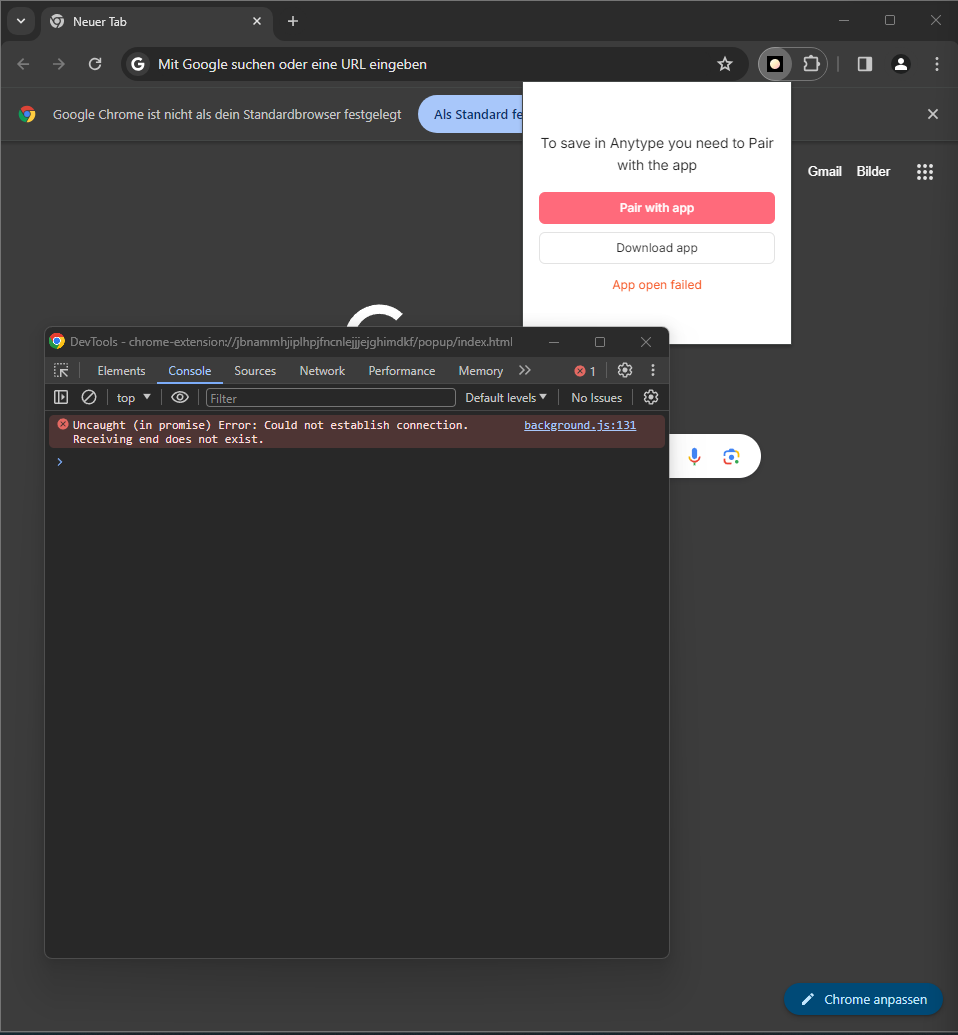
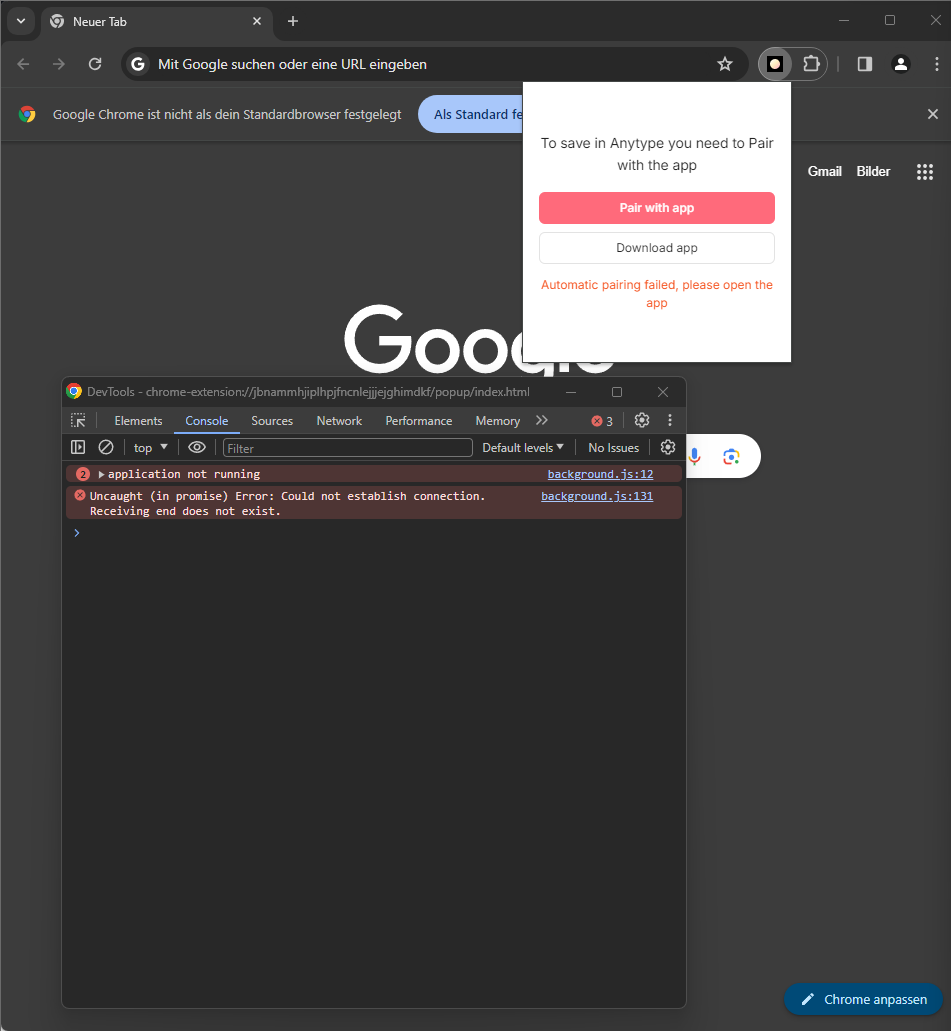
@Razor So, the joke about the google-chrome directory actually ended up being useful. I think I’ve partly found what’s wrong with the web clipper (aside from the mkdir issue).
Basically every browser needs its own folder for the json manifest.
If you have the official Google Chrome (RPM format), the manifest needs to be in the following folder:
/home/username/.config/google-chrome/NativeMessagingHosts
I thought this folder would be the same for all Chromium-based browsers, but that was wrong: google-chrome is only for Chrome. If you install Chrome, the web clipper starts working.
For Chromium (RPM format), the correct folder is:
/home/username/.config/chromium/NativeMessagingHosts
That’s why in my previous tests this browser wasn’t working. To confirm the hypothesis, I did the following: I opened Anytype, Anytype created a new manifest in .config/google-chrome/NativeMessagingHosts, I copied that manifest to .config/chromium/NativeMessagingHosts, and so the web clipper started working for Chromium.
(Small bug with Chrome and Chromium: clicking “pair with app” opened a lot of windows, each with a different challenge code).
Now comes Brave in flatpak format. Flatpaks use different directories than normal apps. If I got it right, for Brave the manifest should be in:
/home/username/.var/app/com.brave.Browser/config/BraveSoftware/Brave-Browser/NativeMessagingHosts/
Unfortunately, I was unable to make it work by copying the manifest to that directory.
Then I thought about temporary files: flatpaks have their own folder, so maybe the issue lies there?
I tried copying /tmp/.mount_AT.AppEsRDYM/ to the Brave temp folder:
/run/username/1000/.flatpak/com.brave.Browser/tmp/
Still not working, but the errors changed:
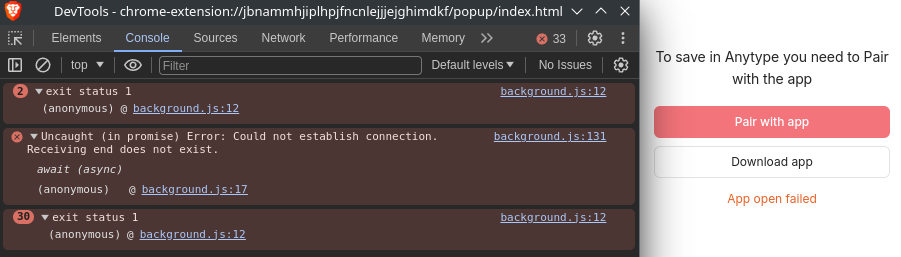
Thanks for the help, I’ve fixed this, I will check and make new build on this week.
Idk how to debug this, it should work if it looks for the manifest in this directory, lets just make it work in chromium at least for now.
Could you please check this commit if you can build from source? rework nativeMessagingHost installation on Linux · anyproto/anytype-ts@b41bb53 · GitHub
Idk how to debug this, it should work if it looks for the manifest in this directory, lets just make it work in chromium at least for now.
I thought that maybe it’s related to temp files. If I understand it correctly, the manifest references files under tmp, but flatpaks are sandboxed, thus I believe they’re unable to access tmp. Maybe, even if you copy the tmp files to the flatpak temp, it still tries to write to tmp? Dunno… 
There are some mentions of the error online, but I don’t know if it’s relevant to our case.
Anyway, let us know if you plan to work on this again in the future and there’s some more testing to do.
Could you please check this commit if you can build from source? rework nativeMessagingHost installation on Linux · anyproto/anytype-ts@b41bb53 · GitHub
Sorry that’s something I’ve never done before… I’m not a dev  . But if you can provide a new build, even alpha, I’ll be happy to help.
I will, but I can’t do it right now as a protocol has changed a bit with middleware so I will need a new middleware release, I think we will have a new beta this week or early next week so we can continue with this.
Another option is to build dev build from branches and run it like a local dev server, I work like this all the time and it works fine but a bit different from the actual app, just to check on your system.
Adding to this, using latest version Brave ( Version 1.63.169 Chromium: 122.0.6261.111 (Official Build) (arm64) ) on MacOS Sanoma 14.1.1 the automatic pairing also fails.
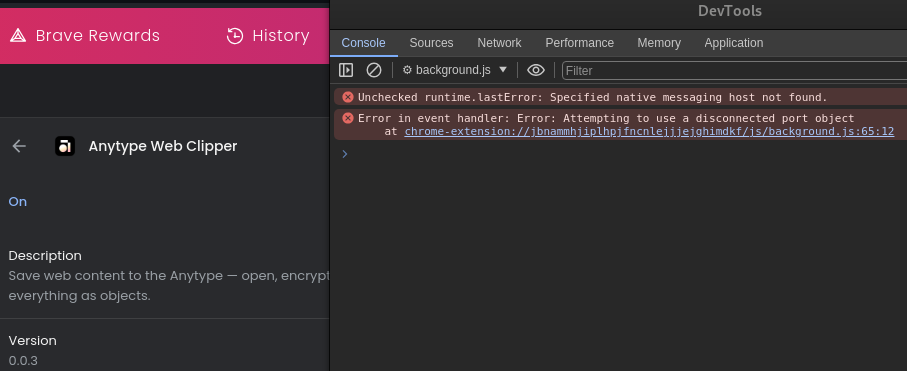
Yes, wait for next beta please, If you can launch the app in the dev mode and check this brave fix would help a lot, but if not then wait for the beta, it should be on this or next week.
I have just checked Brave on MacOS (did not do it before) and it works perfectly. Try this:
- Relaunch the Anytype app
- Reinstall the extension (Remove/Add)
- Relaunch browser
Tried these steps, didn’t work.
Tried again on iMac (same setup with brave), same result: automatic pairing failed.
check errors in the console?
If someone can install another extension with native messaging host to their Brave browser with flatpak and check the paths, I could fix them:
I’d like to add some info about “Automatic pairing failed” on my system:
The file referenced by com.anytype.desktop.json:path exists, but not all libraries are available in the required version.
ldd /tmp/[...]/nativeMessaginghost results in:
/tmp/[...]/nativeMessaginghost: /lib64/libc.so.6: version `GLIBC_2.34' not found (required by /tmp/[...]/nativeMessaginghost)
/tmp/[...]/nativeMessaginghost: /lib64/libc.so.6: version `GLIBC_2.32' not found (required by /tmp/[...]/nativeMessaginghost)
I’m on a supported, but not most recent version of OpenSUSE, using glibc 2.31 (which exports GLIBC_2.30).
Maybe there’s a similar problem with other systems?