I am eagerly awaiting the implementation of this important function for long pages!
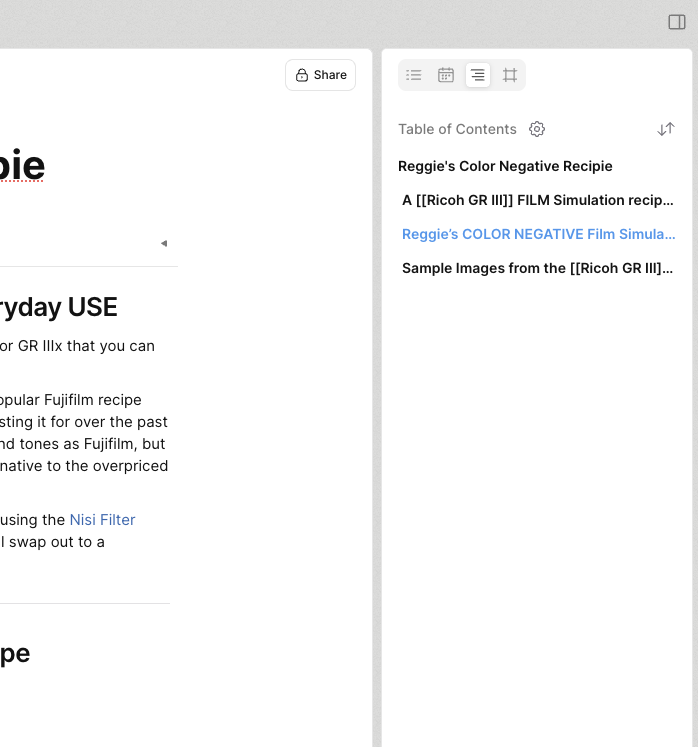
@Filip Because the introduction of the right sidebar (which is already there) was mentioned: should the table of contents be positioned there? I would find a floating version much more useful. In my opinion, Notion has implemented the table of contents perfectly and it is very pleasant to work with.
Im a big fan of the left sidebar being the overall space navigation with the right sidebar being the page or object specific one. Where backlinks, relations, table of content, local graph etc could be placed. Having the right sidebar customizable like the left one is would make it perfect but only if the option to pin/have right sidebar visuable at all time is there.
So for me, having table of content in the right sidebar is perfect. The floating table of content takes up extra horizontal space or gets auto-hidden, both I am not a fan of.
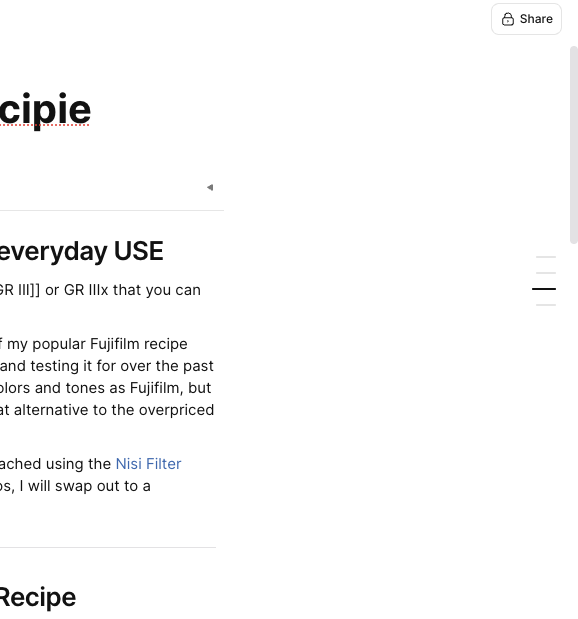
Video of a table of contents as it is realized in Notion.
Easy to access, unobtrusive, practical and visually appealing. It works great both for full page view as well as for modal windows. The example only shows H1 headings, so all dashes are the same length. For different headings, the lines are also different lengths so that the semantic structure of the page is easily recognizable.
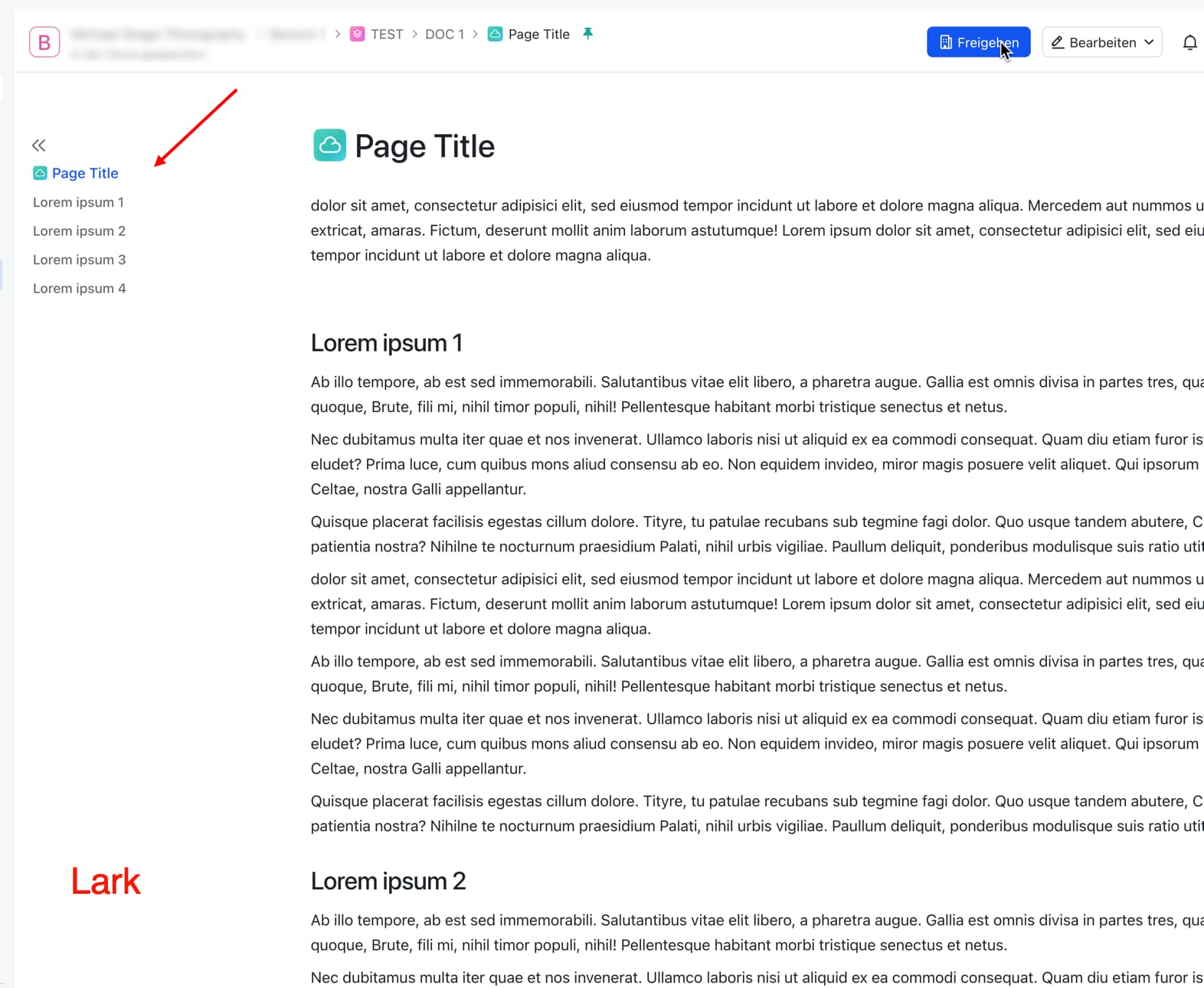
Personally, I would also like to see an additional link to the page title at the top of the navigation, so that you can always navigate to the top of the page and not just to the first heading.
This is how it is done in Lark:
An additional Table of Content at the side (not the side pane) that follows the screen for easier navigation, similar to Microsoft Word
HOW COULD IT BE DONE?
Implement as a new template, or add an overlay pane/widget that can display the Table of Content sticking on the UI.
REAL WORLD USE CASES
The disadvantage of using Markdown is that when a page gets too long, it becomes difficult for users to scroll through to find information. As the UI does not fully filled up the screen with the MD contents, allowing users to put up a sticky pane to display some information would be helpful in allowing us to utilize the space better.
RECOMMENDED ALTERNATIVES
Adding a Table of Content at the top, but its too distracting whenever i want to scroll to a certain location. I could add multiple Table of Content at certain intervals of a page, but it makes the page longer, and visually distracting.
I’m keeping my fingers crossed that the team will eventually find an appealing solution for a table of contents implementation.
86 votes since summer 2023 should not go unnoticed, you might think.
Sad that there seems to be no real interest on the part of Anytype. This simple feature request is now two years old and nothing has happend. It’s not even on the roadmap, not even in the backlog.
It is incomprehensible to me that such an important and basic feature, which most comparable apps have long since implemented, is still only vaguely considered and commented on in a thread.
I don’t understand why the implementation of a chat function is being prioritized, which as a pure collaboration feature should, in my opinion, be added to a completed application and not in the middle of the development of basic functions.
With this in mind, it’s to be feared that we can expect an unwanted AI implementation rather than a sticky table of contents.
As a user focused on Anytype’s capabilities for note and document management, I’ve noted the introduction of features resembling project management or CRM tools. While this expands its scope, I feel it’s crucial that core note-taking features are fully developed. It seems surprising that fundamental elements like a table of contents or outlining are not yet available or in development, particularly when features like chat are being developed. My (and I believe others too), primary use case for a privacy-focused app like Anytype, relies on strong note-taking functionality, and the current development focus feels somewhat misaligned with these core requirements. Enabling plugins or releasing an API would be incredibly valuable, allowing users like myself to contribute to building these desired features.
Since the request was made two years ago, Anytype still hasn’t implemented the most basic note-taking function of the outline view. Instead, it is developing collaborative features that not many people actually need.
The absence of the outline view means that this software is still unable to handle long texts. In this regard, this software is disappointing.
Now with properties bar, it’s perhaps less suitable.
I’ve been thinking for a while about the benefits of having dynamic / contextual widgets, linked to an object (or type).
A “table of contents” widget would be just the thing: it’s linked to the object and opens at the same time.
I’d started writing an RF but never finished it.
If it’s relevant, I can get back to it (if only for other examples of use).
If it’s not going to happen… I might as well not waste my time. What do you think?
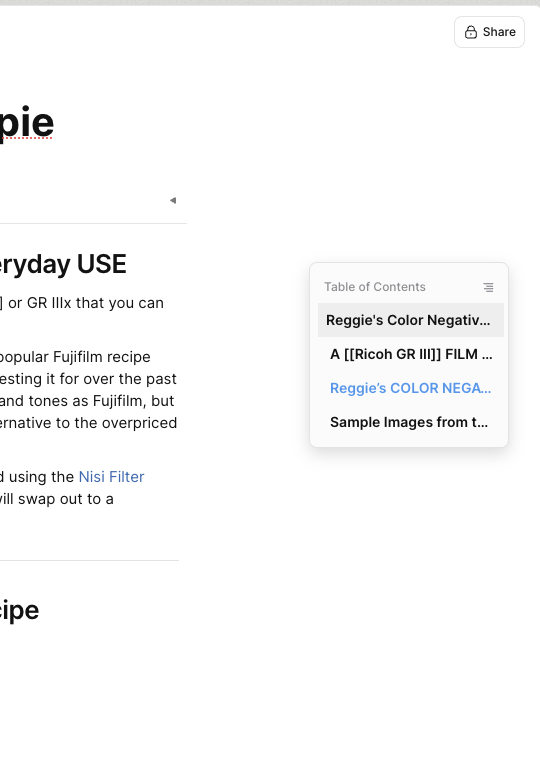
As much as I appreciate all the development and the efforts taken by Anytype team to make the software easier to use: I have finally decided to migrate all my notes to Affine. It’s just much more simpler to use. Almost all the features that I wanted are there. For instance, they even had two methods to show your table of contents (via stripe label on the right and a dedicated toggle!)
Also, onboarding friends, family and colleagues were easier too as Affine follows the traditional digital notebook structure.
Everyone needs to know their priorities. While Affine is a very nice product it is also fundamentally different in many ways. We all need to use what works best for us personally.
If security is important to you I suggest self hosting Affine as your data is not encrypted on their servers.
I’ve tried many but not Affine, thank you!
Especially since their product actually looks nice, with lots of little things that Anytype deserves to have (not just big features, by the way).
In my opinion, Affine is different from Anytype in so many ways that I find it difficult to understand why one should switch to Affine in particular.
But - apart from that - Affine offers a very good implementation of a table of contents. Not only the headings of a page are navigation items, but also the page title itself, so that a go-to-top link is implemented here in a natural way. I have seen that behavior only in Lark so far. I really would like to have something like this for Anytype.
I can’t really say whether it will ever be implemented or not, but it sounds like an interesting idea, so I’d encourage you to submit it as a feature request (doesn’t have to be anything long).