I think the part you might be missing is that the canvas isn’t the same as the properties of an object. So, you can have properties (Anytype calls them relations) of an object that’s not on the canvas. You can access all of these relations within the relations panel:
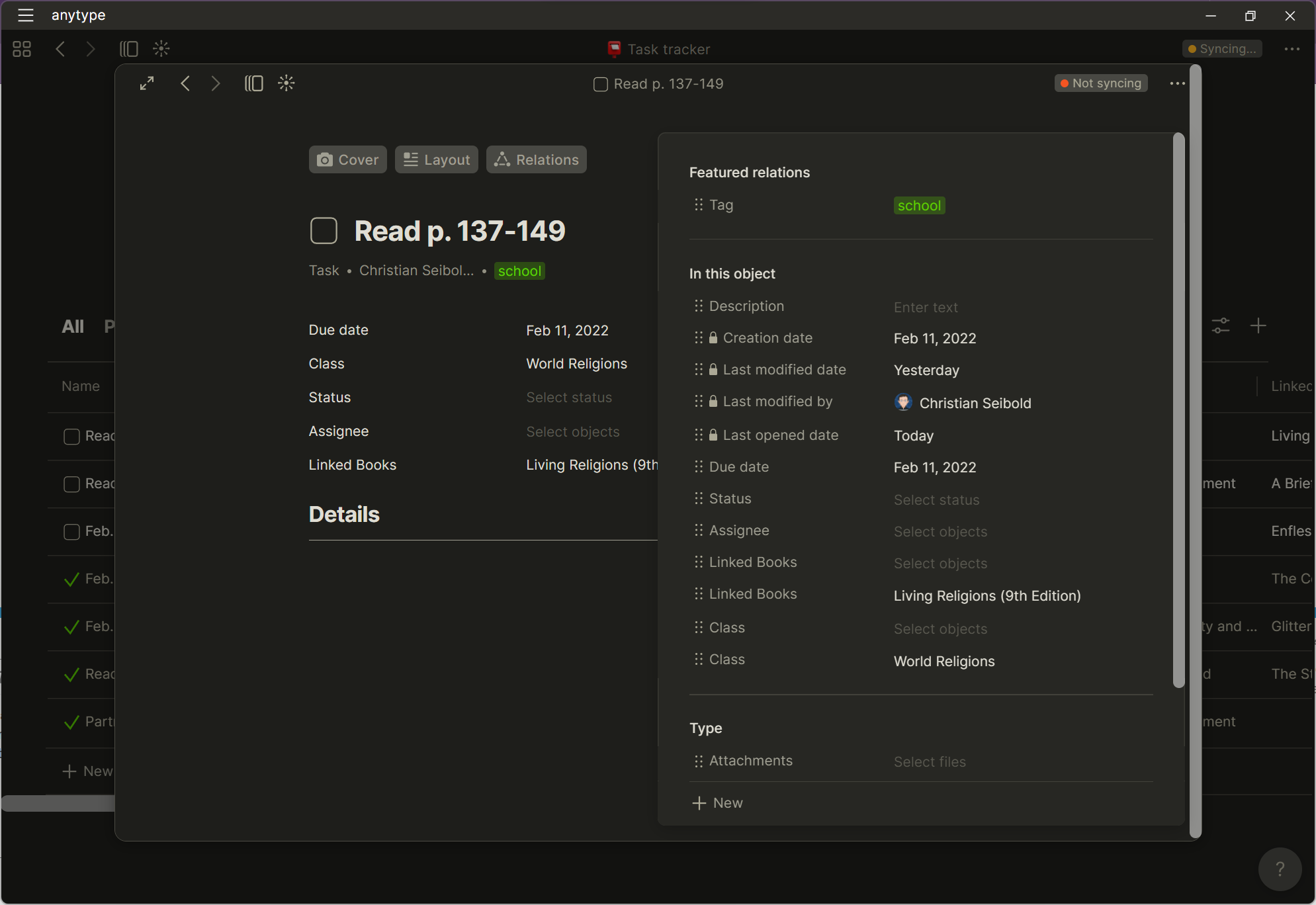
I personally like that these are different things. It means I can hide things from the visual component if I don’t think they are needed on that visual component. In a way, the canvas is like the “page” of a website, and the relations are the backend data.
However, I would definitely support a feature where when you create a new template, it automatically adds all of the object’s relations to the canvas template. And then you can remove and add to that template however you want. Or even just a button to click to auto-add all of the object’s properties to the canvas would be useful.
Also, if I wanna add an extra property I have to go back to the type and then go through all these things again.
This is not technically true. I’m not sure if you are familiar with Prototype Programming (like Javascript), but Anytype works kinda like that with its objects. The types are like prototypes that specify how an objects starts, but each object can have relations added to it that are not part of its type at all. This lets me, for example, extend some of the default types by just creating a new template for that default type that has relations added to it that are not part of the type’s set of relations 
And this also works with sets too because with sets you can do the same thing - add relations that are not part of the type.
Let me actually show an example of where I do this - with the Book default type:

So, I am not able to modify the 5 relations that the Book type has at all, but I have created a new template that has added the extra relations I wanted, including ISBN, Owned, and a few others. And everytime I create a new book, I just choose my new template that I created:
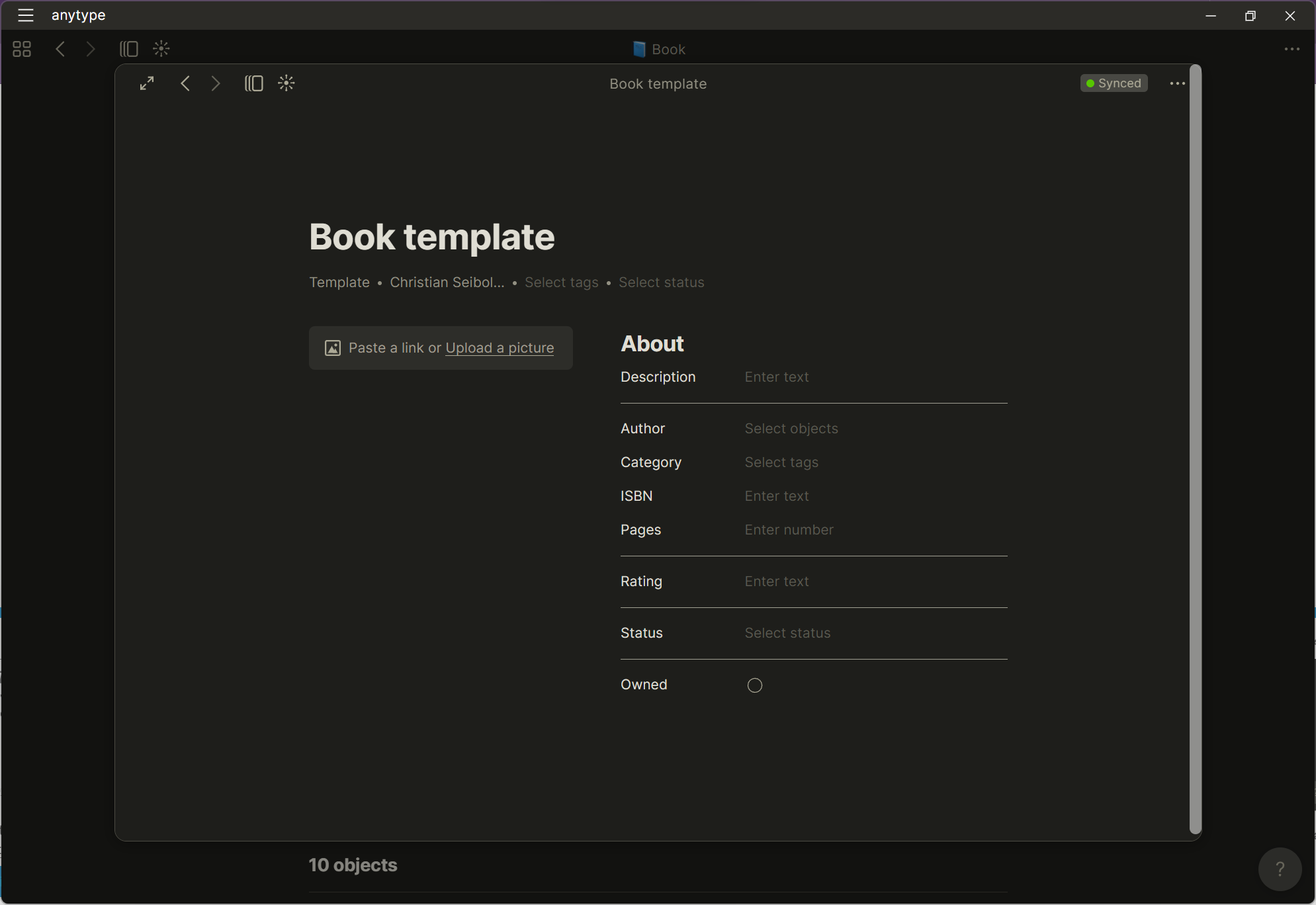
To do this, you just type “/relation”, click “New Relation”, and then either search for a relation or type a name and click to Create it.
Then, I can show these extra relations within sets:
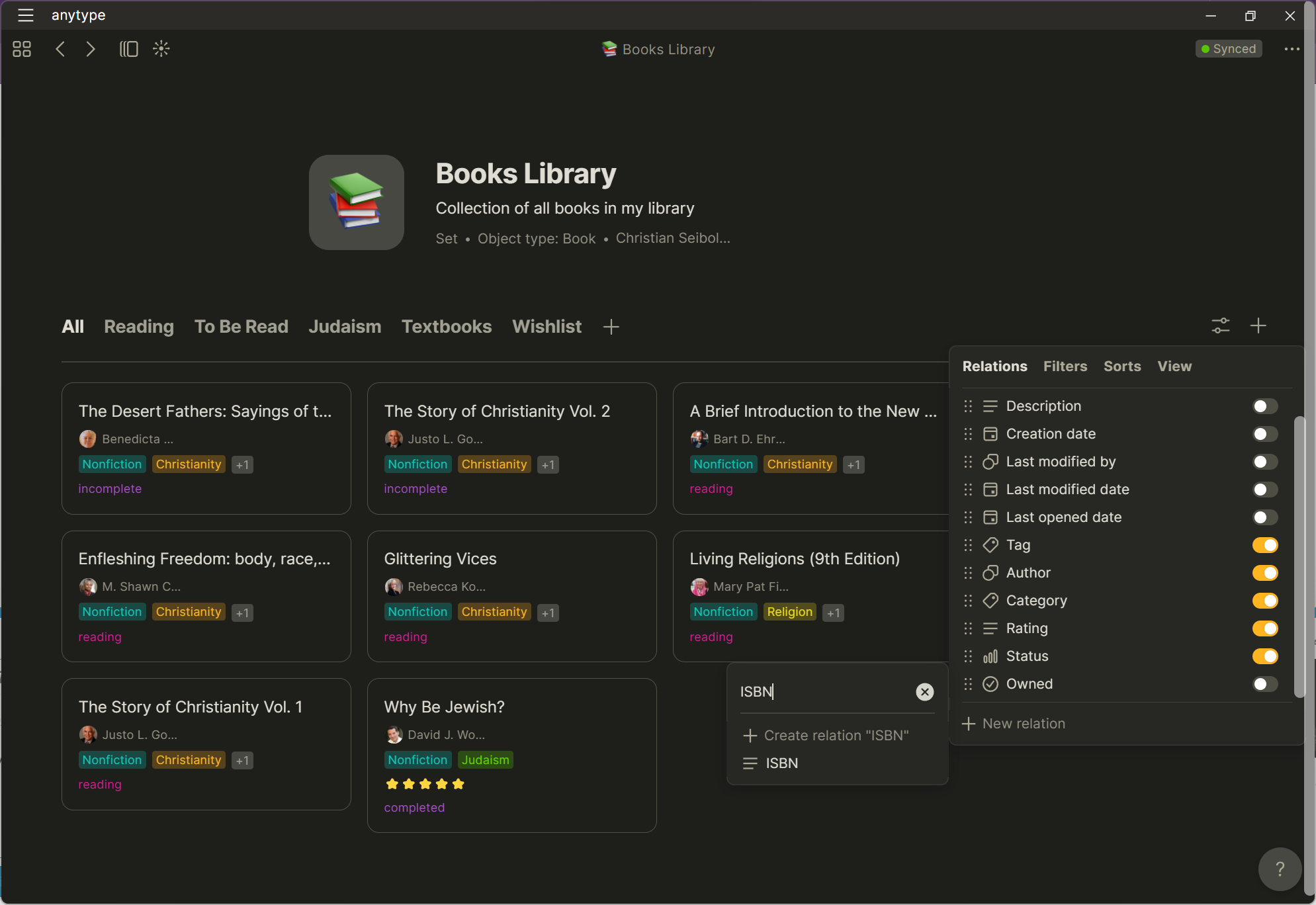
You can also just completely skip making a new template and do this on an individual basis, for example if you just want some objects to have a relation, but not others.