The tree view in widget is for those of us who’d go crazy without a hierarchy (or at least, the illusion of one)!
As others pointed out, the objects are independent of a structure. They float around (in the Graph) without a container, and the tree view is simply giving you a hierarchical view based on how you linked them.
When the feature first came out, I made a navigation tree widget that looks exactly like my navigation in Notion. I did this by creating “Folder” types to create the illusion of a category, an expandable ‘parent page’ in the sidebar.
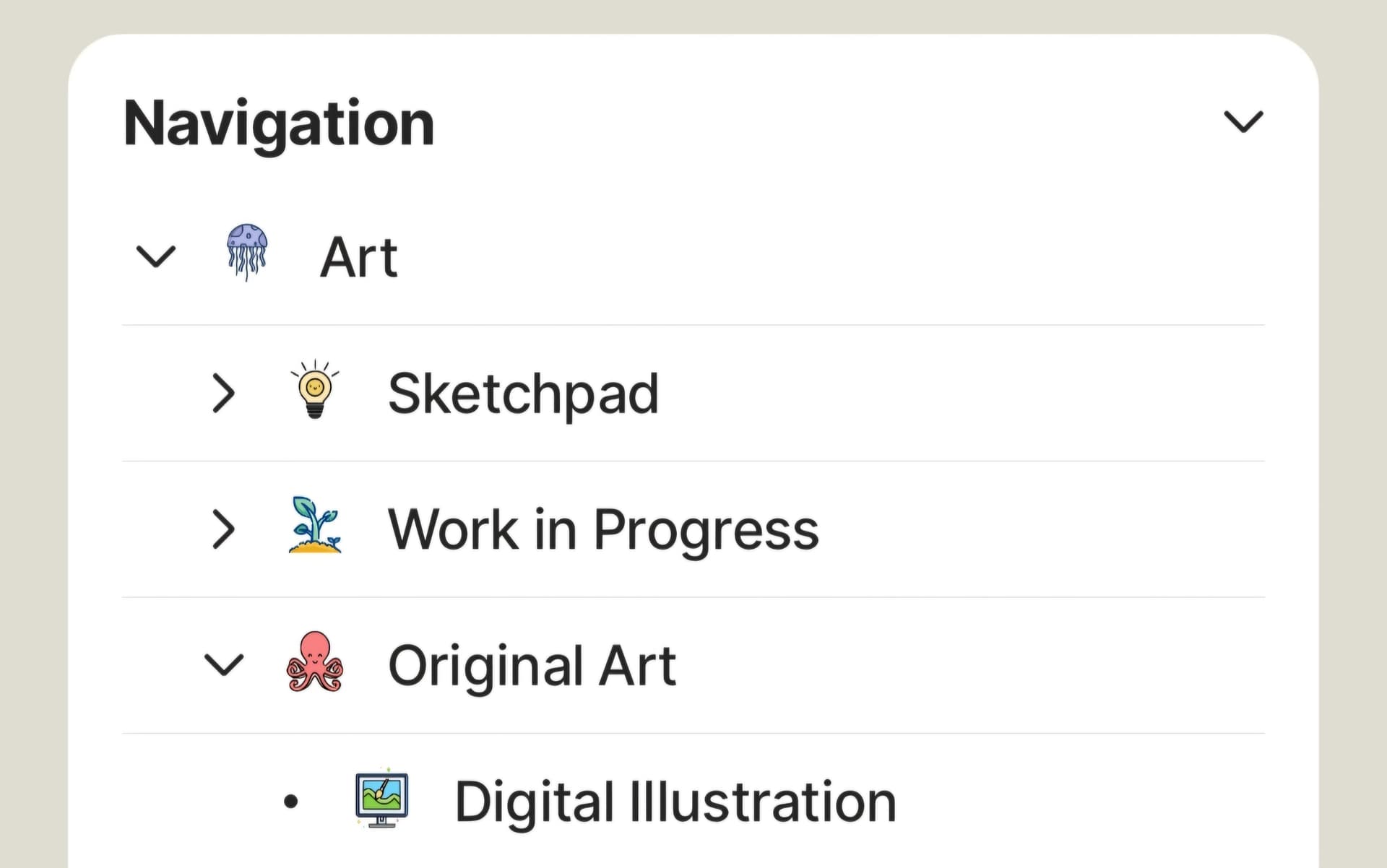
Icons from Icons8.com
I suppose you can also do this by using Collections, but for categories that don’t contain a lot of pages, I like to use my custom (folder) type to label the folder as something separate from a regular page.
While others would say Anytype is more powerful because of its lack of structure (and I agree), I don’t think we should change the way we structure things and avoid creating a tree entirely. I believe the app’s strength is in its flexibility to adapt to how our brains work. So if a tree structure is what gets you around, by all means, I encourage you to try that in Anytype.
As we don’t have breadcrumbs yet, the closest alternative — besides using the back button — is to create categories/folders/parent objects that would imitate how you’d usually navigate through those crumbs. That way, you have many parent pages that expand on your tree view and you can just look to your sidebar to check where your page is currently ‘contained’.
I think of it as a file explorer with the huge benefit of placing an object in multiple folders. Once you get used to it, you’ll realize it’s very convenient and difficult to go back to a traditional folder structure. 
Last but not the least, as someone who hates orphans (objects that float around without links in Graph), the tree view gives me the satisfaction of making sure that every object is linked to something. I have a personal rule to make sure that everything I create is within my navigation tree (therefore, accessible in sidebar). Otherwise, it goes in my Notepad (my equivalent of an inbox or a temporary folder) until I figure out where it belongs.
Changing topics…
Regarding relations, they’re not included in a tree view because it only displays object types. These are objects or pages with a ‘canvas’ to write on. So, if you have tags or category relations and you want them on your navigation tree, the closest alternative is to create objects that would represent those relations… like my Folder example above.
@Code-Jack Transclusion is like having a portal to another object. A synced block. It’s displayed inline and editable on multiple places. Currently, we don’t have this feature yet.