Yes
In many case, many beauty queen are pig, as explain into previous posts.
As I know, the only difference is with folder, you cannot have a folder (or file) in two different folders (and then you end up with the whole problem of a classification that will never fit perfectly).
With tags, you can. An you can have all what folder can do (hierarchy and tree structure, moving content elements to another location, …)
Next, the limitations depend on the application (or the operating system—long live Windows and its 256-character limit… ).
My example of gmail is exactly that: few people realize that these are tags!
And in Outlook, it’s completely hidden. I have users who had created huge tree structures with folders, subfolders, etc. (except that technically they weren’t folders, but users don’t care about that).
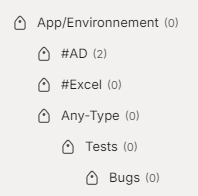
(edit : and here, a small capture of a folder tree into Evernote : )
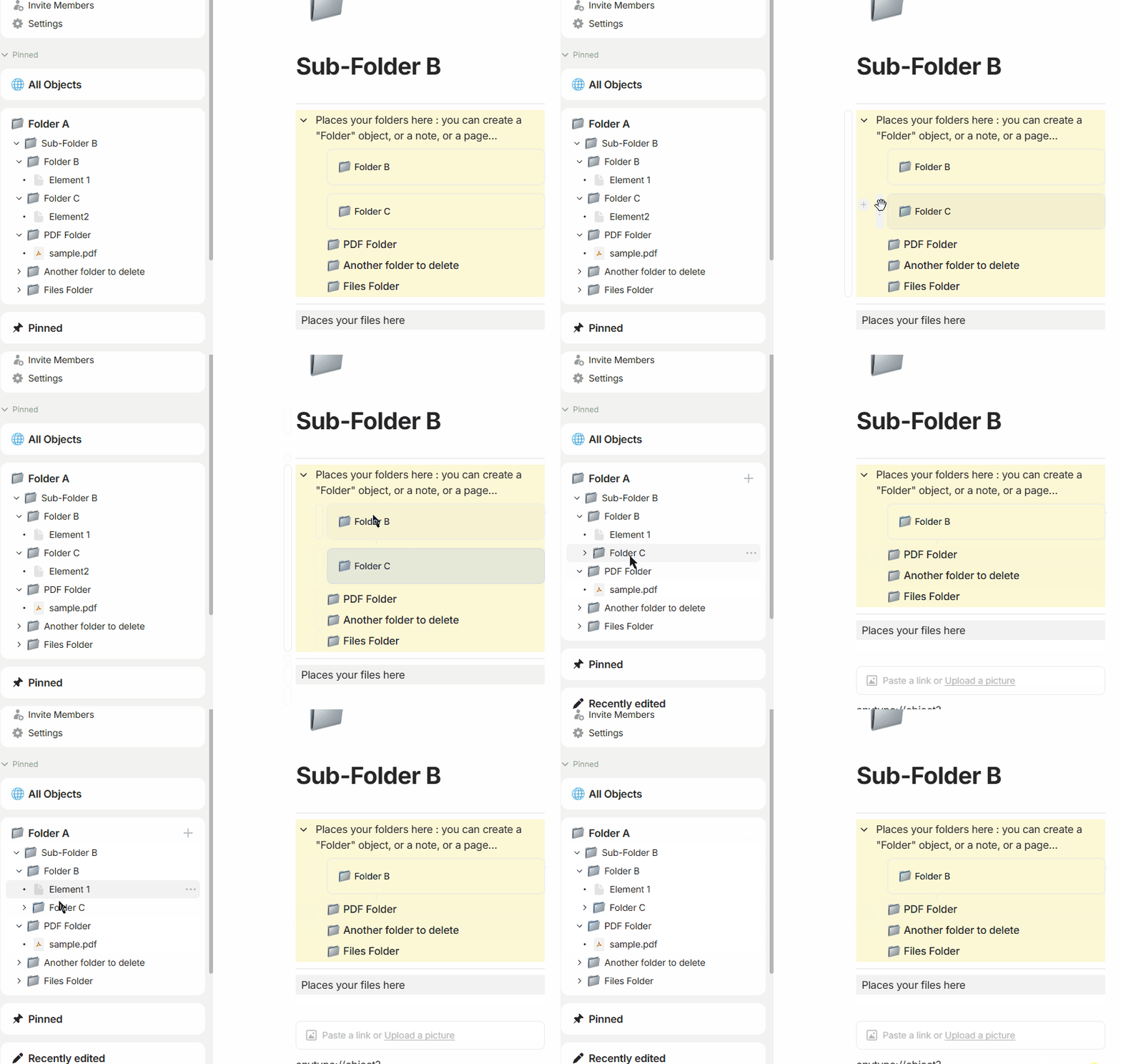
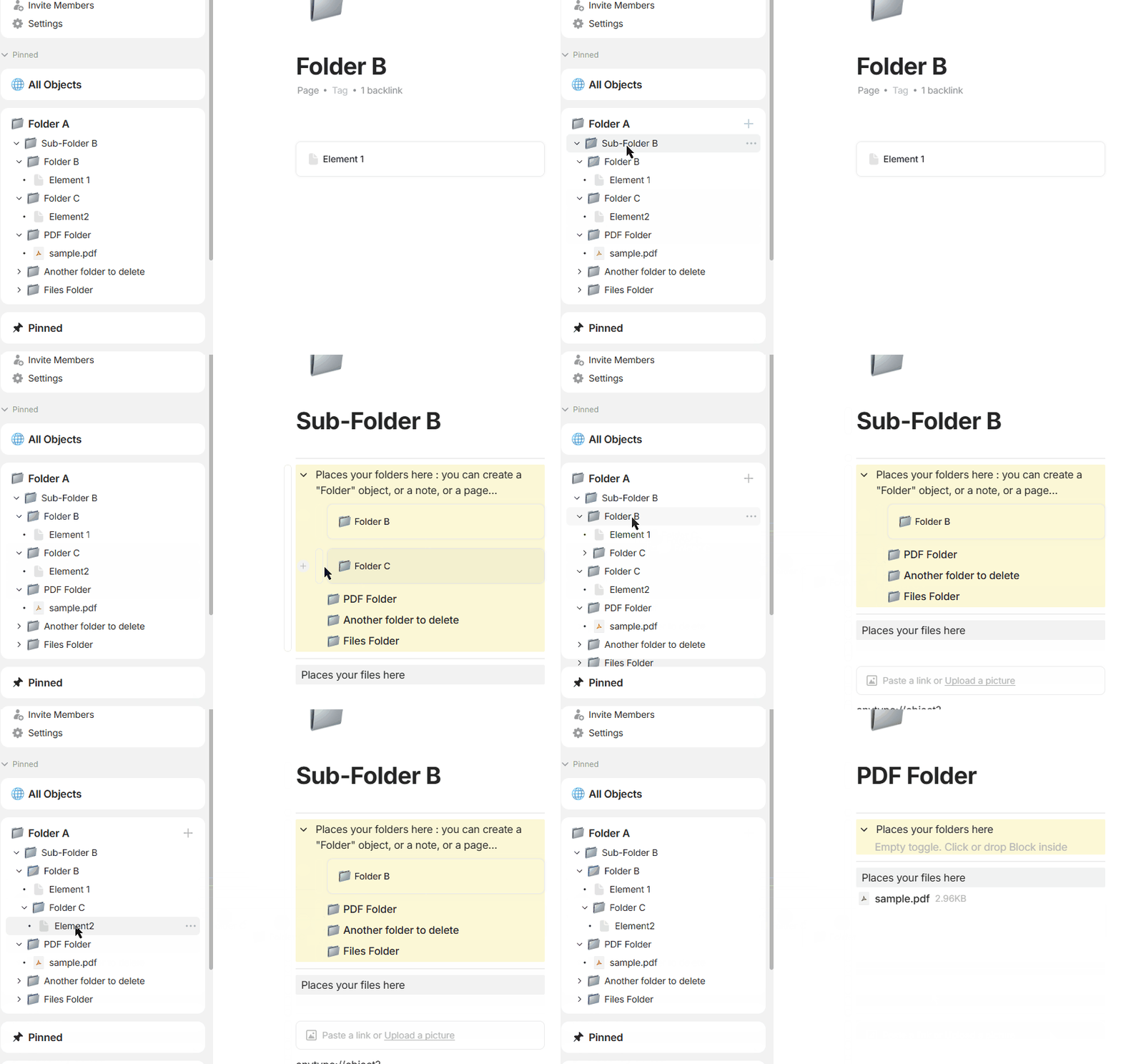
Great. So, would you be kind enough to explain how to create the following:
folder (container) A
folder B, a child of folder A
Element1, a node in folder B
folder C, a child of folder A
Element2, a note in folder C
move folder C to be a child of folder B
It’s a simple tree and a simple operation. How would you do this using tags? I’m interested in the number of operations. With folder-type of hierarchical structure, every item above is exactly one operation.
every tag can get moved around, every tag can contain items (visible in the brackets). it’s nothing different, is it?
parhaps you are irritated that files aren’t listed in the example above directly in the tree. but that is also just a visualization aspect, nothing what the system wouldn’t allow.
What is irritating is that people can’t answer a simple question.
As for tags, I’m asking about simple steps on how to do certain operations. I don’t use tags. Therefore, I don’t know how to “move tags around”. What exact steps are involved and how to get a hierarchical tree of tags in AnyType?
the examples above are hypothetical scenarios, that could get implemented if the team would decide to do so. this is not something that is actually possible in anytype. we have been just talking about the possibilities that tags could bring to the table, while being more flexible than folders and definite places to store things and still having a familiar user experience if the user decides so.
it’s fine if the workflow doesn’t fit and what described above is not how tags in anytype work right now. anytype has a flat tag structure. but tags in general are not the bad - they just lack the capabilities of hierarchy in anytype. but as described above, tags in can have a hierarchy while they still can be flat (if implemented by the app) and bring both of both worlds.
Absolutely. They are wrong tool for the job. They have their benefits and are great to use **in addition** to hierarchy.
Saying they can be used to simulate folders is like saying folders can be used to simulate tags. That’s completely irrelevant.
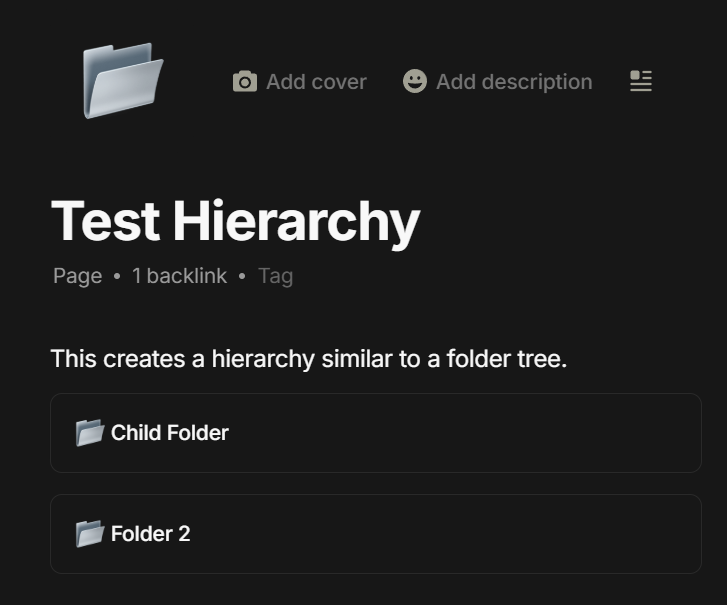
After importing the Markdown files in a folder structure into AnyType, the importer has created identical structure using Pages. The ones with folder icons are placed above the regular “node” pages. I wonder how exactly this works. This is good enough and provides the visual hierarchical organization of material. I’m just assuming that it is not that simple to move things around since it is still a workaround and hierarchy is not the 1st-class citizen here.
Anyway, the topic of the original request is simple - easier way to create hierarchical structures in AnyType. Not workarounds.
No, I need something practical, that will also remain practical when applied on mobile.
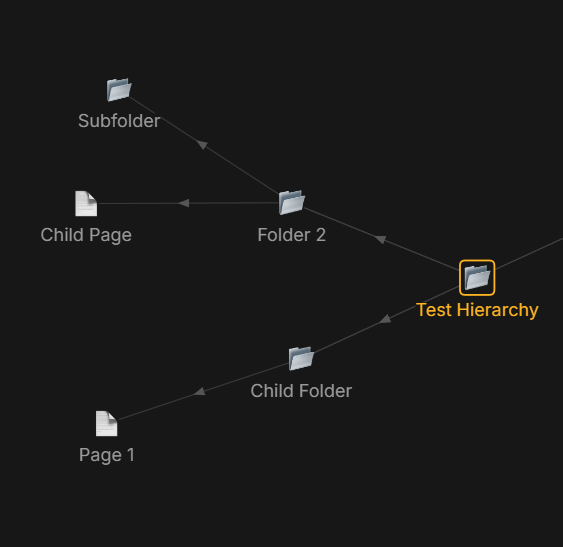
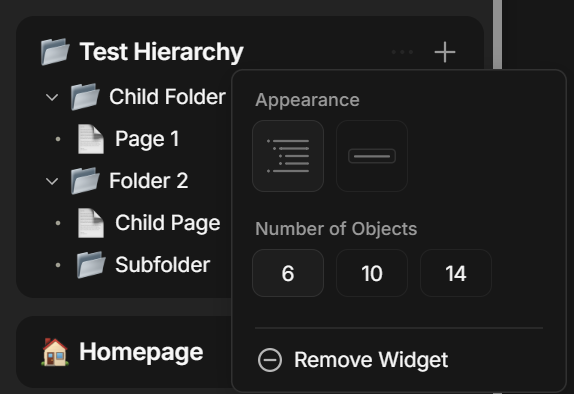
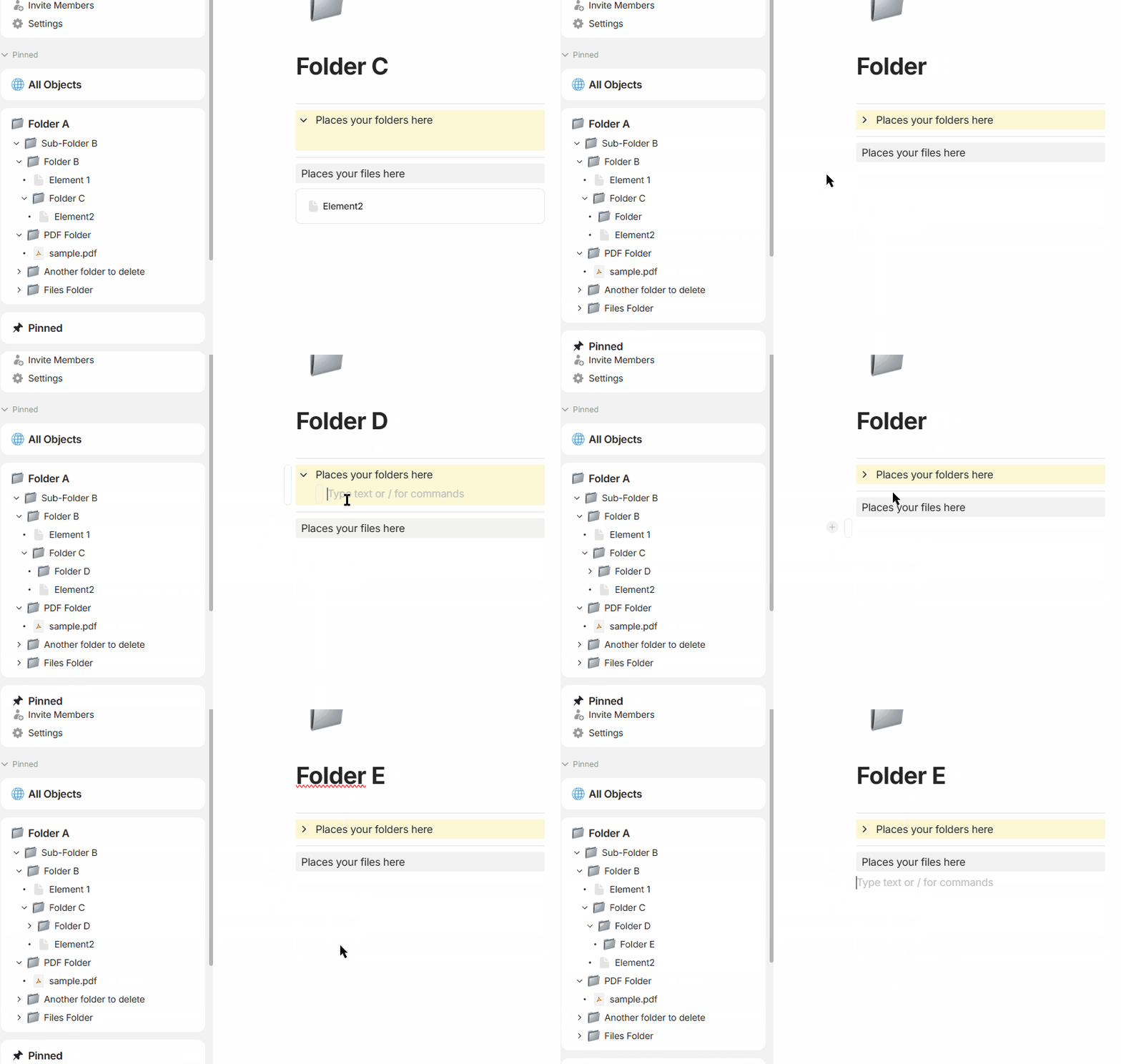
Anyway, I’ve tried to recreate this manually and is actually not that bad. It will simulate some kind of hierarchy by adding one-way links. Adding more links will make circular references and neverending trees but that is to be expected. The hierarchy is visible in a sidebar widget:
So, for those who want to create hierarchical structures manually, this might work. Moving things around requires adding and removing links manually, or simply moving the block link to another “folder” page.
Note that I use “tag” word for tag, label, property or whatever (gmail has label in fact).
Into anytype, I recommand to “use” link property.
But no need to check them, just put an object into another object : it’s not actually put in there because they’re not containers or folders. It’s simply marked, tagged, that they are linked.
Tag, as a “select property typed” into Anytype is currently still too limited to do that easily (as you’ve read, we’re waiting for developments).
No problem, especially since I still have the remains of a demo on a space.
Or you can drop into the widget (but you cannot drag from widget to drop where you want, there is an FR somewhere for that…)
FYI, in this demo, I created a folder type: a specific icon and a layout to separate subfolders from files.
edit : I see you’re well on your way, my demo is too late .
I assume that moving items in the mobile app would do the same. That would be quite practical (need to try).
Yes, please, if you can add a few details on how to create the “folder” / “container” type, that would be helpful. It would be great if such a thing would be there by default. It would serve only to provide a hierarchical structure. Having a Parent property and a default container (or folder) icon is all there is to it, I guess?
I will continue using the auto-generated hierarchy, that was created on import. This is helpful to provide some sort of structure, a skeleton. In addition to that, one can use tags and other links to create some relations between objects (notes/pages).
Edit: ok, got it! I’m still a bit confused about the relation between Types and Templates. But this is quite useful. Hope that eventually the links get types, as well. Not all links are the same.
Now I’m starting to understand the Properties, or Relations, that they are now. Having a Parent property would establish a proper relation. In the graph view, if filtering by relation type were possible, this would accomplish the hierarchy view.
Moving an item to a new parent should change this property and that would solve most of the issues, I think.
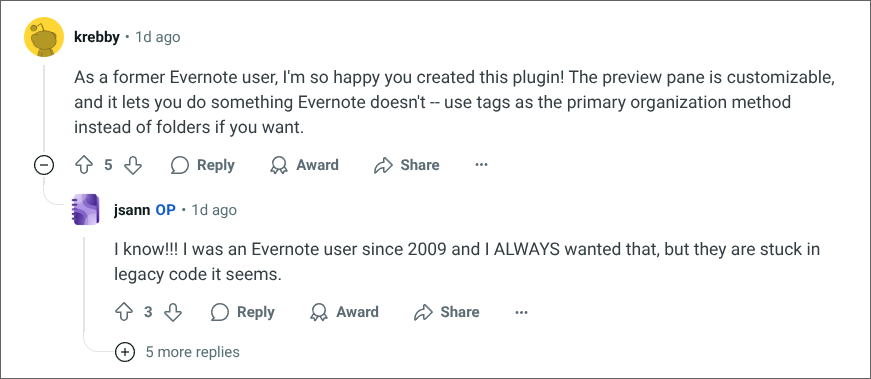
Strange, many Evernote users use tag as primary organisation (I remember that in the good old days, YouTube videos on the subject were everywhere).
Including me (a professional notebook, a personal notebook, and everything else managed via a tag tree—I can’t wait to do that again in Anytype).
But yes, the transition to “Legacy” ruined their product, and even though they’re developing new features, it’s not as good as it used to be. That’s why I’m leaving (I’ve been waiting to do so for years, and my friends and family have already left).
It’s a real shame, because it has some great features (OCR, richer simple tables, tags, etc.).
15 years of living together
Edit : and it was exaclty like in the sreenshot of your reddit post. Except that we loose tag color with legacy .
 ).
).
 it’s fine if the workflow doesn’t fit and what described above is not how tags in anytype work right now. anytype has a flat tag structure. but tags in general are not the bad - they just lack the capabilities of hierarchy in anytype. but as described above, tags in can have a hierarchy while they still can be flat (if implemented by the app) and bring both of both worlds.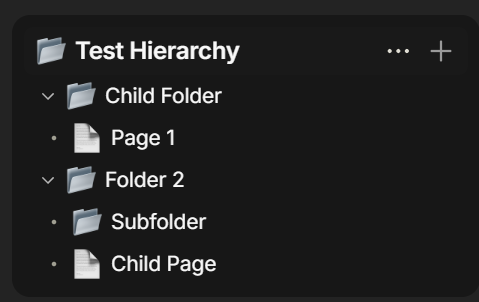
 .
.