There’s already a tree widget that can kind of be used like this:
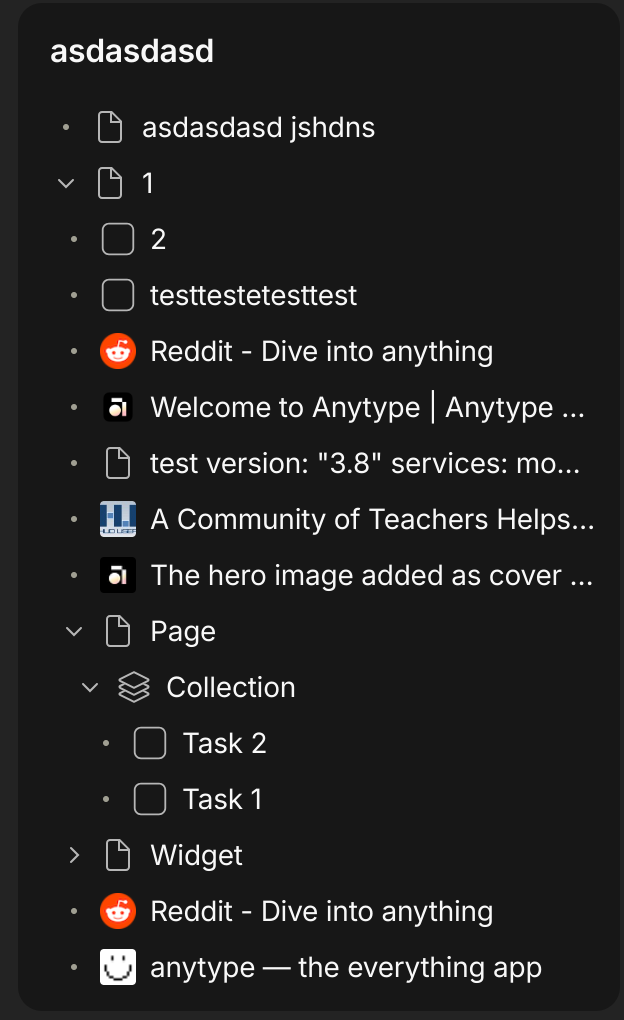
I think if we get the ability to make one page as the default page to open when we click on the app icon resolves the issue
As you can nest inside that page and use it as replacement of old folder structure
And then have an option of sidebar instead of loading to list of spaces as default
I know it’s still complicated to pull off for peops coming from word, but it would be a onetime thing
or if someone can create anytype experience gallery template, something with sets with new object type as folders within folder, of 3 levels which they can directly install would be really helpful, I think I can create something like that but I don’t know how to post on it into gallery
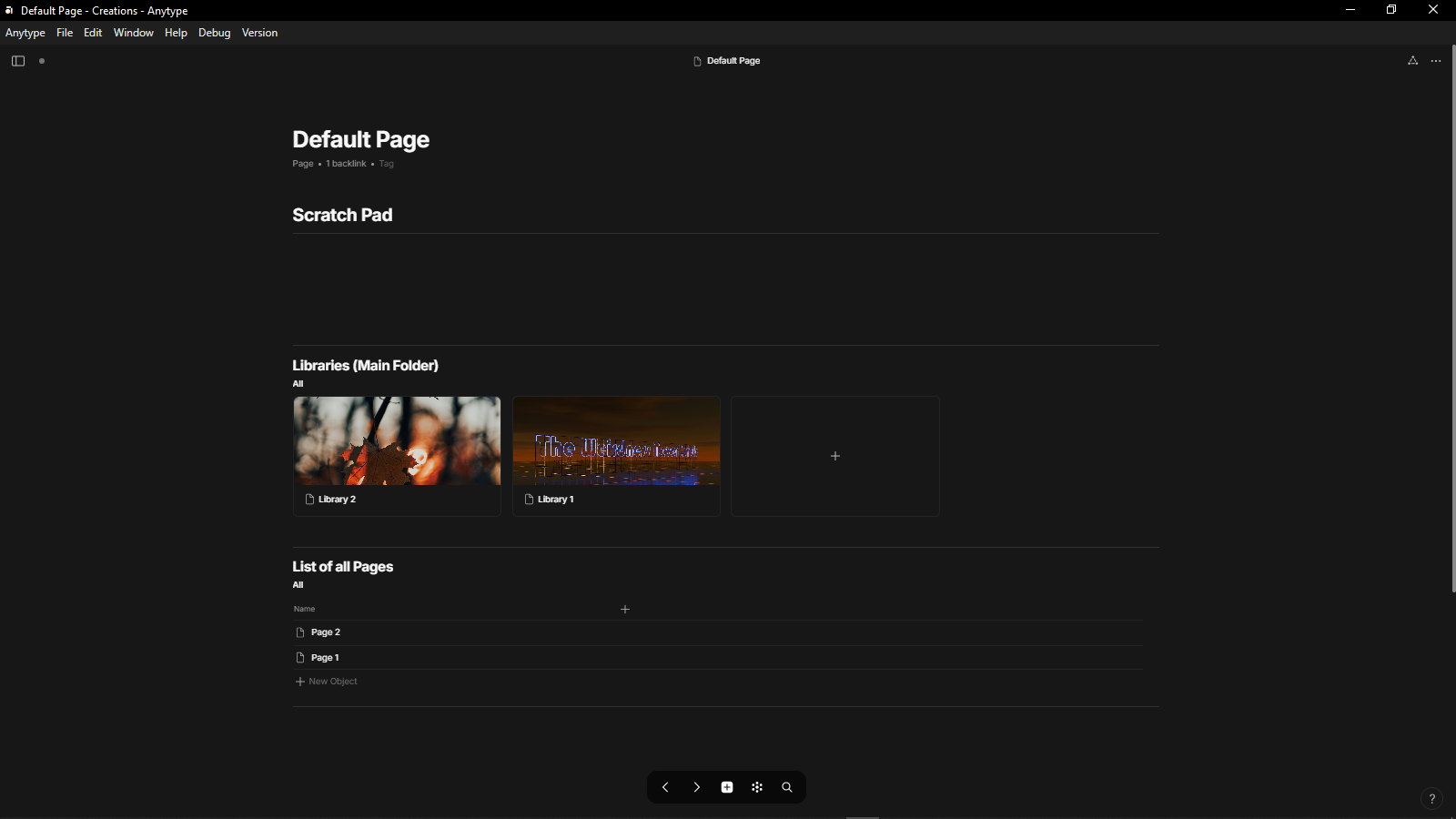
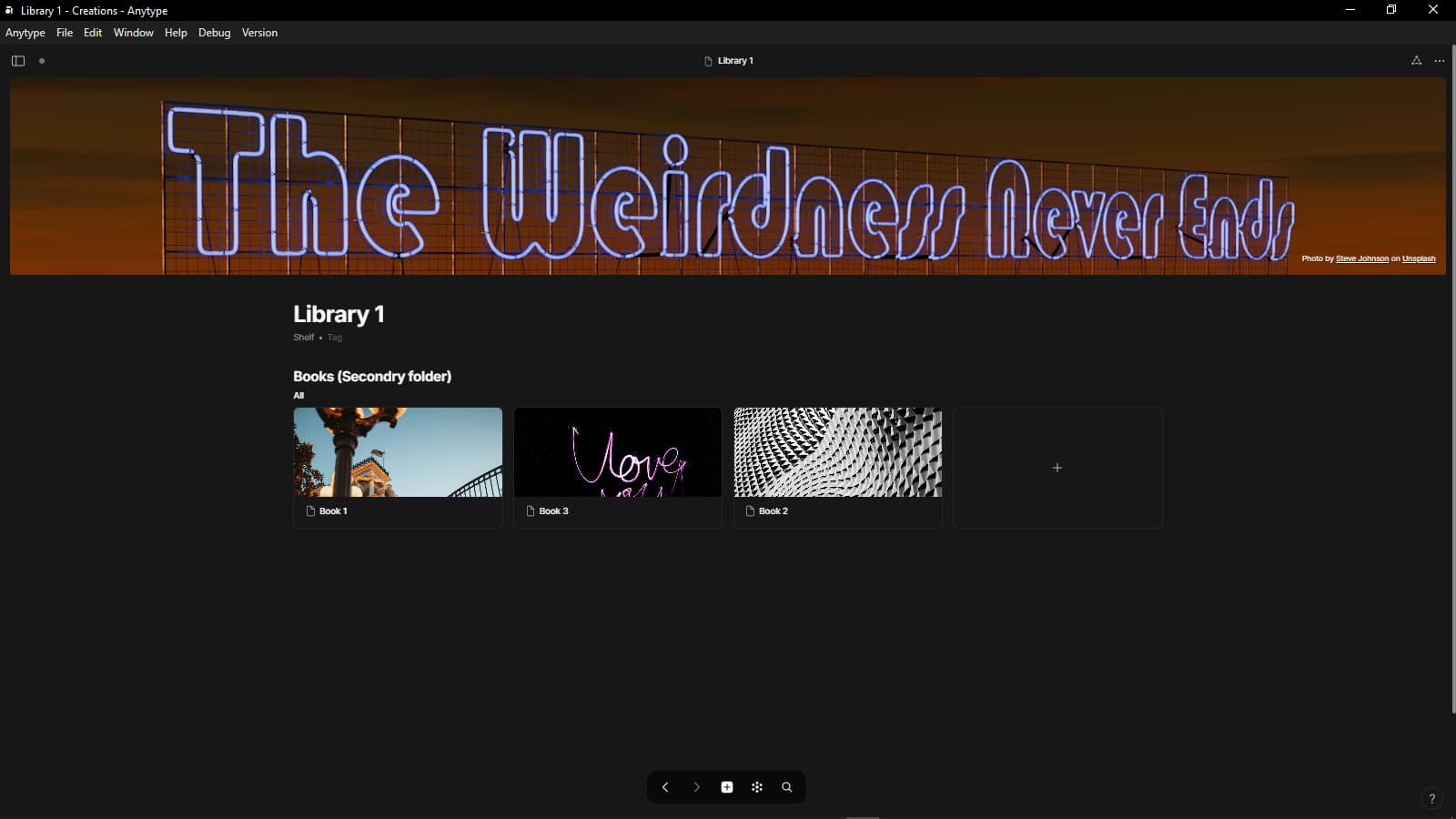
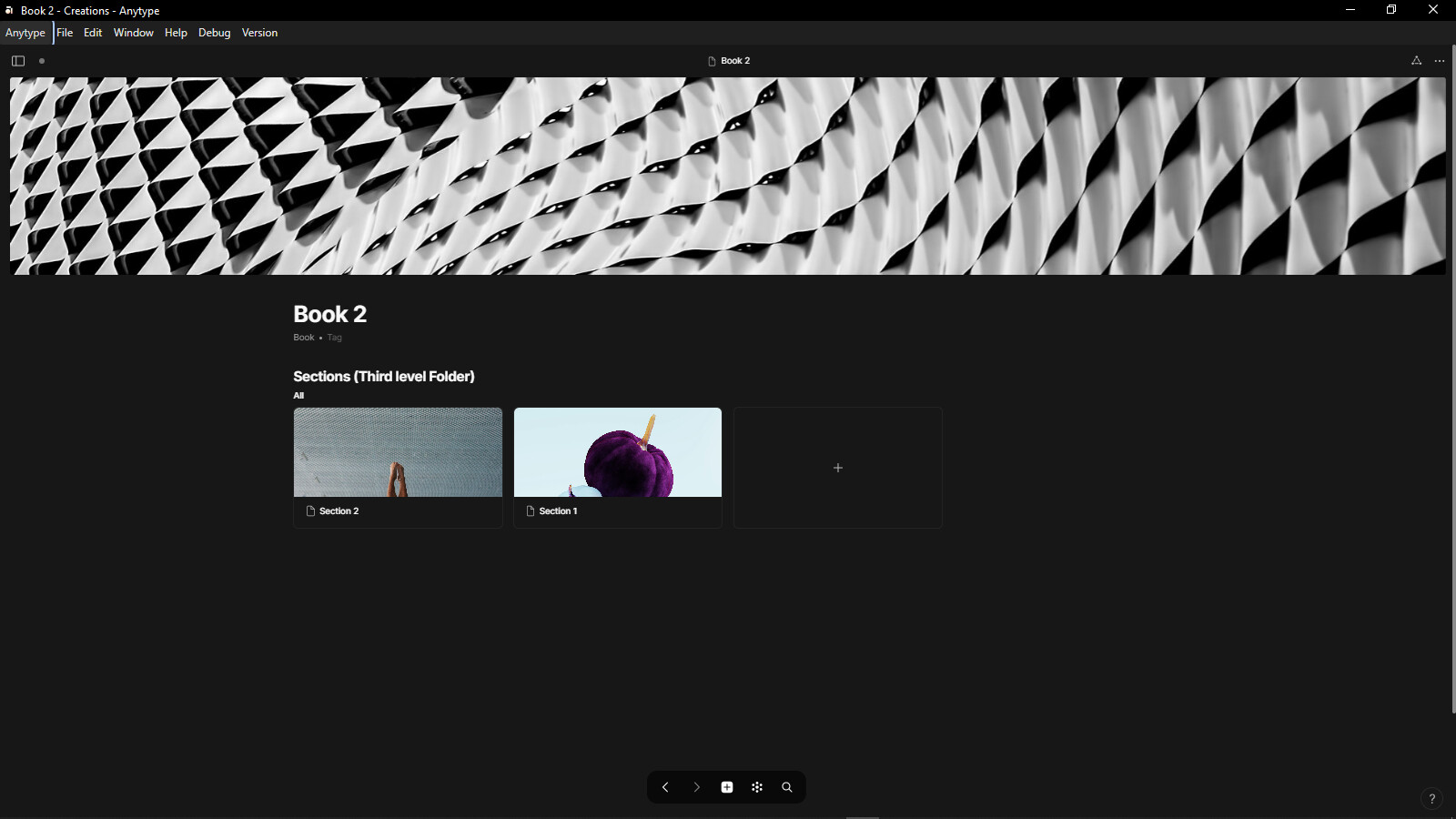
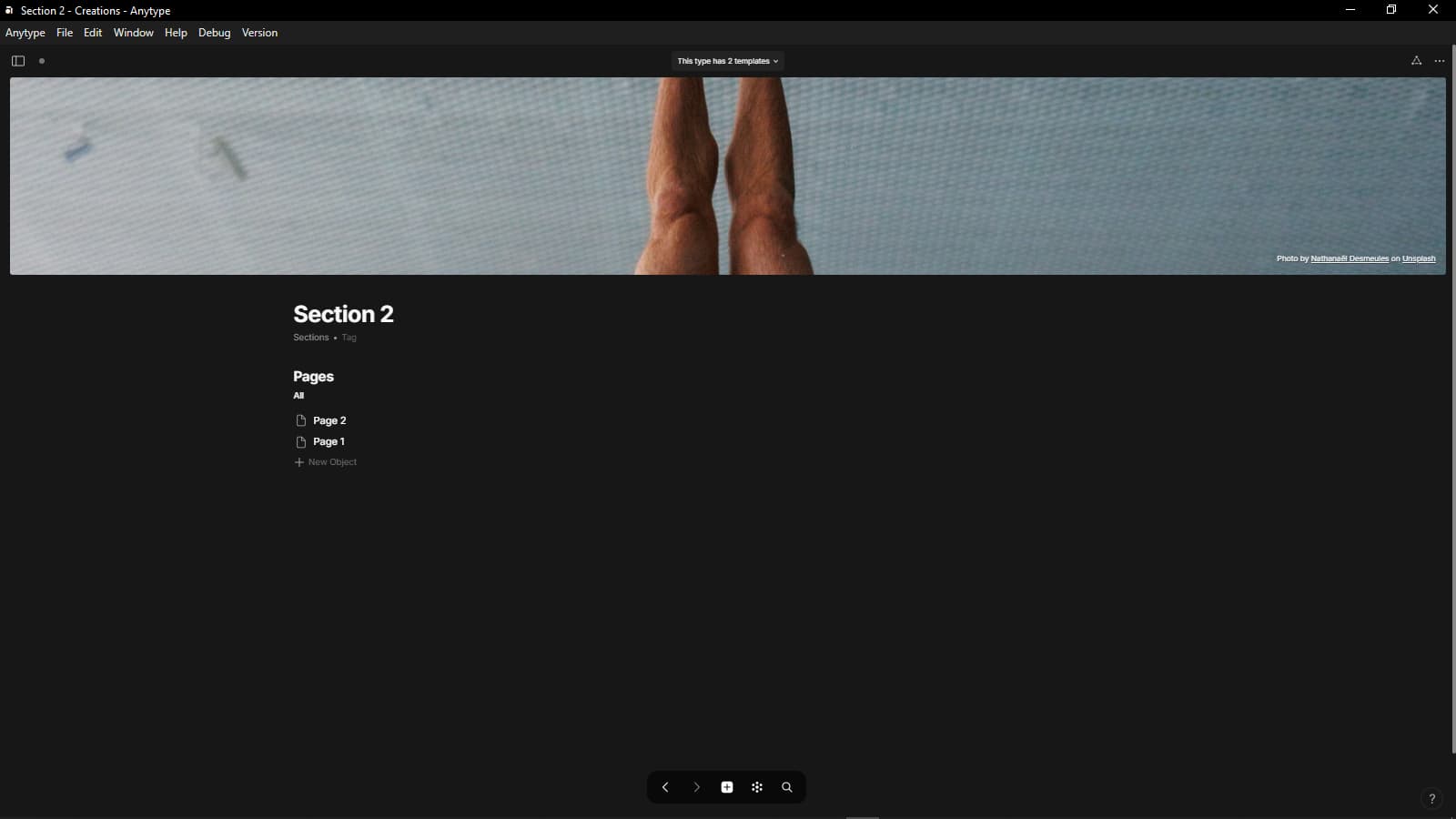
- make a page as a widget
- link another page inside that page and it becomes an sub item in the widget
- link another page in the nested page and the previous sub-item is also a “sub folder” in the widget now
- repeat
I think it works well for me, but I believe it could be improved for users with less experience.
I’ve noticed that new users often struggle to maintain an organized structure. They may not understand where objects disappear if they forget to assign them to a collection or page.
I would really appreciate the option to switch to folder mode with breadcrumbs as a feature in my space. This would help new users navigate and manage their objects more efficiently.
Good idea. I also think this could be used as a way to read or process markdown files. Handy for those of us migrating from Obsidian.
There is a solution to this already. It’s called ‘All Objects’. It has built in sets for all your types already, right out of the gate.
Many tools do not provide folder structure on purpose…because it is an older way of categorizing objects with its drawbacks. Logseq for example does what AT does - no folders. So does wikipedia.
If anything, for new users, we need some sort of ‘orientation’ video, a link to which would be put in the start here file when each space is created.
Basically the importance of All Objects need to be more emphasized - not alter organization of AT for sake of new users.
i dont see why we cant have both. All Objects is not really helpful if youre used to folder structures.
Just a small widget called folders where you can then simply create folders, drag and drop and copy paste sites or objects between folders would be insanely useful. Maybe even as a opt in feature so people specificly looking for that approach can just enable it while others do not get bothered.
Yeah, Affine offers folders. Unlike in a file system, all objects in any folder can be displayed multiple times. Folders are simply nested containers for links to objects. This is a practical organization system, and what I personally like: the folder items in the sidebar work as a menu with submenus; the whole folder name is clickable, without having to click on a tiny icon, clicking on the folder name opens the underlying hierarchy level and another click closes it.
It would be great to have that in Anytype.
I never got used to this approach, where thousands of items are just bunched together and I need about half an hour to find the thing I’m looking for, if ever. Equally, the Graph view, with thousands of dots and lines strewn around provides very little benefit and I’m not using it at all.
On the other hand, I know that, if I go to the folder History → Europe, I will find the pages with topics related to European history. No objects floating in a sea of other objects, some of them also containing words Euro (in Finance, prices, stores, geographical items, etc.) and History (of other countries / continents / cities / families, etc.).
So, whether one considers folders an “older way of categorizing”, they have their place. A hierarchical structure is alive and well, even after centuries of use. And, according to the probability law, it is much more likely to be there for additional hundreds of years, unlike the “modern” All Objects and Graph of everything-out-there in one view.
The difference to the “older way of categorizing” is that today data is stored in a database and filtered and sorted using different views (queries and collections). This allows an object to be displayed multiple times in different views.
In Anytype, you can create a kind of hierarchical folder structure with nested collections, but unfortunately it is not (currently) possible to display nested collections hierarchically in widgets.
I think this is the main problem. Whatever the underlying mechanism is, we expect to find information at a certain location in the hierarchy. The “folder structure” itself is just metadata of what the parent/child node is.
This is not a “problem,” but rather a technical fact. Even in the file systems of operating systems, an object (a file) does not “reside” in a folder. A folder is not a box in which files are stored, but rather a list that links file names to the actual files.
The fact that an object can only occur once in a folder is merely a design decision. In file systems, too, a file exists independently, and the folder entry is merely a reference to it.
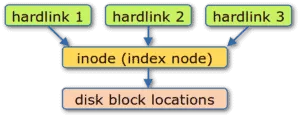
Just case in point, this is what Hardlinks (not symlinks) are on Linux filesystems. Its two places, possibly different folders, point to the same node on disk.
Quick illustration found on the Interwebs:
On another note, maybe something like Trilium folder tree can be acheived (Trilium also allows for the same note to be in multiple places/folders).
Dunno… I think this is more the kind of visualization issue than technical aspect, being that one can infer that if objects (single or collections) are inside a collection, that collection is the parent and the objects are the childs and go recursively from there.
Sorry, but a technical fact can also be a problem.
If I cannot locate information in my personal knowledge base, that is very much a problem.
If you really need a folder structure, perhaps Obsidian is a better fit for you where you can adapt and use many principles from Anytype and still have a traditional folder structure.
AT is not about where you put objects, but how you structure your system with properties and objects. Traditional folders don’t make much sense in this paradigm as there is no strict hierarchy.
you can still do this though:
create a type called folder, create an object called folder1, link a new object in it, called subfolder1 and you have a traditional folder structure in this widget. then you can link other objects in there to let them show up in your “folder”
I just migrated from Obsidian, not expecting this would turn out to be a problem. The migration to AT was not smooth and the migration back seems even worse.
I have tens of thousands of these. Some kind of hierarchical structure, where a decent chunk of those is eliminated at every level, is what turned out to work for me over the last 30+ years. I don’t use tags because they are still linear and don’t really help me narrow down to relevant information as much as folders do.
This is a kind of a clumsy workaround to the original problem. It takes dozen of operations to create and link a new note in a “subfolder”. By that time I have forgotten the idea that I had. I want to focus on content, not on the mechanism of storing it. The tools that get in the way of that are shooting themselves in the foot.
Hi, just chiming in to voice my opinion as a potential user. I have watched Anytype for a while but today I’ve given it a serious try.
I think I now understood how the work-around for a nested navigation in the sidebar works but that seems severly limited. I don’t want to manually edit a page just to show a new entry there.
Also in general, I’d love support for expand/collapse in at least the grid and list views.
I understand that Anytypes data model departs from traditional hierarchical organization but that doesn’t mean that a hierarchical visualization doesn’t have its use for human brains.
Keep up the good work!
I have a hard time realizing why folders are useful at all. I have a project, a note, a meeting that belong the the project. everything is it’s own thing and it’s linked to the project by a property. This eliminates the need of the Folder Projects, the project older itsel, the sub folder meetings and notes. I can just create a meeting object, add the project and I am done and have it in my inline query inside my project. In addition I can have multiple paths that can lead to my search target (the meeting for example). I can find it through my project page, a meeting query, a person that I might have linked to it.
For me at least, folders just create friction, the burden of putting something into a definitive place where I have to expect it. In my Anytype case I expect it in multiple spaces and don’t have to think strictly about that one location.
You can probably use similar solutions, like Collections.
People here use the Network type of connections (in my opinion also, which is, much better).
I think the “problem” here, or “strong response” here, is just that Anytype should not just be an “open source with sync clone” of Obsidian. What you feel as a bug, is here thought as a feature.
All we can politely ask, is if you give it a try and see if you can work better this way.
(Maybe if WinFS for “Project Longhorn” had been a success, nobody would be using folders these days)
For people coming from the traditional world, where folders are the basic structure, Anytype is a nightmare.
If Anytype is considering corporate clients, folders must at least be available as an additional plug-in.